Units in MRA Mobile Beta
-

Following on from a discussion in December '22, I'd like to be able to select either miles or km as my units for speed and distance. There's a simple reason: I reside in the UK and by default my copy of MRA Beta Mobile uses miles, which is great at home.
But I'm going to France in 3 weeks and having km would be very convenient. Maybe it's in the menu system somewhere, but I can't find it, so I'd appreciate some guidance.
-
Following on from a discussion in December '22, I'd like to be able to select either miles or km as my units for speed and distance. There's a simple reason: I reside in the UK and by default my copy of MRA Beta Mobile uses miles, which is great at home.
But I'm going to France in 3 weeks and having km would be very convenient. Maybe it's in the menu system somewhere, but I can't find it, so I'd appreciate some guidance.

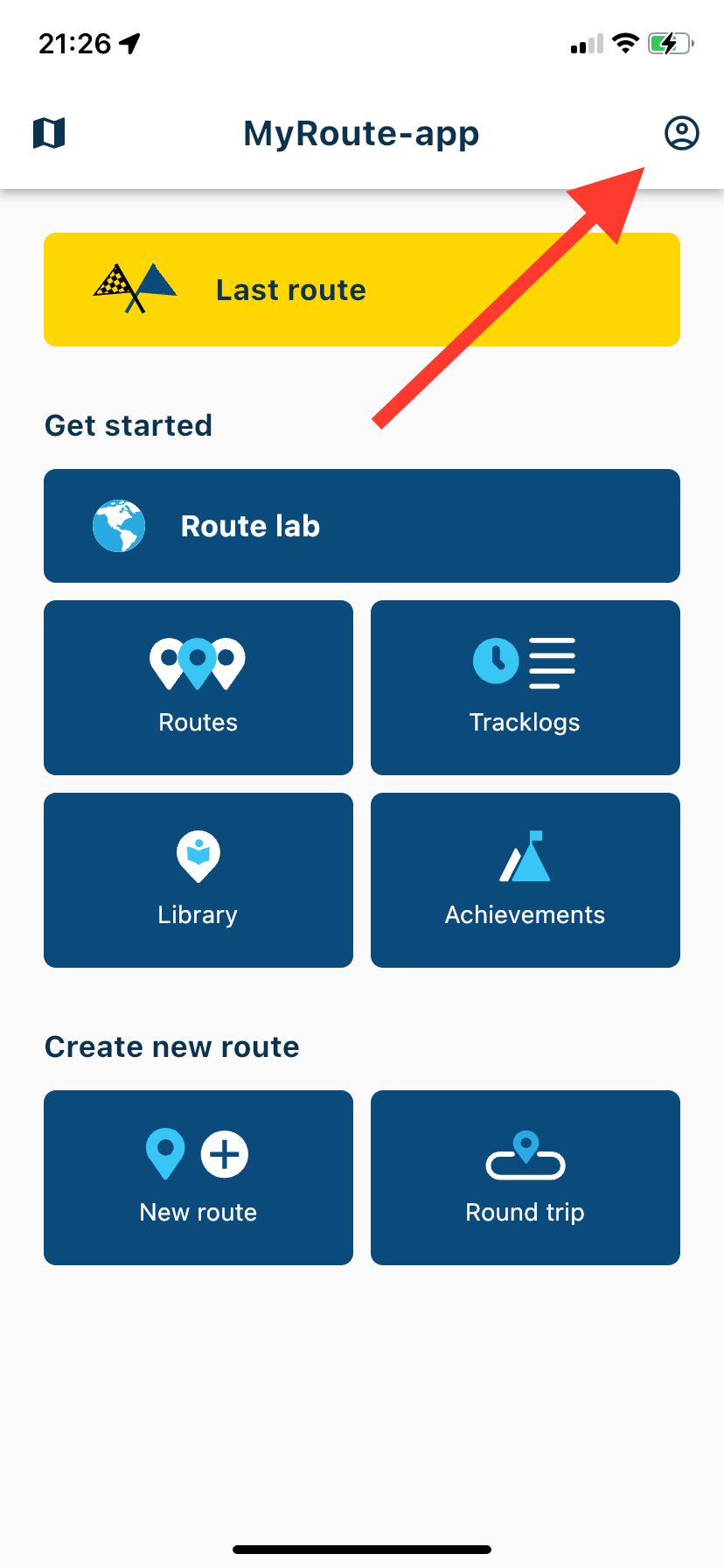
@Christopher-Austin Go to your account profile page and click Manage profile here you can change the units.
-
Following on from a discussion in December '22, I'd like to be able to select either miles or km as my units for speed and distance. There's a simple reason: I reside in the UK and by default my copy of MRA Beta Mobile uses miles, which is great at home.
But I'm going to France in 3 weeks and having km would be very convenient. Maybe it's in the menu system somewhere, but I can't find it, so I'd appreciate some guidance.
@Christopher-Austin For clarity:
-
Following on from a discussion in December '22, I'd like to be able to select either miles or km as my units for speed and distance. There's a simple reason: I reside in the UK and by default my copy of MRA Beta Mobile uses miles, which is great at home.
But I'm going to France in 3 weeks and having km would be very convenient. Maybe it's in the menu system somewhere, but I can't find it, so I'd appreciate some guidance.

@Christopher-Austin as @Nick-Carthew says. Eventually this will be handled natively in the app.
-
To answer my own question, I stumbled upon the solution ... In "Account", choose "Manage account" and in there are options to change both language and units. Remember that the cahnges are not saved automatically: you have to press the blue "Save changes" button.
Hello! It looks like you're interested in this conversation, but you don't have an account yet.
Getting fed up of having to scroll through the same posts each visit? When you register for an account, you'll always come back to exactly where you were before, and choose to be notified of new replies (either via email, or push notification). You'll also be able to save bookmarks and upvote posts to show your appreciation to other community members.
With your input, this post could be even better 💗
Register Login-
 01223
01223
-
 0817
0817
-
 0710
0710
-
 0724
0724
-
 0631
0631
-
1518
-
0412
-
0420