@UltraStar This will be massively improved in the next update (hope to release it upcoming week). A lot of users reported similar issues so we made it a priority
@b0hd1 Fun to hear your enthusiasm!
This issue is something else we are working on, among a lot of other stuff! Will be completed in a future update and we will inform you about this
@Paul-Foster The first thing that I noticed with the route that you shared is it is planned using the TomTom map. Now I'm not saying that by converting it to the Here map the problem will be solved, but it would at least eliminate one possibility. MRA Navigation uses the Here map.
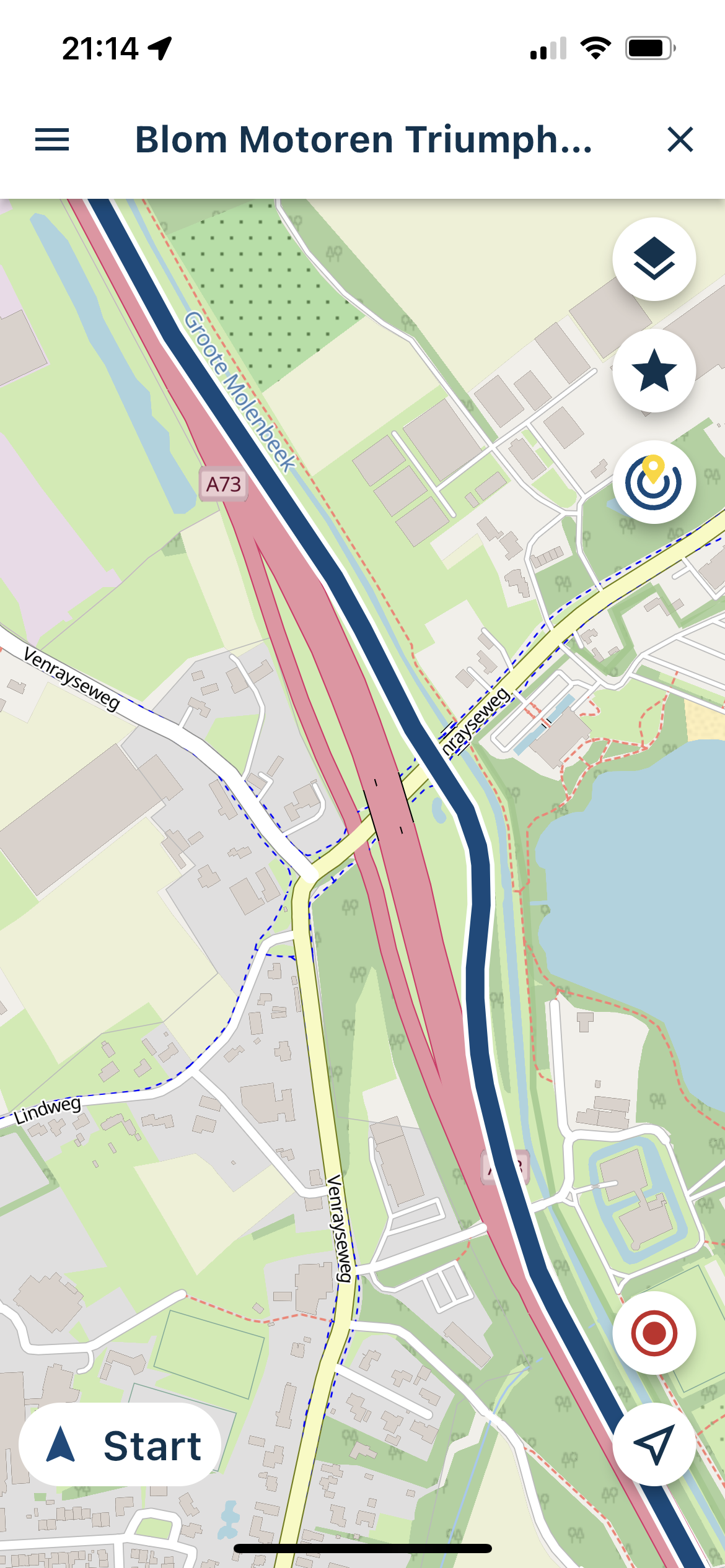
When I open your route using the Here planning map I notice that several route points are too close to junctions, roundabouts and viaducts. It is advisable to avoid placing route points too close to these to allow for any discrepancies in the accuracy of the map when made and the satellite signal that you are receiving when navigating. I would suggest no closer than 20m. Again, this might not solve the problem but it is best practice when creating routes. As is fully zooming in to accurately position route points on the track line.
[image: 1672756105067-6a039622-5d15-4a3b-816c-6ae5d54d25cf-image.png]
@Giuseppe-Marino Thanks for your feedback!
Translation mistakes can be reported here: https://forum.myrouteapp.com/topic/2846/translations-in-the-app
If you indicate what translations are incorrect, I can easily improve them!
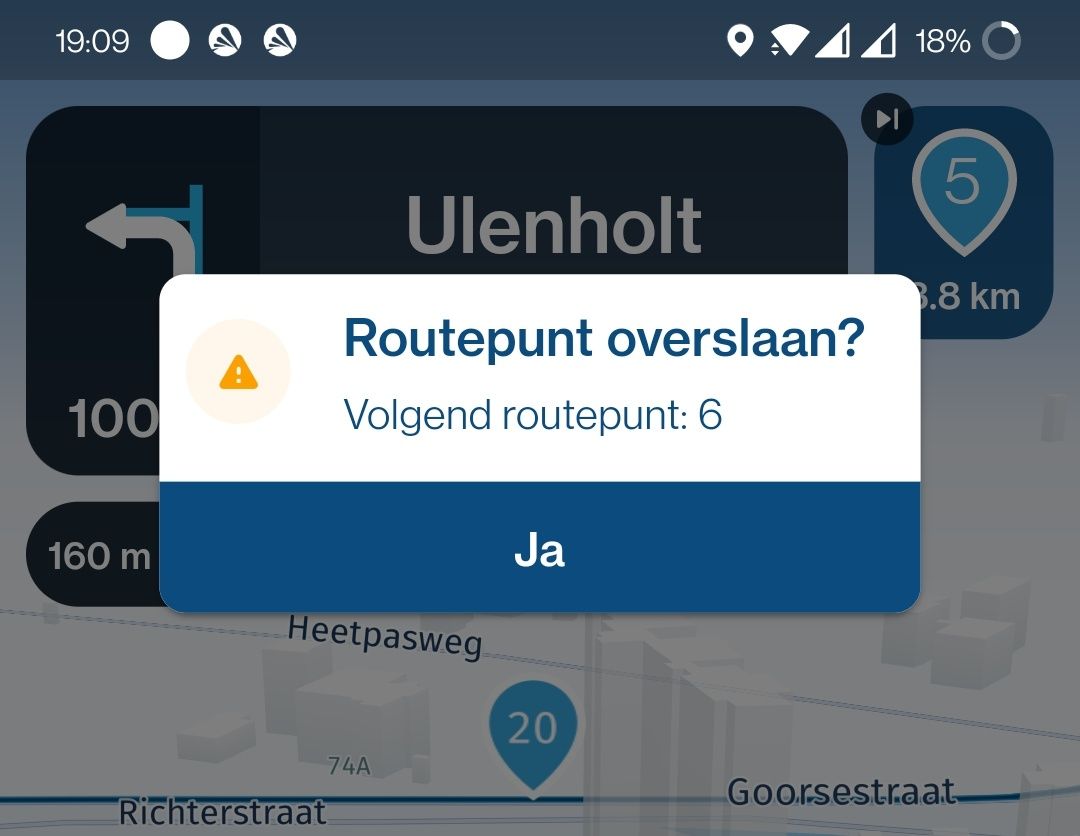
There is an issue where waypoints sometimes are not skipped properly. This issue has been reported before and we are working on it!
Thanks for the suggestion regarding zooming based on speed.
@arcangelenruta Yeah, sorry for inconvenience. We are working on solving the issue that waypoints are sometimes not skipped
@Vosje Dank voor het delen! Dit is een bekend probleem.
De kaarten / routeberekening in de app is nieuwer dan in de website. Als je een route hebt gemaakt in de website, kan het dus zijn dat verschillen zoals hier optreden. Dit zal opgelost zijn voor de uiteindelijke release
Zorg sowieso dat de gemaakte routes in de HERE kaart zijn gemaakt
Beste manier op dit nu op te lossen is voor het rijden gewoon even de route op deze manier te openen. Als de verschillen zichtbaar zijn, kan je de nodige aanpassingen maken. Je kan overigens gewoon de route gaan rijden en tussen punten 4 en 5 de herberekening negeren, als je vanzelf bij punt 5 aankomt, zal de navigatie het weer juist oppakken.
I also have the same crashes when loading a route and trying to start navigation: app crashes.
After a couple of tries navigation is possible, but even then after minutes into the ride/route when navigating the app crashes. Not sure if it is the same bug, or a different one.
@Mart-Hanssen Fijn dat het allemaal positief is bevallen
Het overslaan van routepunten wordt verbeterd! Meerdere gebruikers ervaren hier problemen mee dus dat gaan we aanpakken.
Je kan een routepunt lang ingedrukt houden om de navigatie daar te laten hervatten. Later wordt dit ook mogelijk vanuit een ander scherm (waypoint lijst, bestaat nu nog niet). Ook zul je een ander startpunt kunnen aangeven! Er worden dus meerdere manieren gemaakt maar het kan al wel! (door het punt lang ingedrukt te houden in het navigatie scherm).
@Rob-Verhoeff Fijn om te horen dat het goed is bevallen! Jij ook de beste wensen
Met betrekking tot het incidenteel niet goed overslaan van een punt, daar gaan we komende week aan werken!
@b0hd1 Thanks for the clear test scenario There still is an issue with skipping waypoints and we are working on an improvements for the upcoming update
Thanks for letting us know! It has been previously reported by quite some other users and therefore this is one of our priorities. We hope to resolve this issue early January
Noticed this today. I saw the position updates freezing for about a second. The position would then lurch/jump forward in an attempt to catch up. This issue was constant - making position updates/moving map motion less than fluid.
Overall indicated position constantly lagged actual physical location.
Today, I repeated a route with and without waypoints...
Without waypoints, final point info is shown correctly, with units.
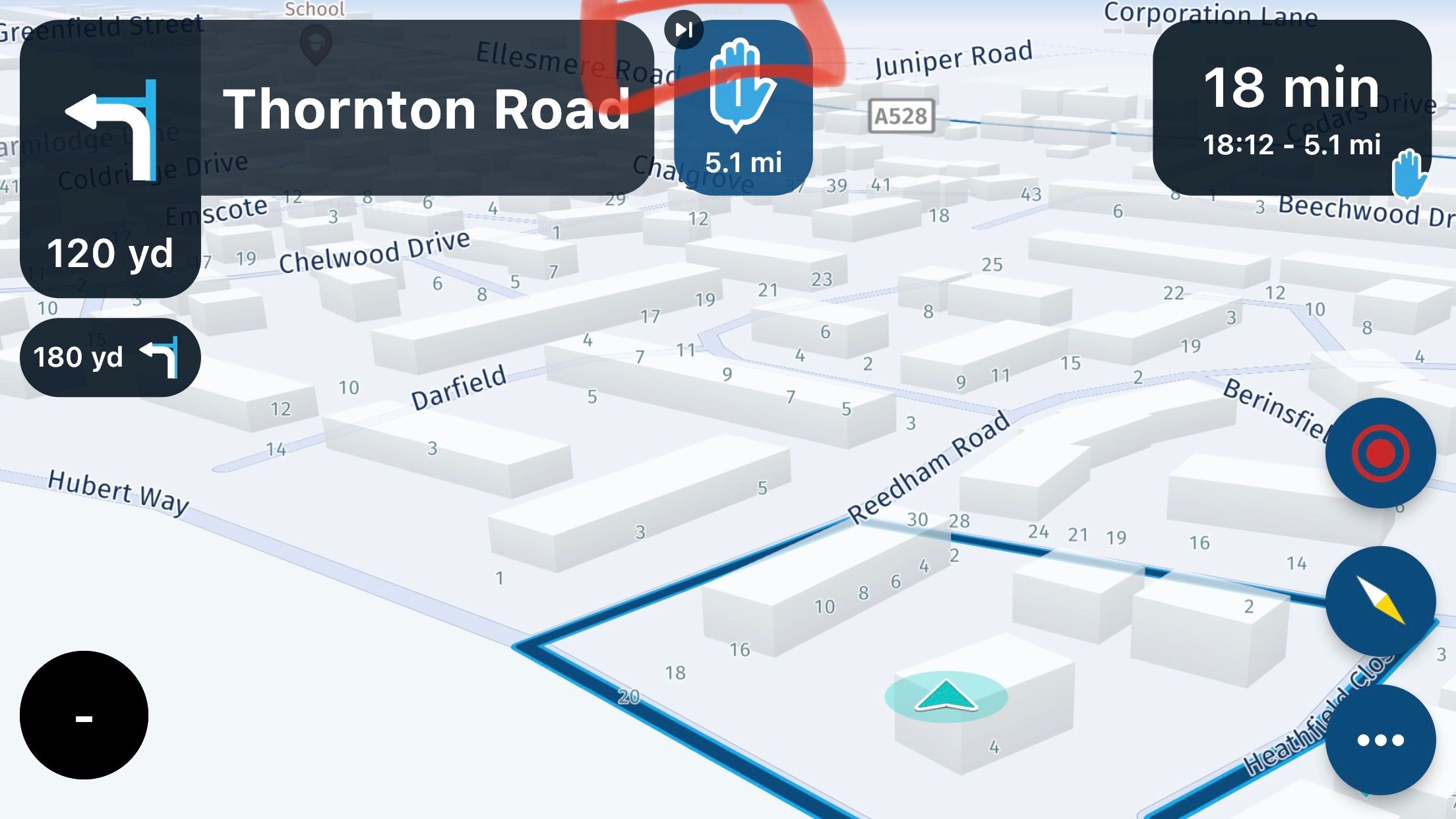
With waypoints, most of the cases distance to waypoint appears without units, but a couple of times I see thous units, but after a white they disappears.
I think that is a "space" problen inside roundsquare used to hold waypoint info.
Keep pushing!!!
Regards
@Arno-0 said in MRA raakt in de war bij rondjes rijden:
Des te dichter ik bij m’n werk kwam, bleef de totaal nog af te leggen afstand toch toenemen.
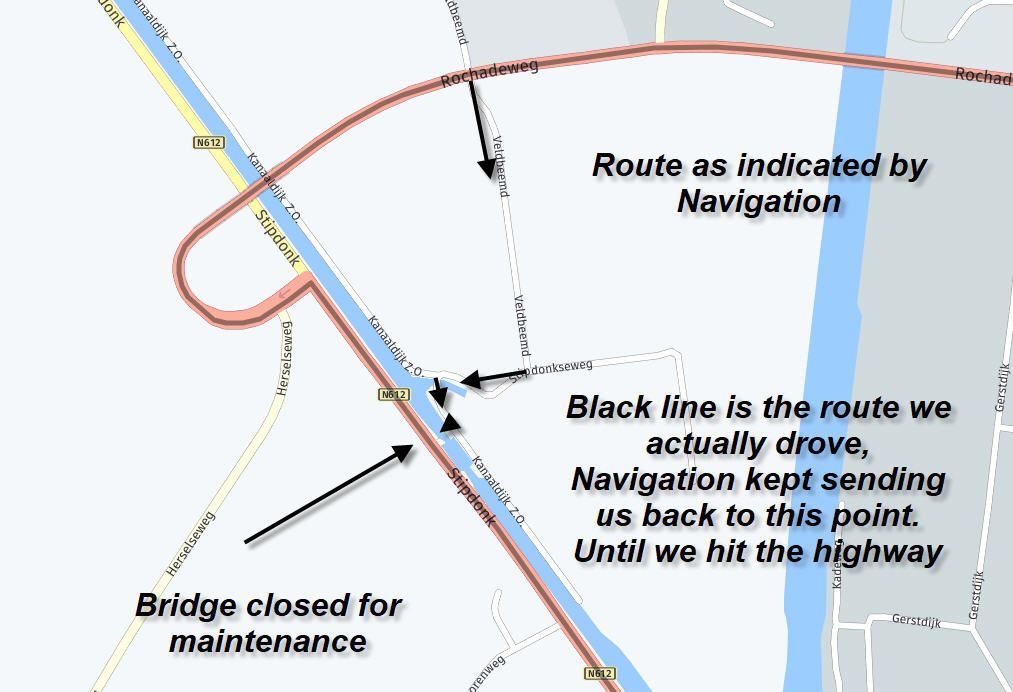
Jij hebt een routepunt gemist, en de auto-skip functie is nog niet geïmplementeerd. Daardoor blijft hij jou terugsturen naar dat ene routepunt, en berekent daarvoor een mooie blauwe lijn