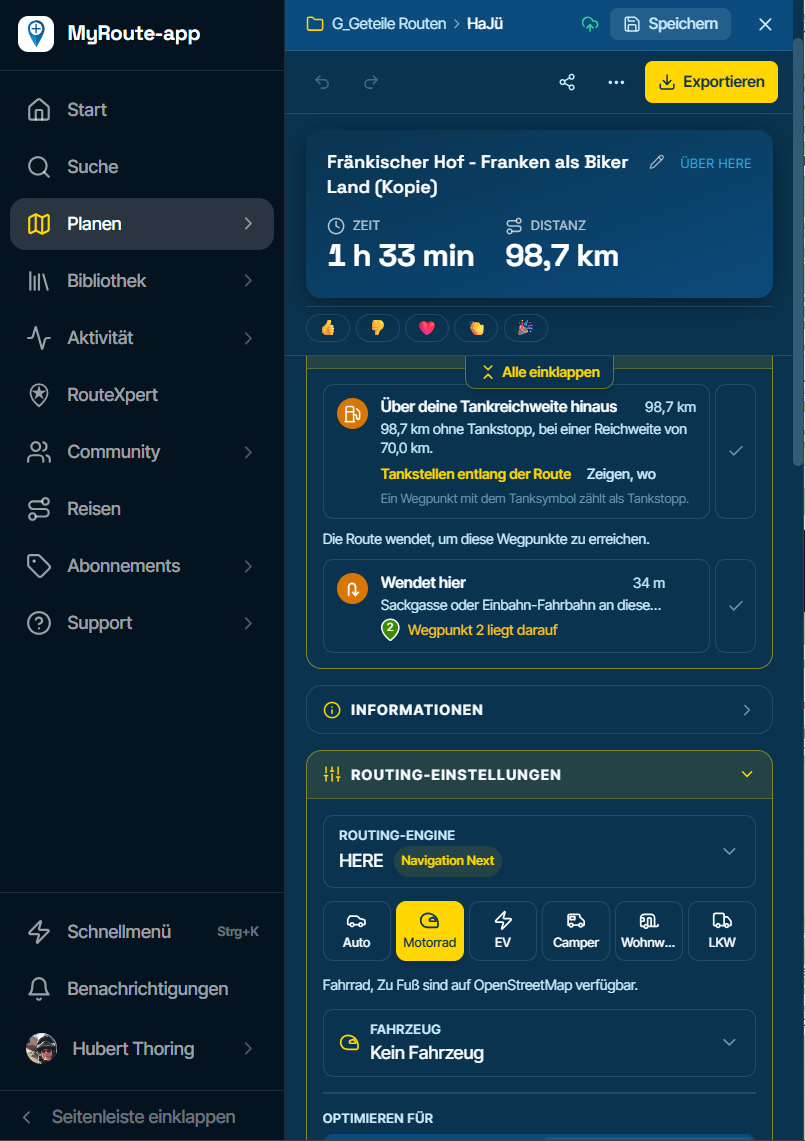
F036 Fuel warning at 70 km with "No vehicle" displayed?
-

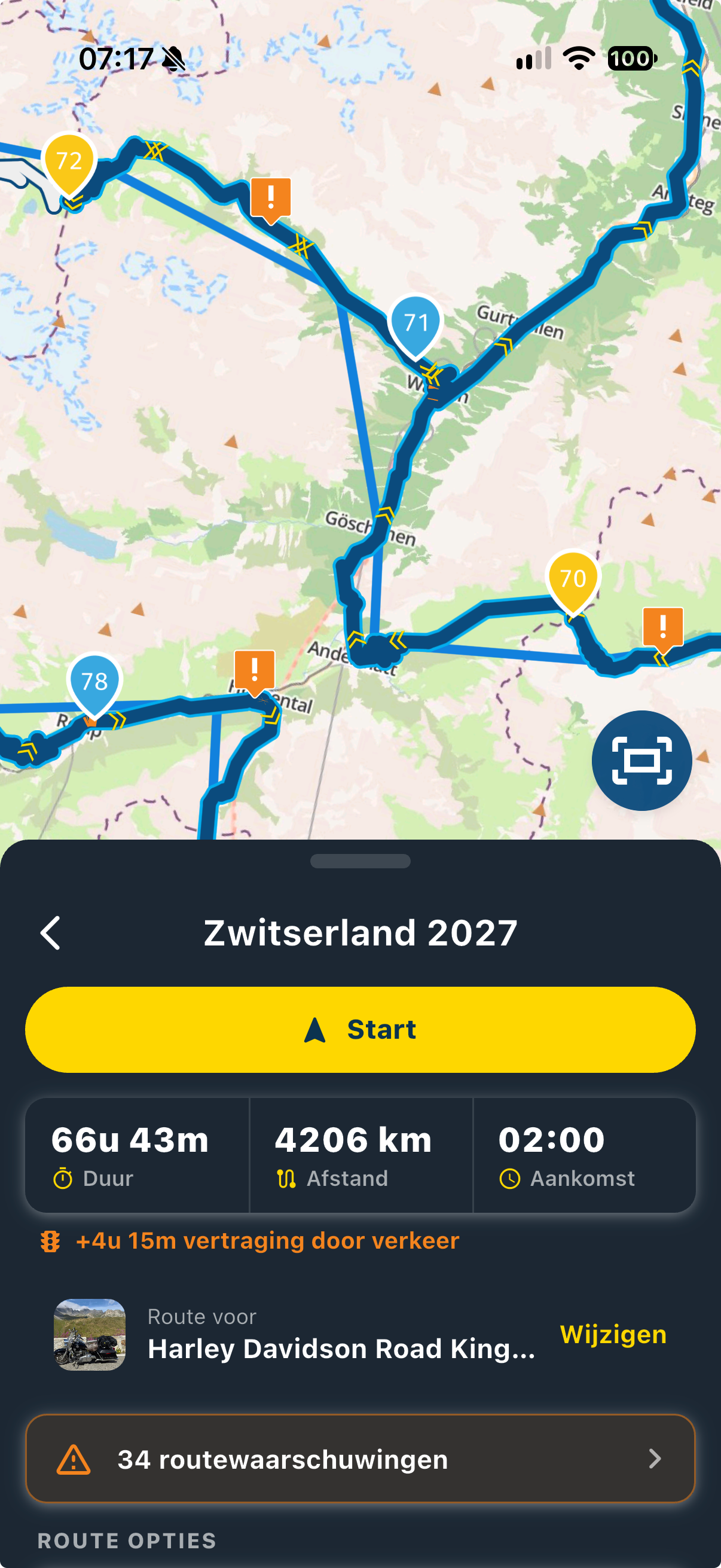
Why does this warning appear when no vehicle has been selected...?
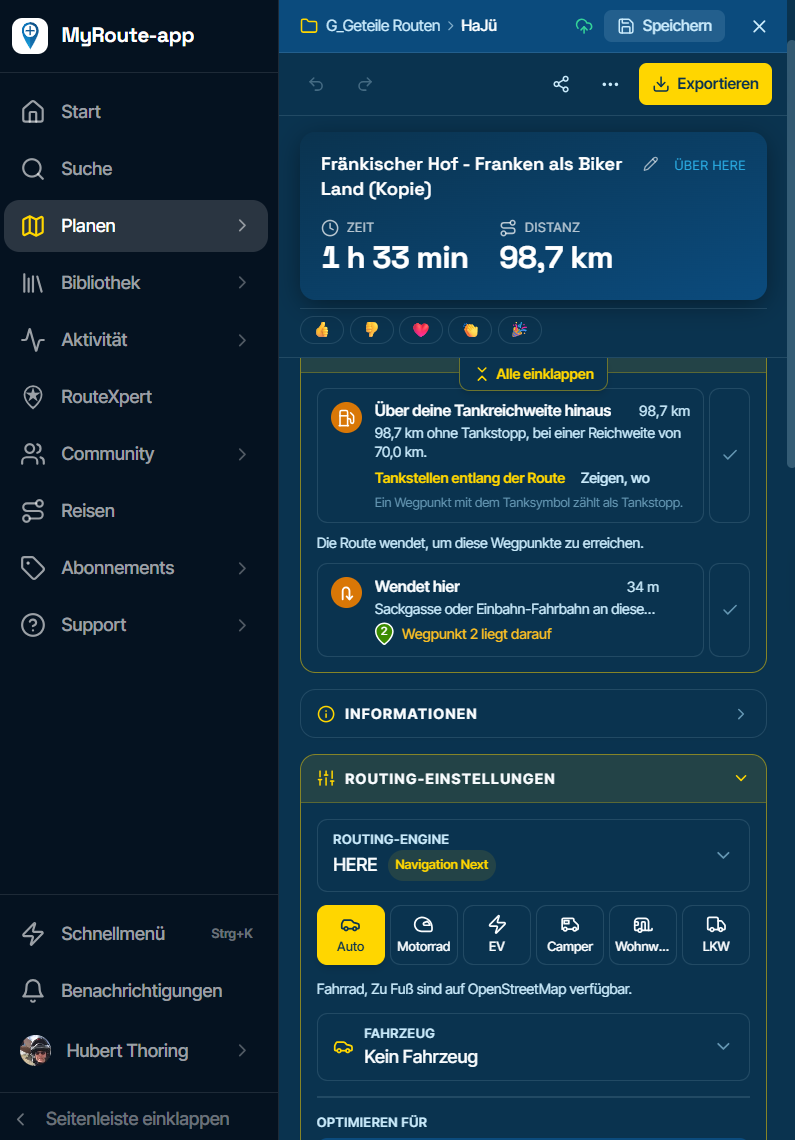
When I select a vehicle, it matches the description provided there. - Link
-

When no vehicle is selected, the planner uses your general range, and yours is set to 70 km. You probably entered that at some point in the "Range" field, either under Routing settings or in the "Along the route" tool, since both save the same value.
You'll find the field in Routing settings, a little further down the same panel as in your screenshot (below "Vehicle"). Enter your real range there, or leave it empty and the fuel warning won't appear when no vehicle is selected. A vehicle in your garage can also have its own range, which then applies instead of the general one.
-
Okay, thanks. I think I initially misunderstood it as a scheduled stop like a brief break every hour (approx. 70 km) but I’ll change that back to "leave it empty" now...
Thanks for the clarification; I wouldn't have found it otherwise!
Hello! It looks like you're interested in this conversation, but you don't have an account yet.
Getting fed up of having to scroll through the same posts each visit? When you register for an account, you'll always come back to exactly where you were before, and choose to be notified of new replies (either via email, or push notification). You'll also be able to save bookmarks and upvote posts to show your appreciation to other community members.
With your input, this post could be even better 💗
Register Login-
0872
-
 0451
-
0440
-
 0428
-
 012122
-
038
-
 011140
-
 0322