Zoom+ if click on POI's icon
-
Hi,
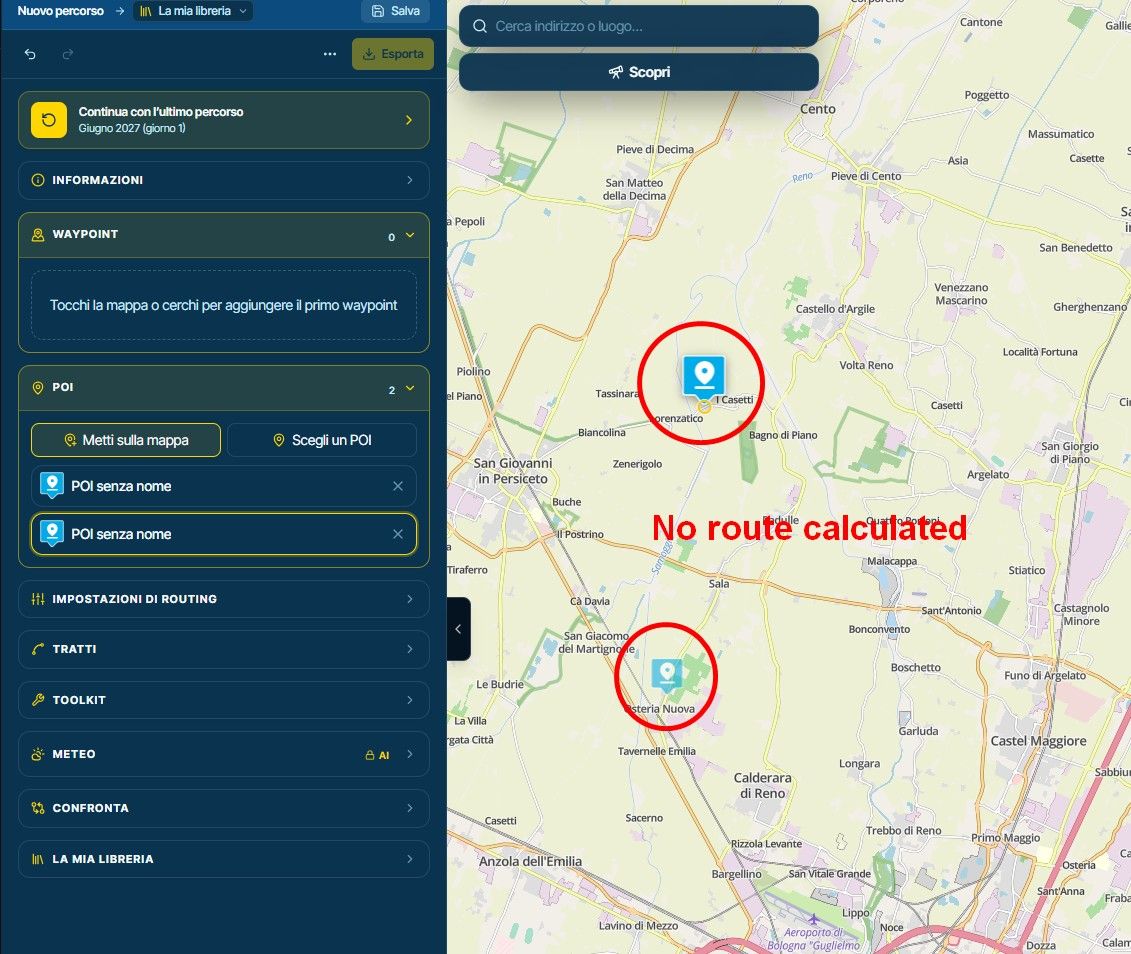
The planning tool zooms in when you click on a point of interest (POI) icon on the map or on its description within the route planning menu.
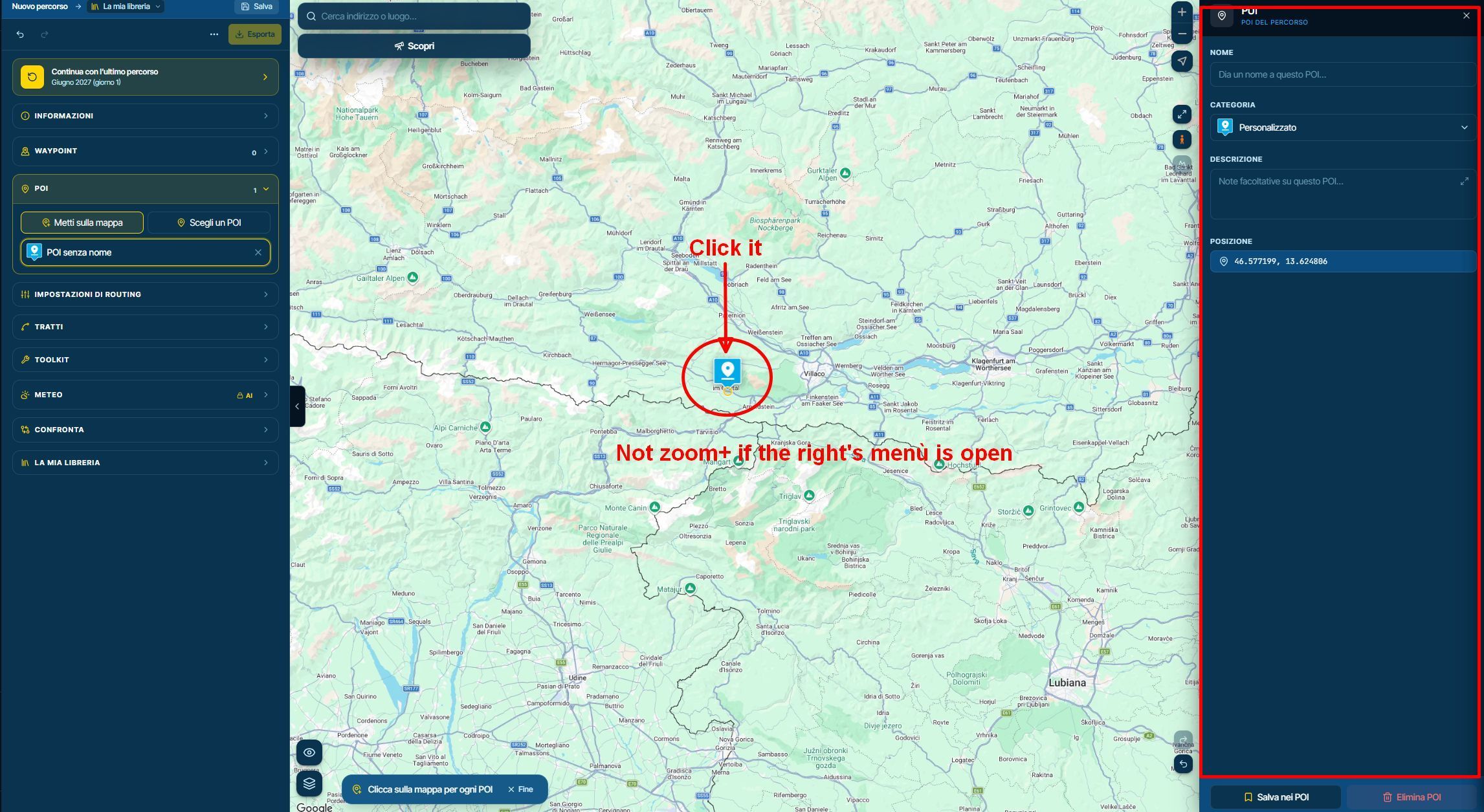
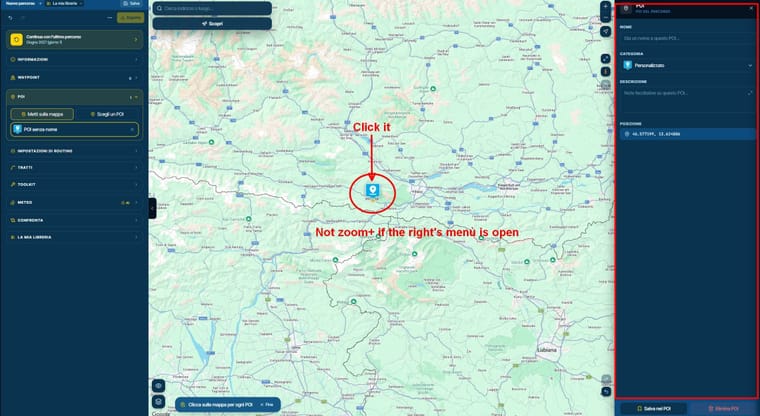
However, this does not happen if you click on the POI icon while the details panel (located on the right side of the screen) is open.
If you need to zoom out to get a broader view of the map and subsequently wish to return to the original zoom level, you must do so manually using the mouse wheel or the +/- buttons.
It would be very helpful if clicking on a POI icon triggered the same zoom-in action, even when the details panel is open on the right; this would ensure consistent behavior, regardless of how the POI is selected.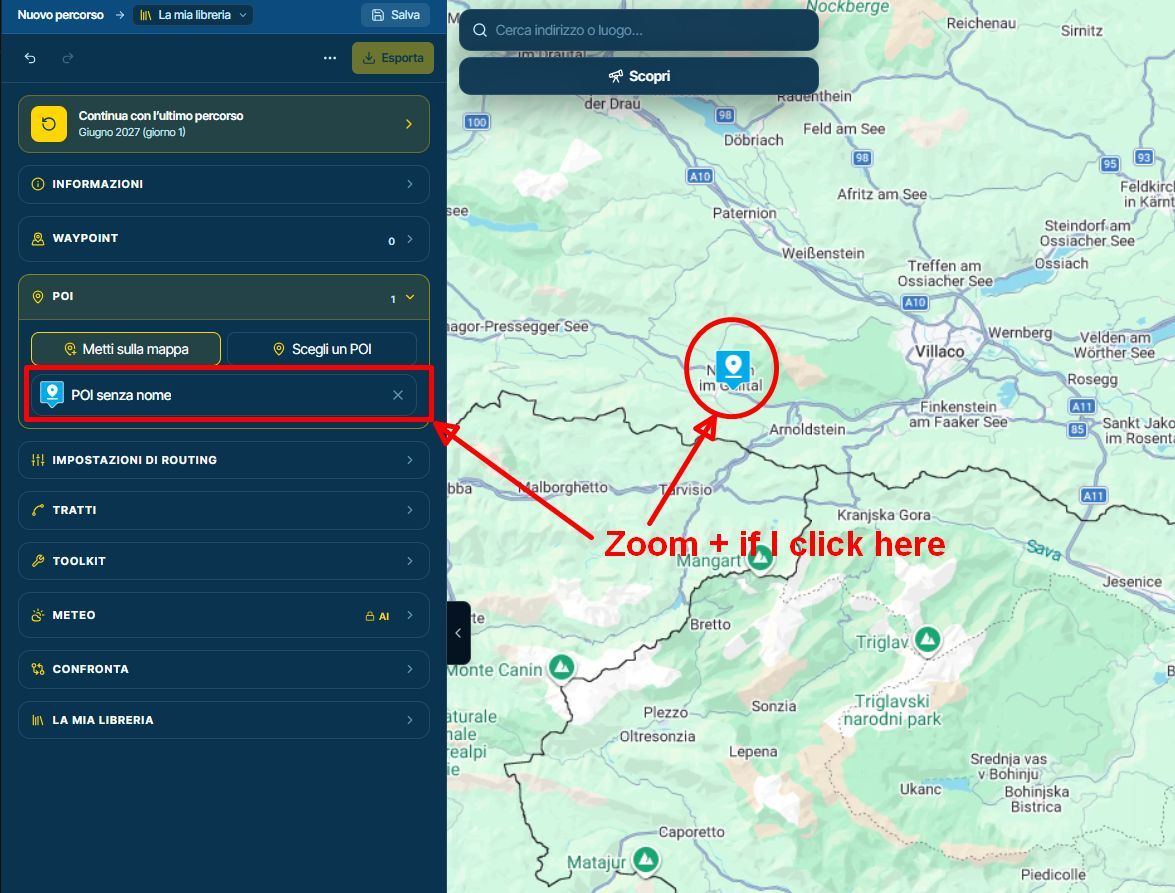
Thanks a lot
Hello! It looks like you're interested in this conversation, but you don't have an account yet.
Getting fed up of having to scroll through the same posts each visit? When you register for an account, you'll always come back to exactly where you were before, and choose to be notified of new replies (either via email, or push notification). You'll also be able to save bookmarks and upvote posts to show your appreciation to other community members.
With your input, this post could be even better 💗
Register Login-
 0752
-
 0535
-
 517730
-
 0570
-
 07221
-
 05144
-
0415
-
0490