Skip to content
  • Categories
  • Recent
  • Popular
  • Support
  • MyRoute-app
Collapse
Brand Logo

MRA Community Forum

  1. Home
  2. MRA Routeplanner Next Beta
  3. [Web-Beta] Problems, Bugs and other Issues
  4. F027 Photos in a tracklog without GPS data can be added, but they are difficult to locate on the map and hard to delete.
F027 Photos in a tracklog without GPS data can be added, but they are difficult to locate on the map and hard to delete.

Scheduled Pinned Locked Moved [Web-Beta] Problems, Bugs and other Issues
1 Posts 1 Posters 2 Views 1 Watching
  • Oldest to Newest
  • Newest to Oldest
  • Most Votes
Reply
  • Reply as topic
Log in to reply
This topic has been deleted. Only users with topic management privileges can see it.
  • Hubert Thoring
    Hubert Thoring
    Hubert Thoring
    Valued contributor
    wrote last edited by
    #1

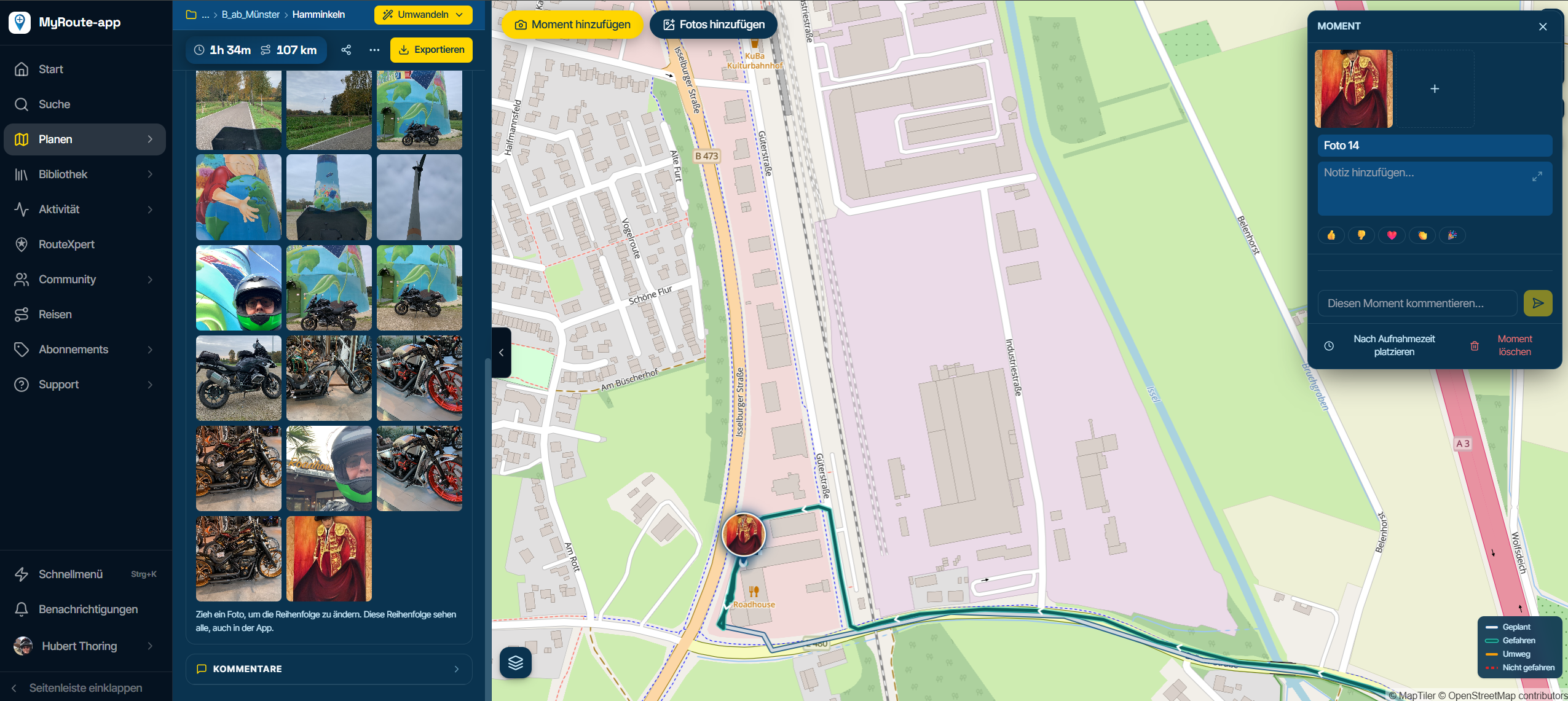
    If you add photos to a track after the fact, any images lacking location data such as the "screenshots" or cropped images you might create are automatically appended to the end of the track log.

    • Adding "Moments" (where you manually specify the location and add text) works well.
    • Adding "Photos" (which can be done with any image, though those without location data will be placed at the end of the track log) means the images will not appear on the map; they can only be accessed via the menu in the WebPlanner.

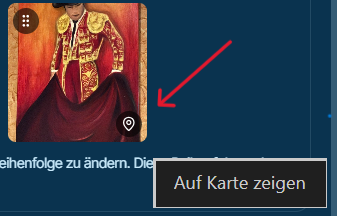
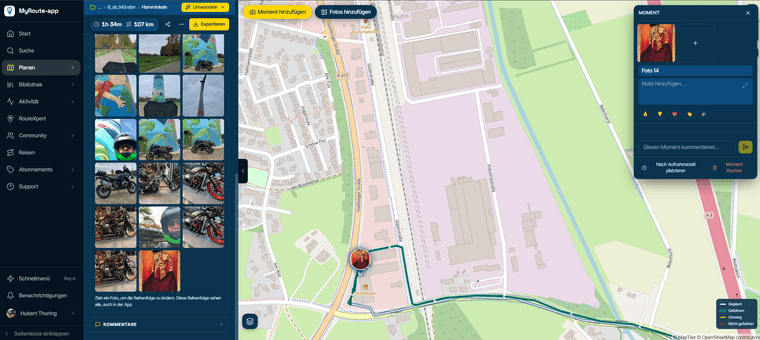
    When you click on photos on the map, only those with GPS data or those added as "Moments" will appear. If you go to the WebPlanner menu on the left and select the view for all images, you can click on an image that lacks GPS data to display it—look for the "teardrop" icon in the bottom-right corner of the image. This will display that specific image, and it is only in this dedicated photo menu window that you can also delete it.
    Screenshot 2026-11-10 124841.png

    The process for locating and deleting photos should be improved:

    • The app lacks an option to delete photos; it only allows for adding them.
    • In the WebPlanner, locating and subsequently deleting photos that were added (labeled as "photo added") can only be done via the menu on the left. In contrast, photos associated with "moments" can be clicked on directly on the map and then edited via a small menu.

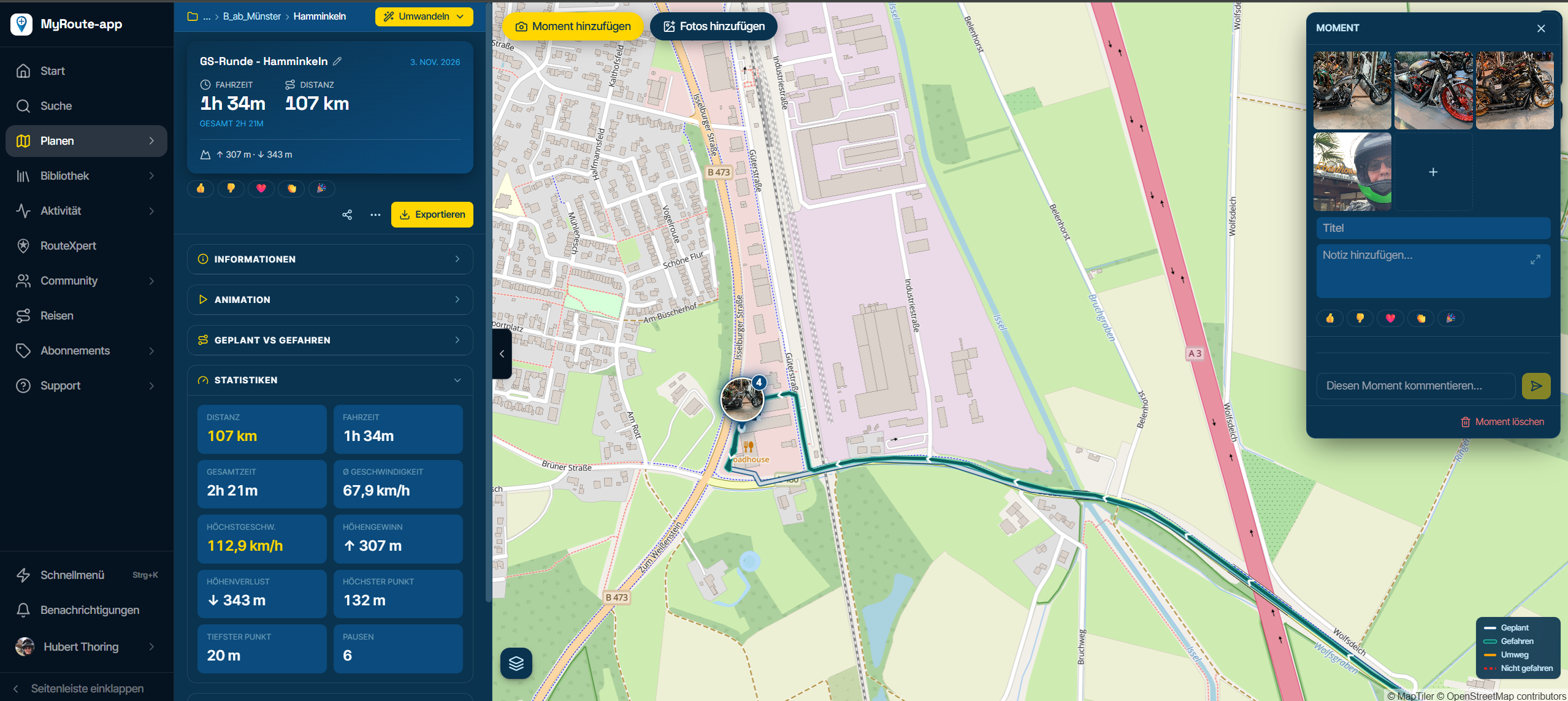
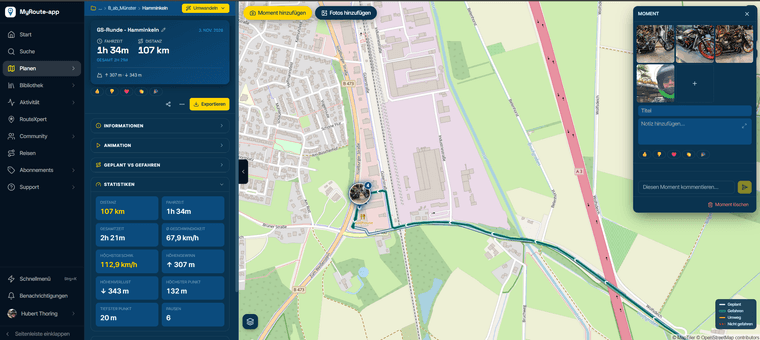
    Photo 1 (The four photos here, which include GPS data, were taken while on the move.)
    Screenshot 2026-11-10 124251.png

    Image 2 (The photo in question has been added here as a screenshot)
    Screenshot 2026-11-10 124508.png

    VG Hubert
    iPad 9. G iOS 27.2.1/iPhone 16e iOS 27.2.1/ iPhone Xr iOS 18.7.11 / PC Win11 /❗️MRA & BMW Cradel & Remotek One ❗️.. & ..❗️Navi Halter3D Druck Senkrecht ❗️

    1 Reply Last reply
    0

    Hello! It looks like you're interested in this conversation, but you don't have an account yet.

    Getting fed up of having to scroll through the same posts each visit? When you register for an account, you'll always come back to exactly where you were before, and choose to be notified of new replies (either via email, or push notification). You'll also be able to save bookmarks and upvote posts to show your appreciation to other community members.

    With your input, this post could be even better 💗

    Register Login
    Reply
    • Reply as topic
    Log in to reply
    • Oldest to Newest
    • Newest to Oldest
    • Most Votes


    ACTIVE USERS
    Hubert Thoring
    Hubert Thoring
    POPULAR TOPICS
    • Website update - Waypoint list export, routetracks from tracklogs and more of your feedback
      JP d
      JP d
      14
      12
      112

    • How to export GPX files to Zumo XT without recalculation
      John S Parry
      John S Parry
      2
      36
      2.4k

    • Drive app fails to send GPX file - again...
      Guzt
      Guzt
      1
      24
      1.8k

    • Beta abonnement
      BMW1300GSA
      BMW1300GSA
      0
      12
      239

    • SilverFox Controller C2
      Hans Lamers
      Hans Lamers
      0
      7
      136

    • Nieuw startpunt
      Corjan Meijerink
      Corjan Meijerink
      0
      6
      123

    • Great new tool for animated video maps
      Jeroen ekkel c
      Jeroen ekkel c
      1
      15
      1.3k

    • Tracklog to Routetrack Conversion & Creation
      Corjan Meijerink
      Corjan Meijerink
      0
      4
      37

    MY GROUPS
    • Login

    • Login or register to search.
    • First post
      Last post
    0
    • Categories
    • Recent
    • Popular
    • Support
    • MyRoute-app