With so many maps available, I’m not sure which one I should ultimately use to ensure I can navigate without any problems using the MRA app.
-

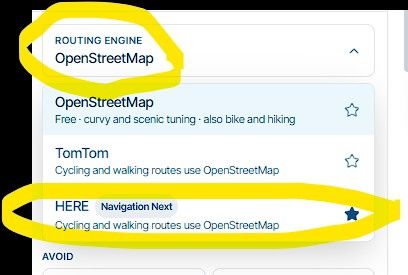
On the old platform, I used the Here Engine to plan my routes and the MRA app for navigation.
I only used the various overlays on the website for orientation and to get a better overview whilst planning.
Once I’d finished planning, I used the Here overlay and took great care to ensure that every point was placed on the road.How should I proceed on the new beta platform now?
I still use the Here Engine.
I want to follow the route using the MRA app… which overlay must I finally use to ensure that the points are positioned on the road in the MRA Navigation App?
If I use the TomTom Engine for planning but still navigate with the MRA app, will this be followed as a track or as a route?
Thanks in advance for any hint.
BMW R 1250 GS
MRA Navigation & SilverFox C1 Controller
DMD-NOR7E 7"
SPC Universal mount
Motorola Edge 40 "offline"
Sena SLR 3
Sena 50 R -
On the old platform, I used the Here Engine to plan my routes and the MRA app for navigation.
I only used the various overlays on the website for orientation and to get a better overview whilst planning.
Once I’d finished planning, I used the Here overlay and took great care to ensure that every point was placed on the road.How should I proceed on the new beta platform now?
I still use the Here Engine.
I want to follow the route using the MRA app… which overlay must I finally use to ensure that the points are positioned on the road in the MRA Navigation App?
If I use the TomTom Engine for planning but still navigate with the MRA app, will this be followed as a track or as a route?
Thanks in advance for any hint.

Once I’d finished planning, I used the Here overlay and took great care to ensure that every point was placed on the road.
You no longer necessarily need to place your points exactly on the road. The new planner has a feature that automatically snaps a point to the road, as long as you place it on the correct side of the road.
You can enable this feature using a toggle in the editor settings when you start planning a route. This setting is remembered for every subsequent route.
which overlay must I finally use to ensure that the points are positioned on the road in the MRA Navigation App
That's entirely a personal preference. Use whichever one you feel most comfortable with. So far, I haven't seen it go wrong in the new planner!
🏍️ BMW K1600GT-P (2013) | Nolan N100-5 with Sena 30K
📱 iOS on iPhone 13 & 16 (mounted on Quadlock or AliExpress extention on BMW-cradle)
🚙 Apple CarPlay in VW T-Roc
💻 Routelab on MacBook Air & iMac (Golden Gate & Ventura) -
Once I’d finished planning, I used the Here overlay and took great care to ensure that every point was placed on the road.
You no longer necessarily need to place your points exactly on the road. The new planner has a feature that automatically snaps a point to the road, as long as you place it on the correct side of the road.
You can enable this feature using a toggle in the editor settings when you start planning a route. This setting is remembered for every subsequent route.
which overlay must I finally use to ensure that the points are positioned on the road in the MRA Navigation App
That's entirely a personal preference. Use whichever one you feel most comfortable with. So far, I haven't seen it go wrong in the new planner!
@Rob-Verhoeff Thank you for your detailed explanation.
I’ve already noticed that waypoints are now always placed on the road – “great new feature”.
My main concern was whether I absolutely have to use a specific overlay, as the app navigates using Here Maps and I wasn’t sure whether using a different overlay would cause any discrepancies.
That’s a great improvement with the new platform.
I carried out a test myself today – 200 km off-road, trying out all sorts of things, including planning a route with the Here engine… then copying it and re-planning it with the TomTom engine, before driving the route using the app (lots of waypoints were added), naturally so that the route could be maintained.
There was just one thing that was a bit of a nuisance!
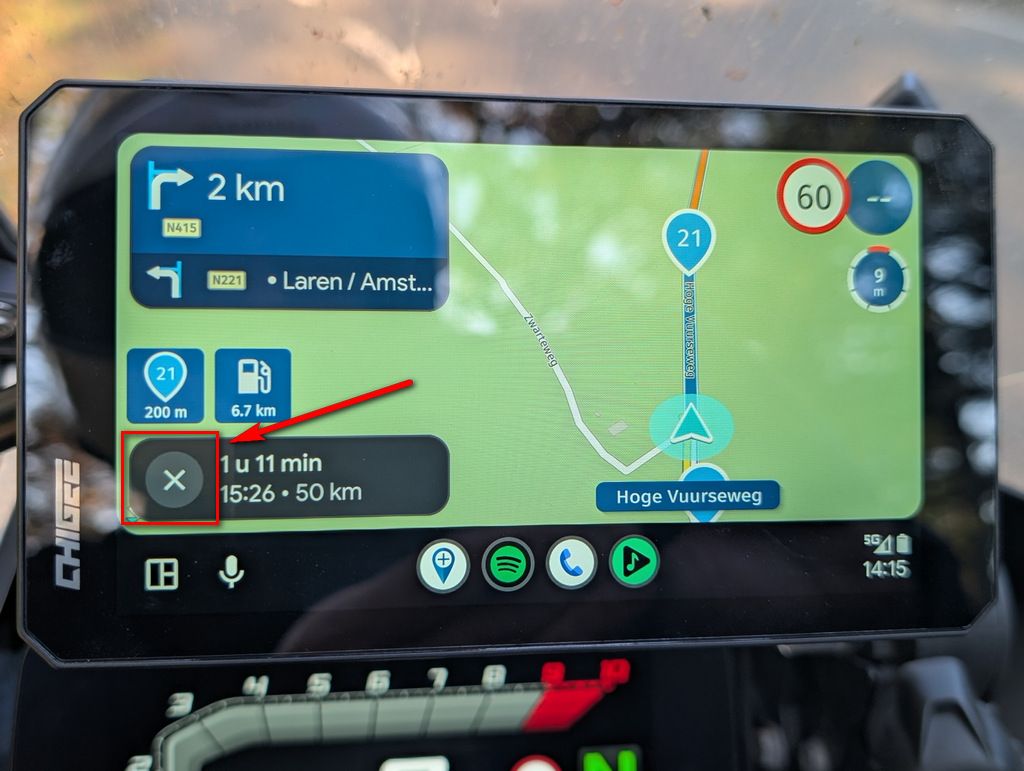
The display of the next waypoint in the top right-hand corner of the app was in grey text and therefore almost illegible.
It would be great if that could be changed.@Motocon
My question to you is therefore no longer relevant.Thanks to the whole team for your support and the great work
Hello! It looks like you're interested in this conversation, but you don't have an account yet.
Getting fed up of having to scroll through the same posts each visit? When you register for an account, you'll always come back to exactly where you were before, and choose to be notified of new replies (either via email, or push notification). You'll also be able to save bookmarks and upvote posts to show your appreciation to other community members.
With your input, this post could be even better 💗
Register Login-
 01466
-
 01341
-
013131
-
112103
-
 0922
-
0841
-
0988
-
 0719