Skip to content
  • Categories
  • Recent
  • Popular
  • Support
  • MyRoute-app
Collapse
Brand Logo

MRA Community Forum

  1. Home
  2. MRA Routeplanner Next Beta
  3. [Web-Beta] Suggestions and Discussions
  4. POI Display Locking and Labels Suggestion.

POI Display Locking and Labels Suggestion.
Scheduled Pinned Locked Moved [Web-Beta] Suggestions and Discussions
3 Posts 2 Posters 37 Views 2 Watching
  • Oldest to Newest
  • Newest to Oldest
  • Most Votes
Reply
  • Reply as topic
Log in to reply
This topic has been deleted. Only users with topic management privileges can see it.
  • Edward W
    Edward W
    Edward W
    wrote last edited by
    #1

    POI Display Locking:

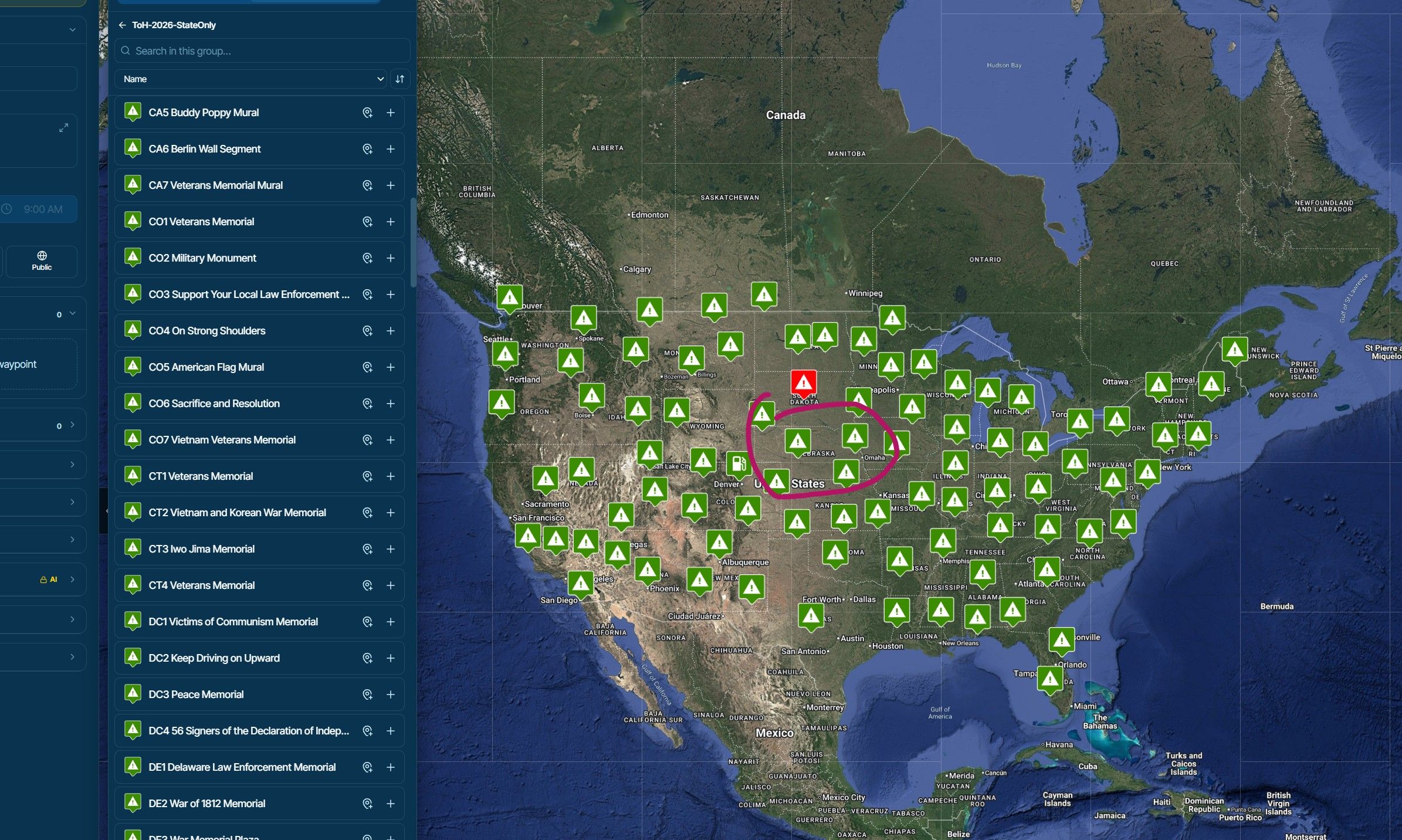
    One of my big issues with the old system was the inability to see POIs when zooming out. I love that you've improved this! I appreciate due to crowding, you've had to make them "auto prune" as zoom out has occurred:

    Example (this is using a 300+ POI file - our year of bonuses in one category of the Tour of Honor).

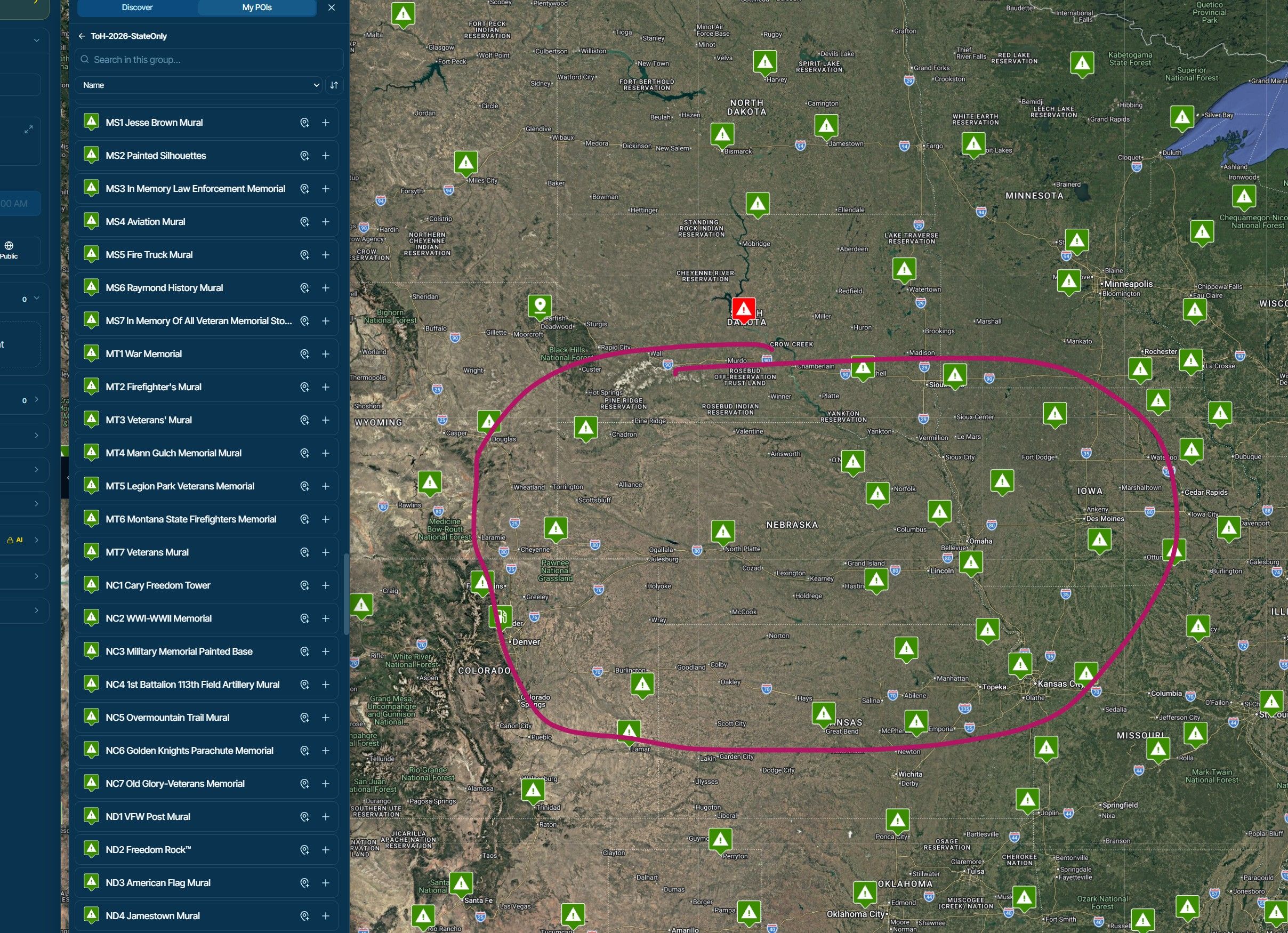
    I'm circling Nebraska as an example - it has 7 bonuses - they're pruned when zoomed out:
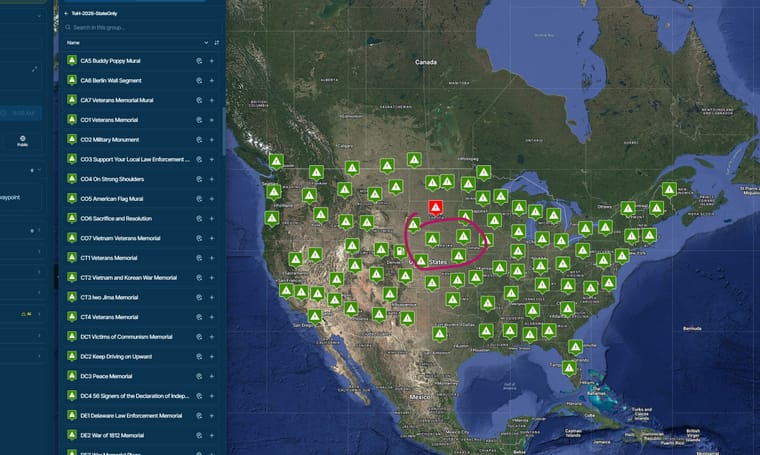
    image.jpeg

    Zooming in - they auto-appear - great!
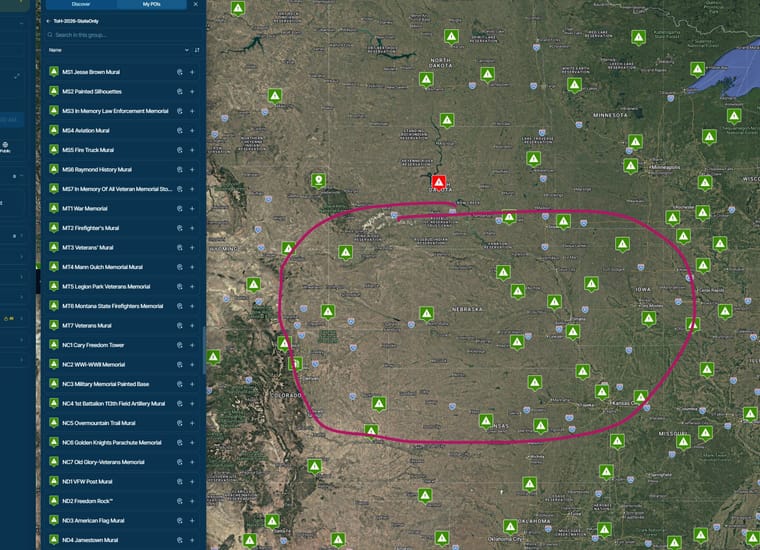
    image.jpeg

    That said, when in a competition Rally - there are times we need to see certain high-value points, checkpoints, etc no matter what the zoom level is, because our nationwide route needs to include these. If auto-pruning hid one, it could lead to costly mistakes. This could also be useful in other scenarios - like locking a Start and Finish POI onto the screen for club rides, etc

    Idea: Would it be possible to LOCK a specific POI on screen - so no matter the zoom level, that POI is going to be visible? Perhaps just a little padlock icon that clicking it would keep it always on?

    I love that you've added the mouse-over POI feature in the latest update - VERY useful when working with a lot of POIs:
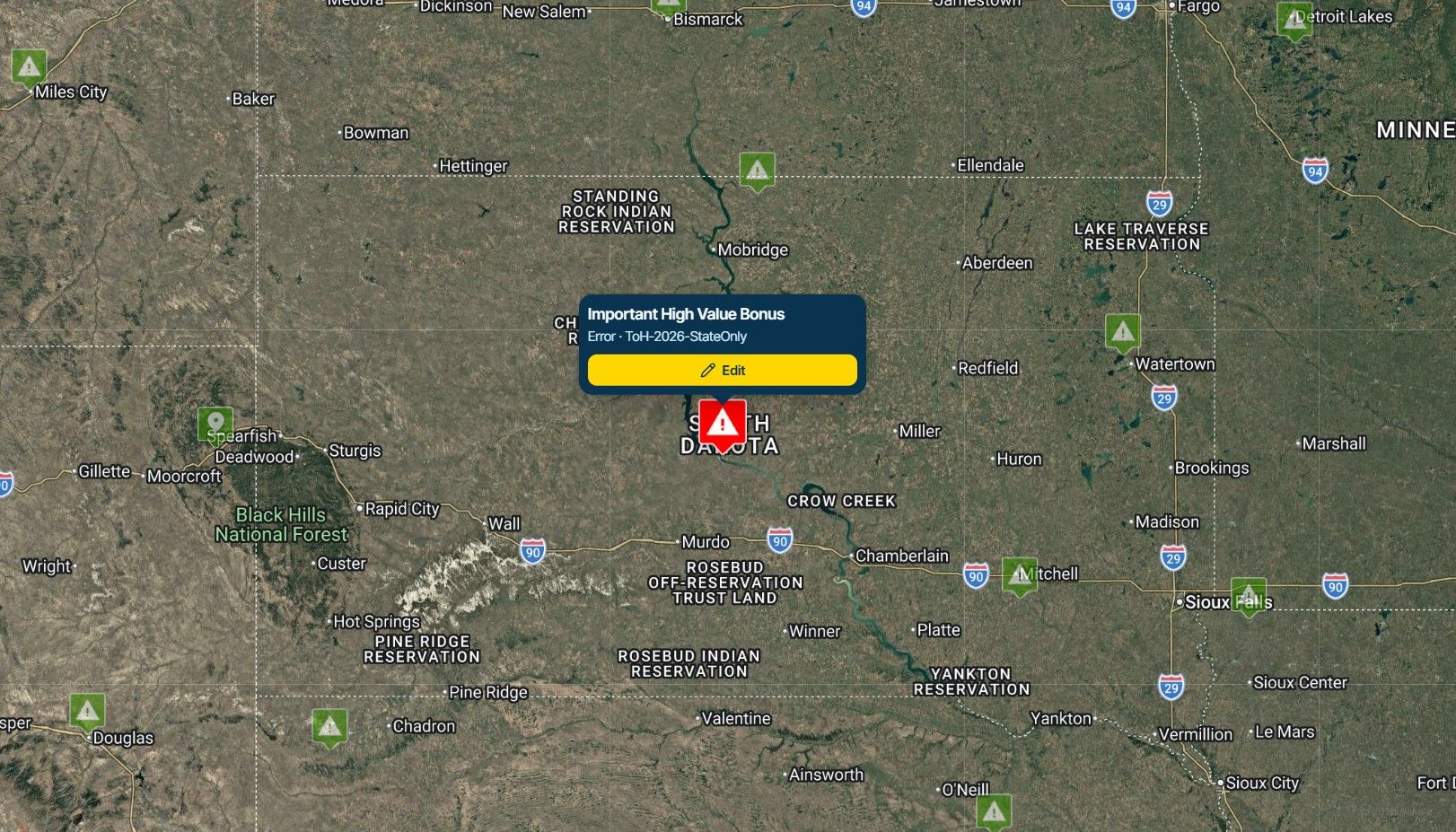
    image.jpeg

    Bonus idea: In conjunction with this: I'd love to be able to lock a Text Label (perhaps its name?) with a POI when always on display. The popup itself is too large to use for this function - but if the POI icon could have visible text above or below it would be very helpful.

    Here's an example of how mymaps does it:
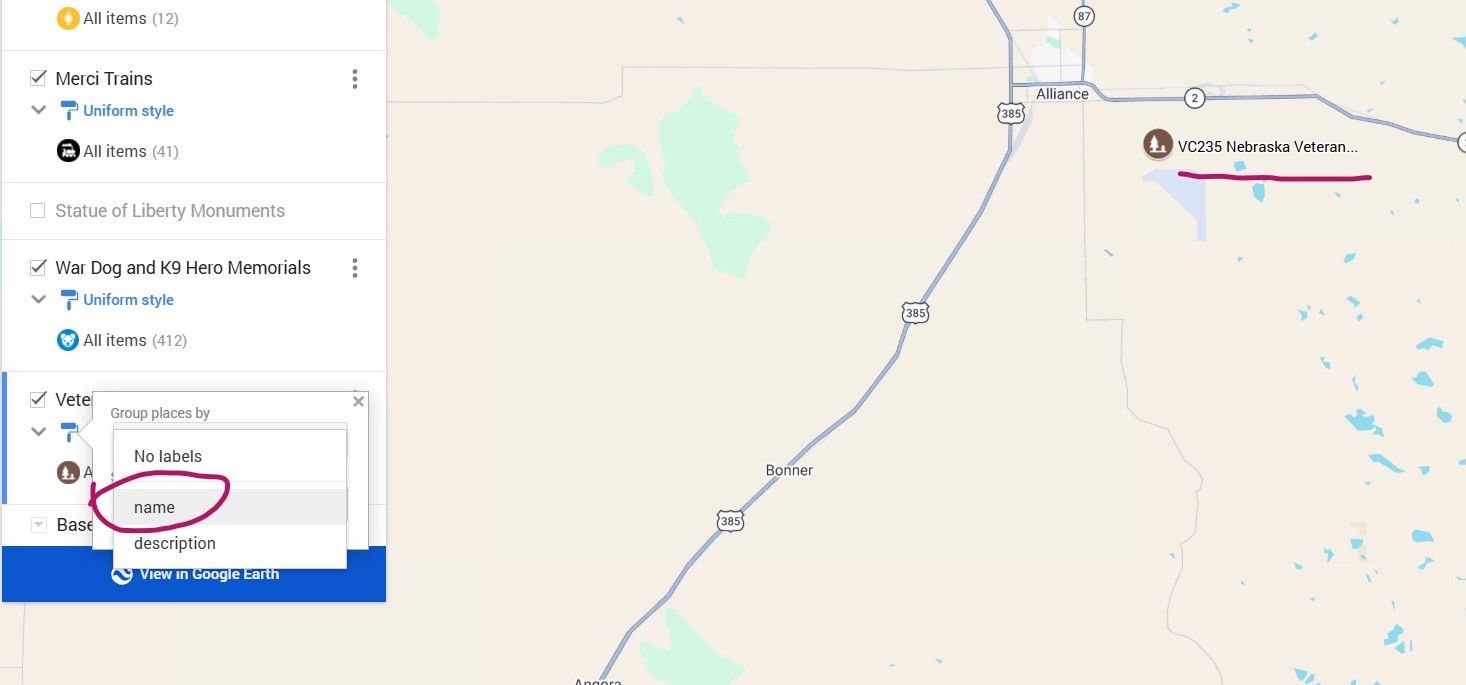
    image.jpeg

    Cheers and Thanks for considering. 🍻

    1 Reply Last reply
    0
    • Corjan Meijerink
      Corjan Meijerink
      Corjan Meijerink
      Developer
      wrote last edited by
      #2

      Thanks for the feedback!
      I've made some adjustments

      1 Reply Last reply
      1
      • Edward W
        Edward W
        Edward W
        wrote last edited by
        #3

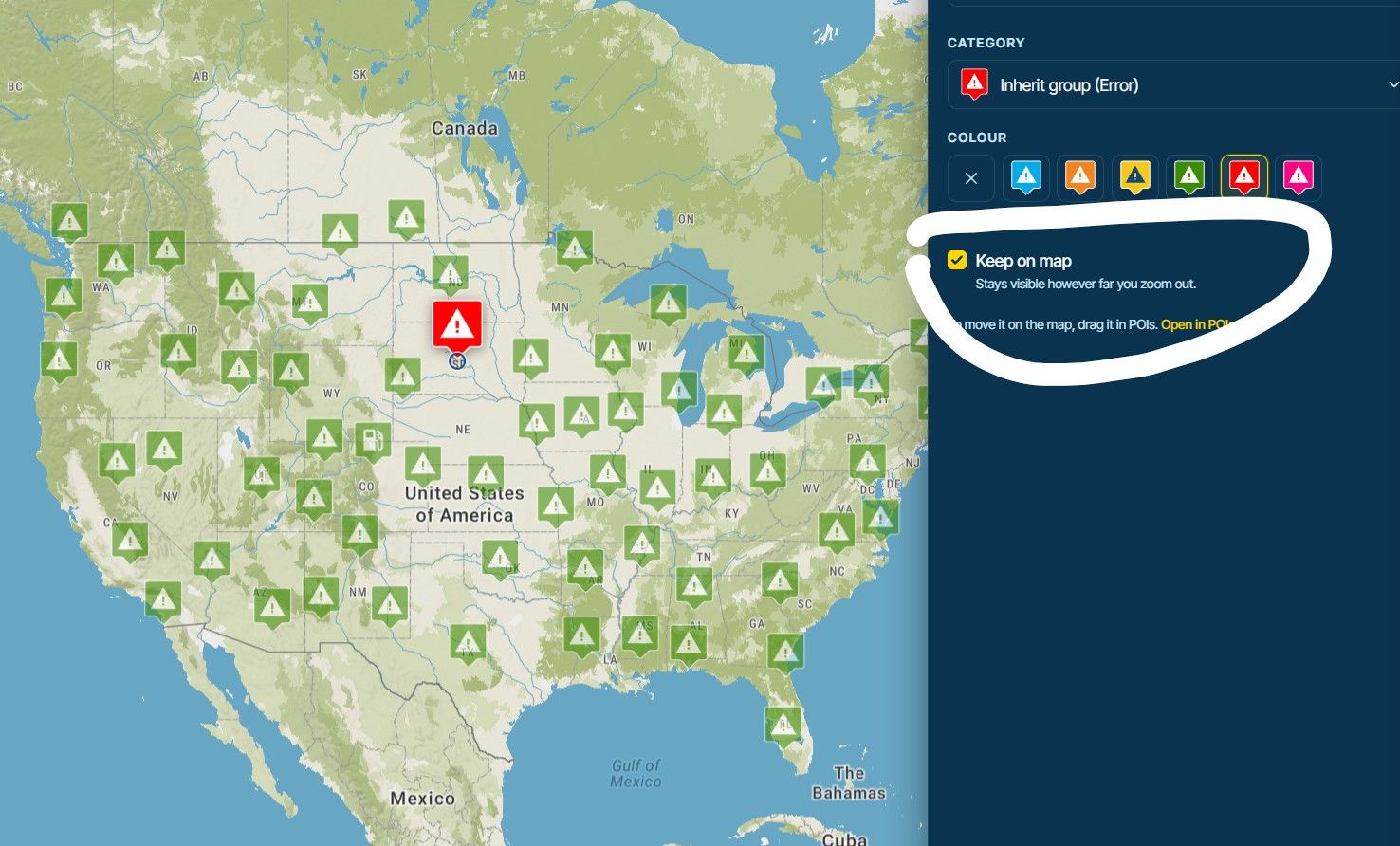
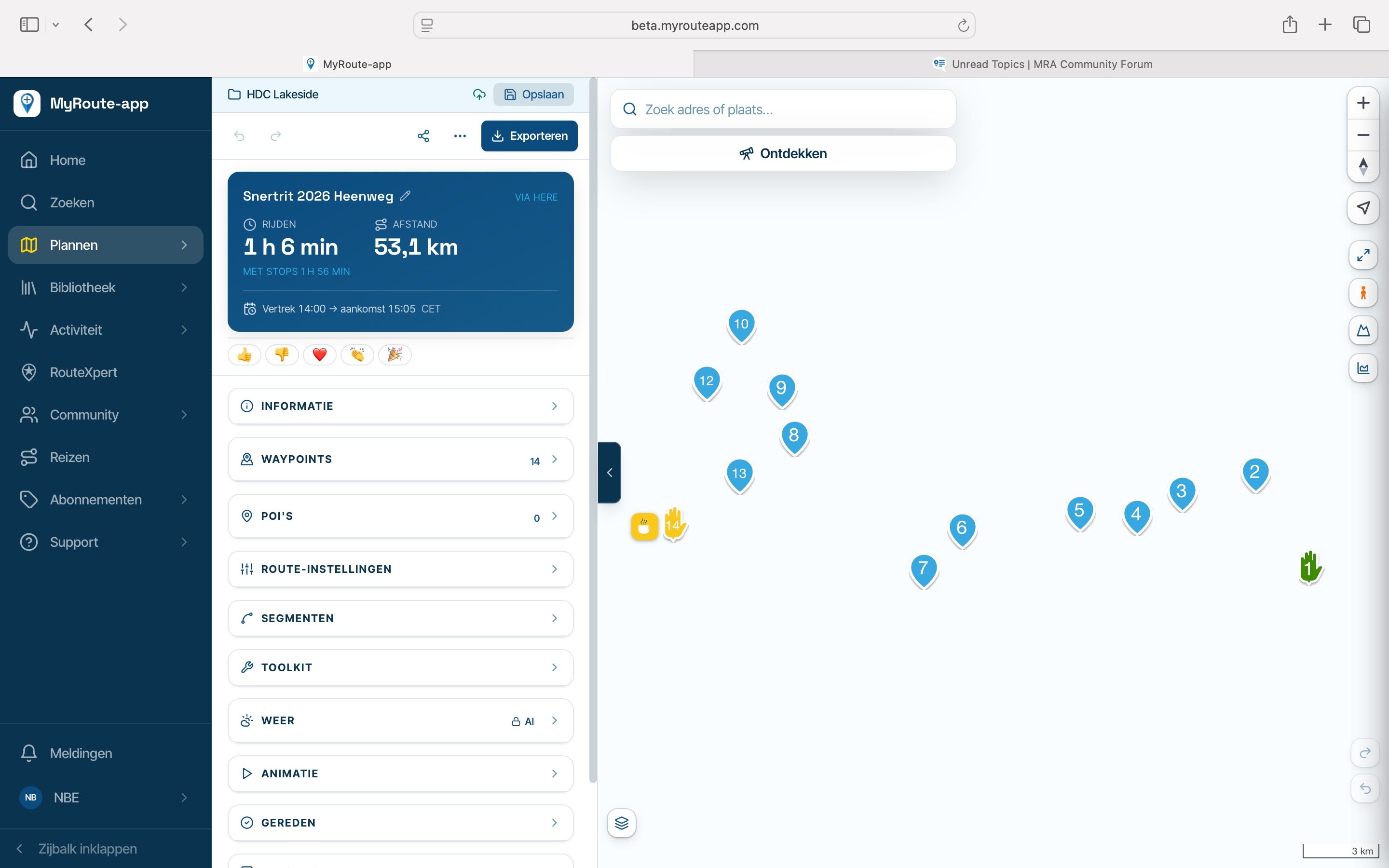
        Keep on Map - brilliant. Thank you!!
        image.jpeg

        1 Reply Last reply
        1
        • Corjan Meijerink Corjan Meijerink locked this topic

        Hello! It looks like you're interested in this conversation, but you don't have an account yet.

        Getting fed up of having to scroll through the same posts each visit? When you register for an account, you'll always come back to exactly where you were before, and choose to be notified of new replies (either via email, or push notification). You'll also be able to save bookmarks and upvote posts to show your appreciation to other community members.

        With your input, this post could be even better 💗

        Register Login
        Reply
        • Reply as topic
        Log in to reply
        • Oldest to Newest
        • Newest to Oldest
        • Most Votes


        ACTIVE USERS
        Corjan Meijerink
        Corjan Meijerink
        Edward W
        Edward W
        POPULAR TOPICS
        • Website update - More maps, better Street View, embeds and a lot of your feedback
          Corjan Meijerink
          Corjan Meijerink
          22
          39
          294

        • Kaart niet zichtbaar
          Guzzist
          Guzzist
          0
          32
          195

        • Xpert overlay not clear
          Corjan Meijerink
          Corjan Meijerink
          0
          11
          44

        • Google maps
          Ed Bos 0
          Ed Bos 0
          0
          15
          191

        • RouteXpert display on the map
          Corrado Miniati 0
          Corrado Miniati 0
          0
          11
          88

        • Bij Street View activeren verdwijnt donkerblauwe routelijn
          Corjan Meijerink
          Corjan Meijerink
          0
          8
          42

        • Navigation Next op telefoon wel naar v6 maar Android 14 systeem op motor niet
          a white mouse on the motorbike
          a white mouse on the motorbike
          0
          13
          116

        • Different handling of "Segments"
          Corrado Miniati 0
          Corrado Miniati 0
          1
          8
          58

        MY GROUPS
        • Login

        • Login or register to search.
        • First post
          Last post
        0
        • Categories
        • Recent
        • Popular
        • Support
        • MyRoute-app