Different handling of "Segments"
-

Hello,
I wanted to share some thoughts regarding the "avoid tolls" option found in the "segments" section.
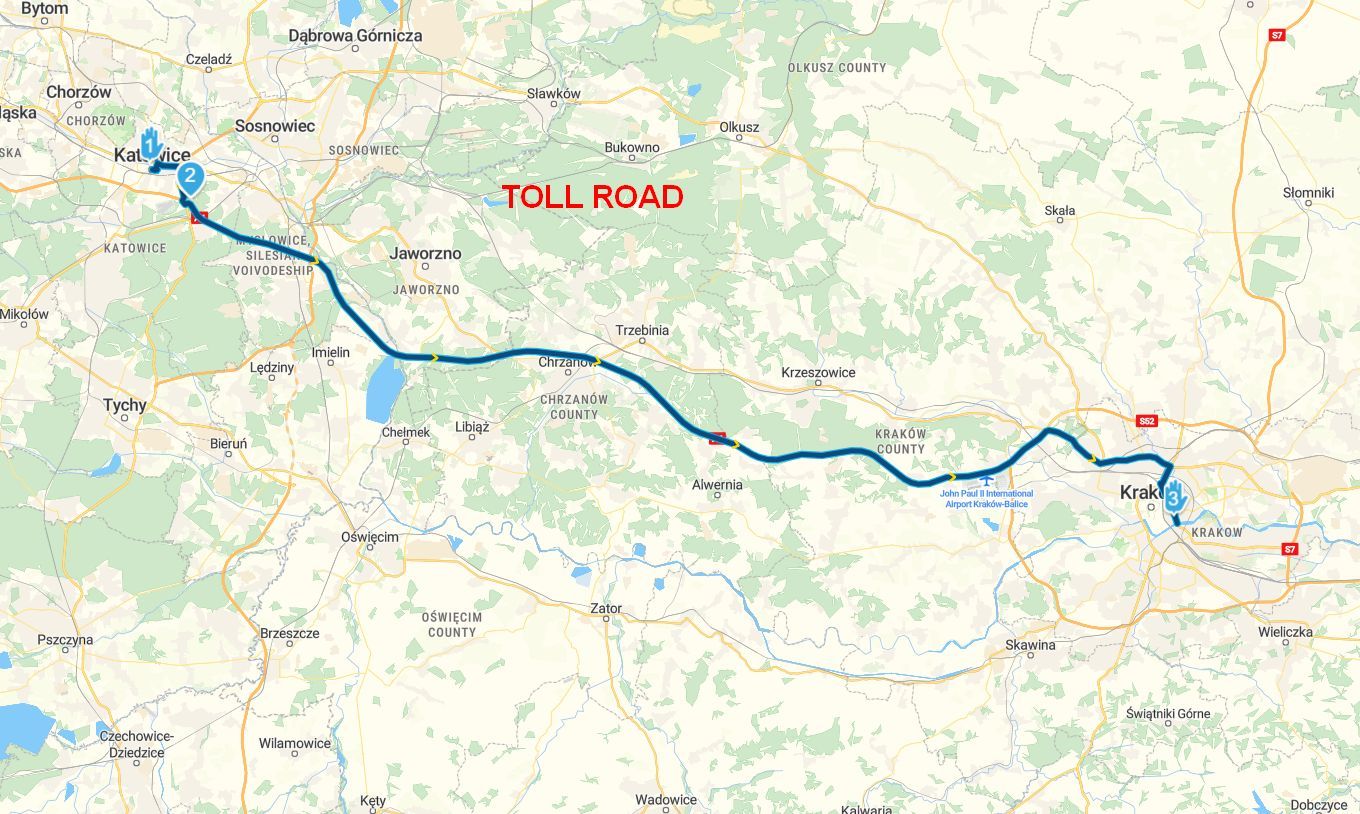
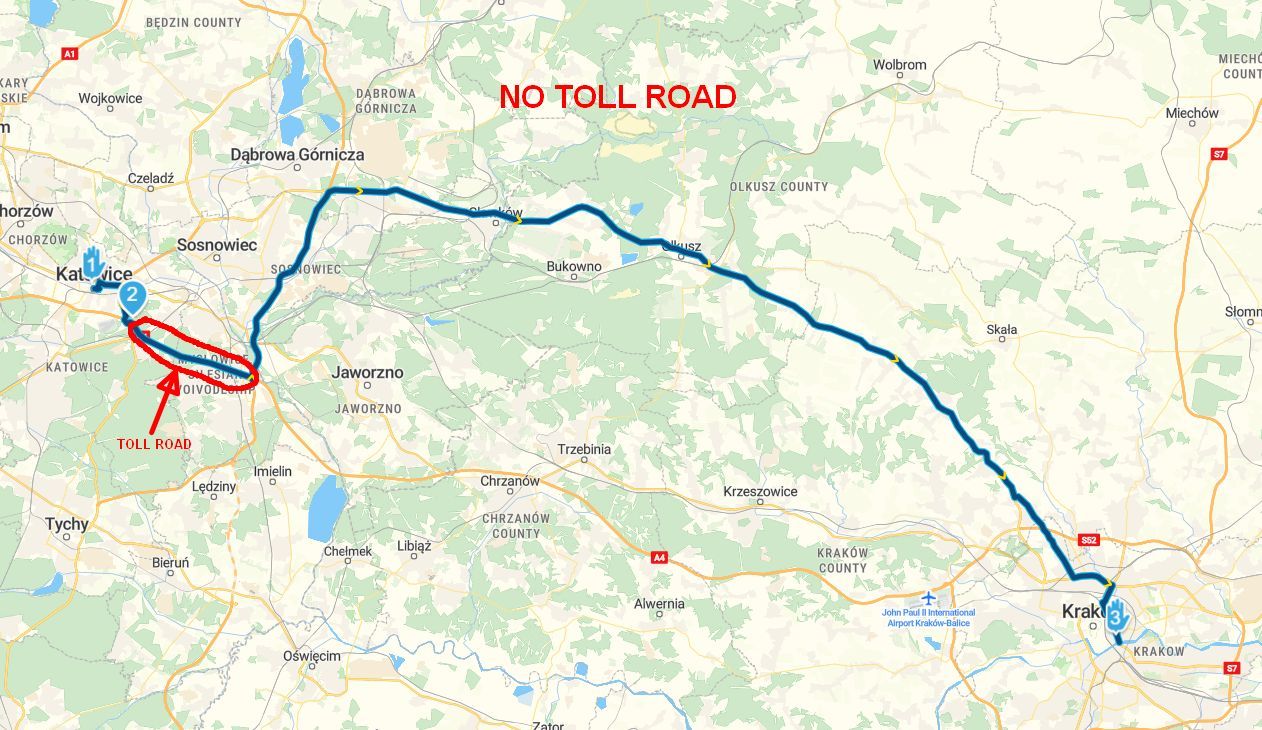
Take the example below: I selected "avoid tolls" for the segment between point 2 and point 3. However, because point 2 was too close to the entrance of the A4 toll highway, the route still included a stretch of that motorway—creating a risk (or even a certainty) of incurring a fine.
It would be an excellent feature if the route planner could automatically detect that it is impossible to completely avoid tolls between points 2 and 3, and then either suggest an adjustment or proactively shift point 2 to a location that ensures toll roads are avoided.
This logic could also be applied to other "segment" options, such as "unpaved roads," "highways," etc.What do you think?
-

Yes, that makes a lot of sense, as such points are easily overlooked when adopting a route from another user's archive.
I find this suggestion helpful!
-

Hi,
If all route is marked as "no toll", there is no indication on info box when planning?
Something like:
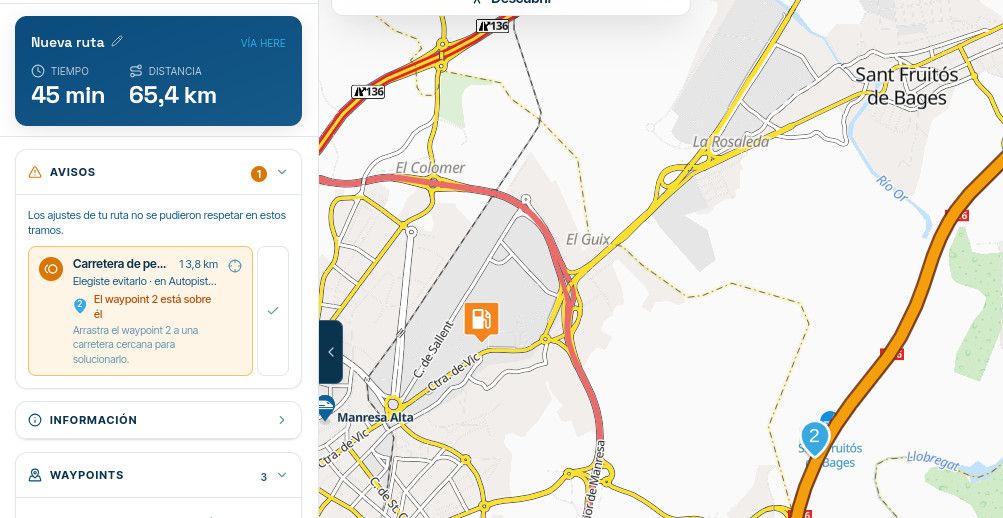
Point 2 is in a way ot toll road, so I get an information about it. If I move poit 2 outside, it works fine:
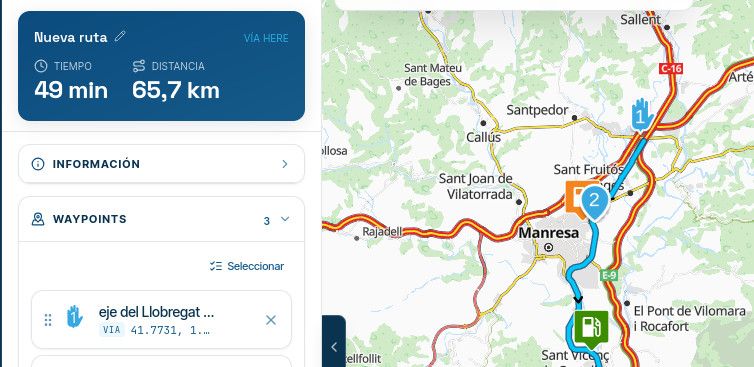
So all is question about waypoint colocation....
Regards,
Lluis Arasanz
- BMW F750GS
MotoMediaLink HW Interface for BMW's WonderWheel device - Samsung A14 with Beta MyRoute-App (primary bike use)
Tasker and MMLink SW for Android App Control - iPhone 14 with Beta MyRoute-App (personal and primary CP use)
- BMW F750GS
-
Hi,
If all route is marked as "no toll", there is no indication on info box when planning?
Something like:
Point 2 is in a way ot toll road, so I get an information about it. If I move poit 2 outside, it works fine:
So all is question about waypoint colocation....
Regards,
@Lluis-Arasanz
Hi,
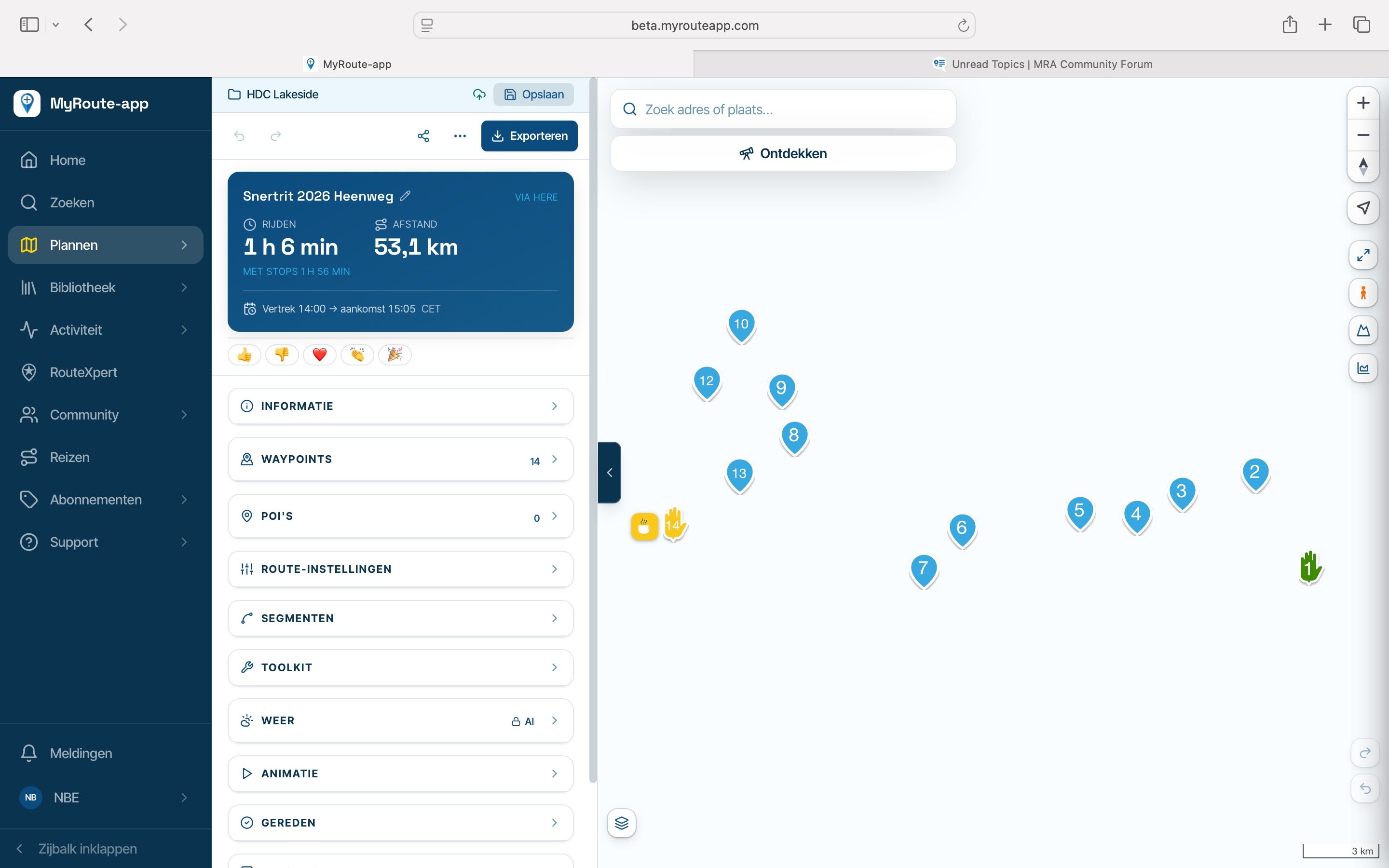
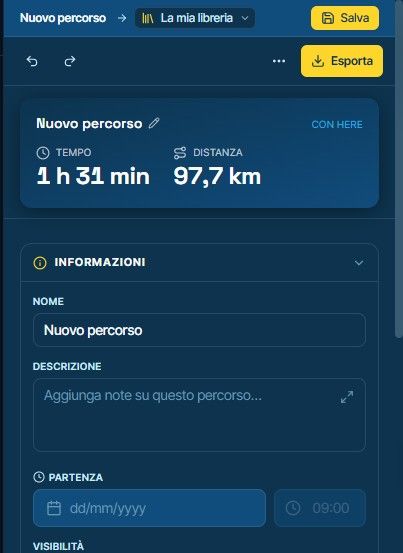
I’ve attached the status of the segment in the planner; no warning appears in the info box.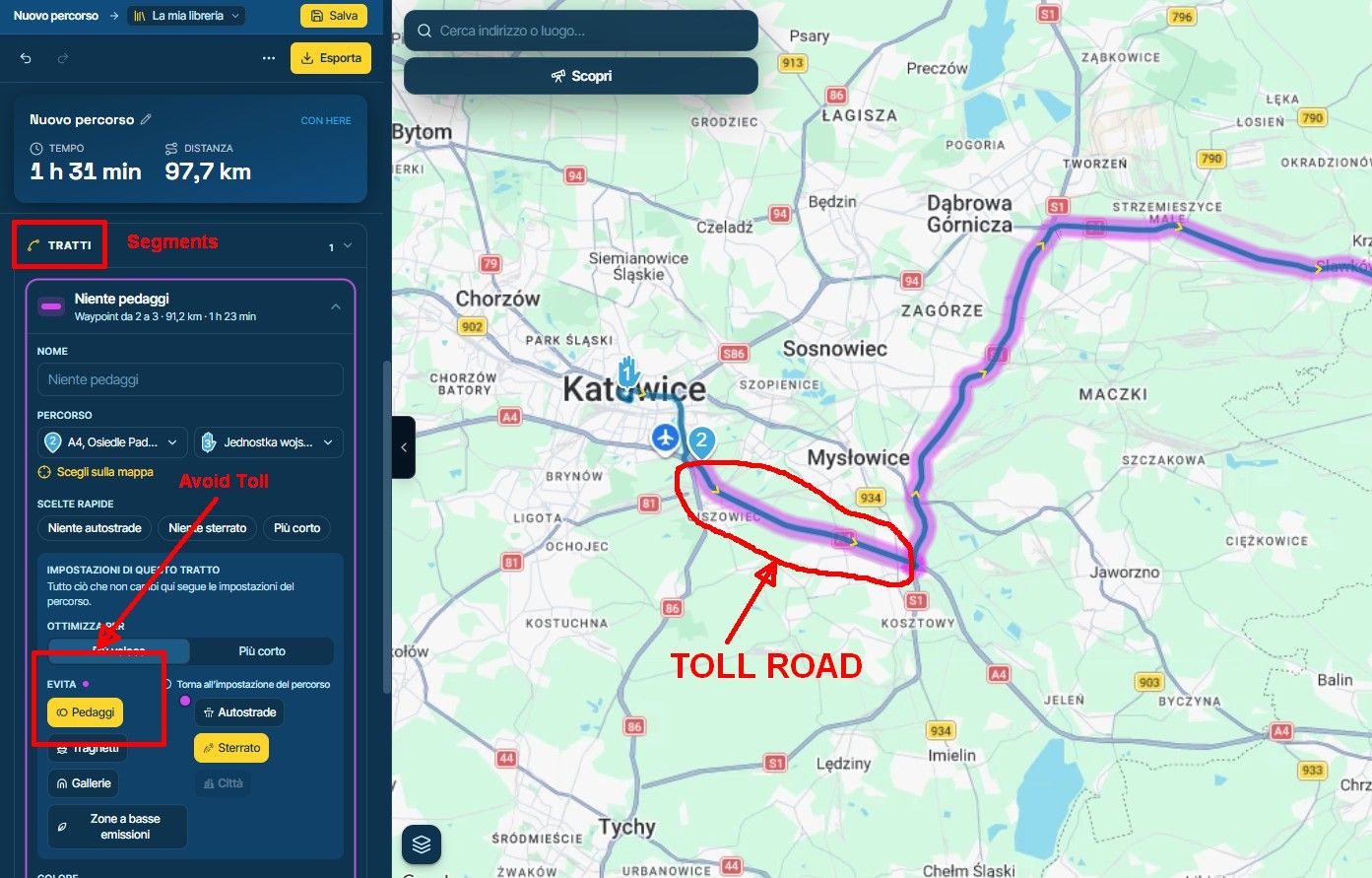
-
hi,
Perhaps in route engine is not marked as "toll road"? If you deletes or move waypoint 2, route engine uses this toll segment again?
Lluis Arasanz
- BMW F750GS
MotoMediaLink HW Interface for BMW's WonderWheel device - Samsung A14 with Beta MyRoute-App (primary bike use)
Tasker and MMLink SW for Android App Control - iPhone 14 with Beta MyRoute-App (personal and primary CP use)
- BMW F750GS
-
hi,
Perhaps in route engine is not marked as "toll road"? If you deletes or move waypoint 2, route engine uses this toll segment again?
@Lluis-Arasanz
Hi,
the segment highlighted in red is a toll segment.
If I manually move waypoint 2 further back, the planner correctly avoids that section, which is logical and exactly what I expected.
My initial request was to ask Corjan to consider whether the planner could handle this automatically, for two main reasons:1- If I select "Avoid Tolls" for a segment I would expect not to encounter any tolls.
2- If the planner’s routing engine doesn't assist me, I might not notice it during the planning phase, only to face the consequences out on the road. -
I know, but in my case, if I put a waypoint where the route forces a toll road and I do not want toll roads, an advice is shown.
I do not know why this is not in your case, but new planner has advices for that.If I commented about route engine, if because they are not perfect. Here has a little street near my home that thinks is forbidden to use, but in reality I can drive it.
Nothing is perfect...
-
Of course, nothing is perfect
 but if the Team manages to implement this feature that would be great.
We’ll see what they have to say.
Hello! It looks like you're interested in this conversation, but you don't have an account yet.
Getting fed up of having to scroll through the same posts each visit? When you register for an account, you'll always come back to exactly where you were before, and choose to be notified of new replies (either via email, or push notification). You'll also be able to save bookmarks and upvote posts to show your appreciation to other community members.
With your input, this post could be even better 💗
Register Login-
 034205
-
 2240321
-
 01148
-
 015197
-
01193
-
0844
-
 016133
-
1861