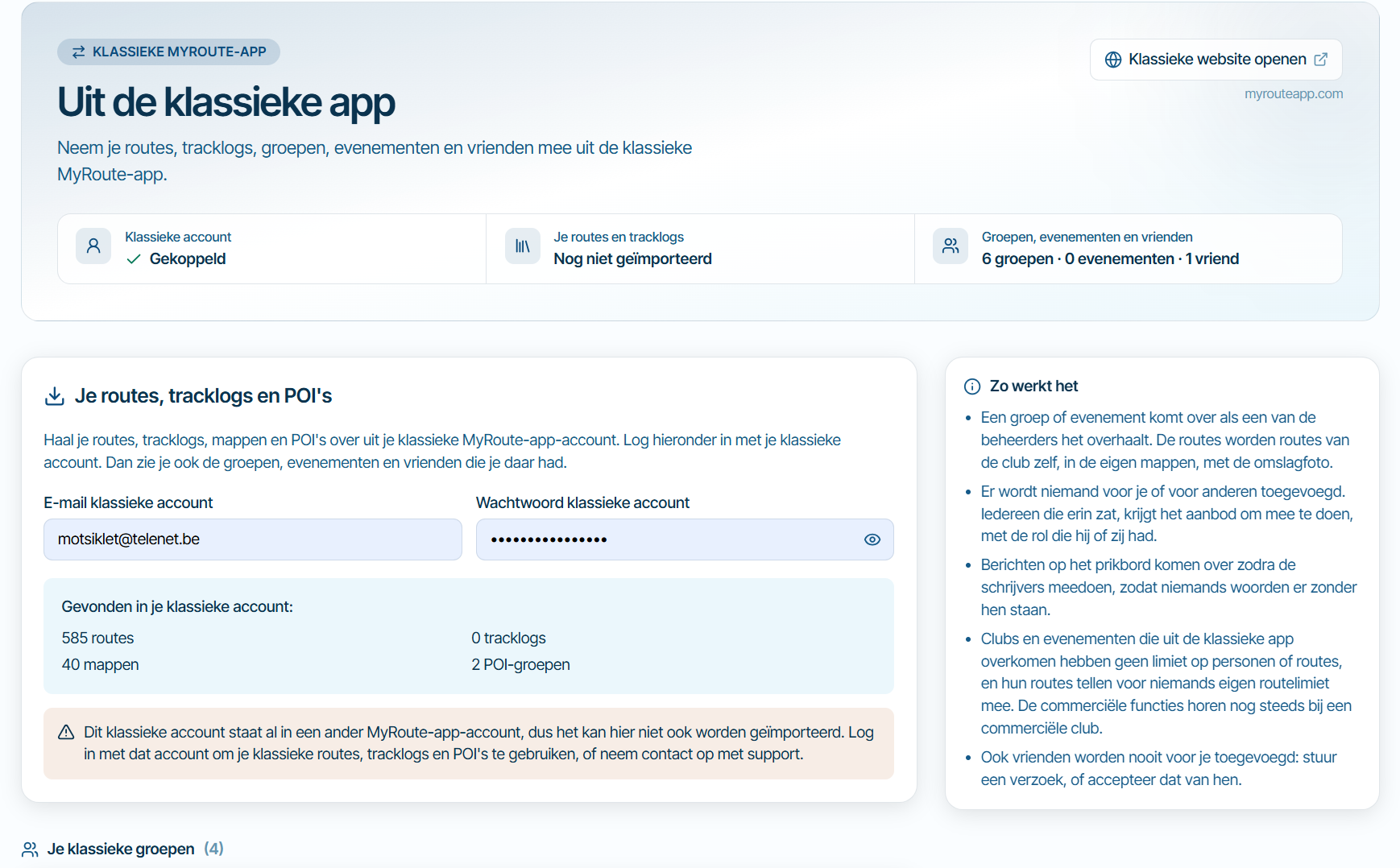
Where is the "Routes" option?
-

Hi, @corjan-meijerink , all!
In the current version we have the "Routes" option, where we can add routes to see on the same screen and where we currently combine the Routes.
Where is it in the Beta version, please?! -

The last section, “My Library”, lets you display routes from your library and merge them with the route you currently have open.
🏍️ Tiger: DMD Nor7e + SilverFox controller
🏍️ Bobber: iPhone 15 Pro + Quad Lock mount
🚗 Car: iPhone 15 Pro with wireless Apple CarPlay -
The last section, “My Library”, lets you display routes from your library and merge them with the route you currently have open.
@Bart-De-Medts Oh, I see..... Need to check the box. I totally missed that.
I am afraid many others will too....
I still don't see where the Merge button / option is.....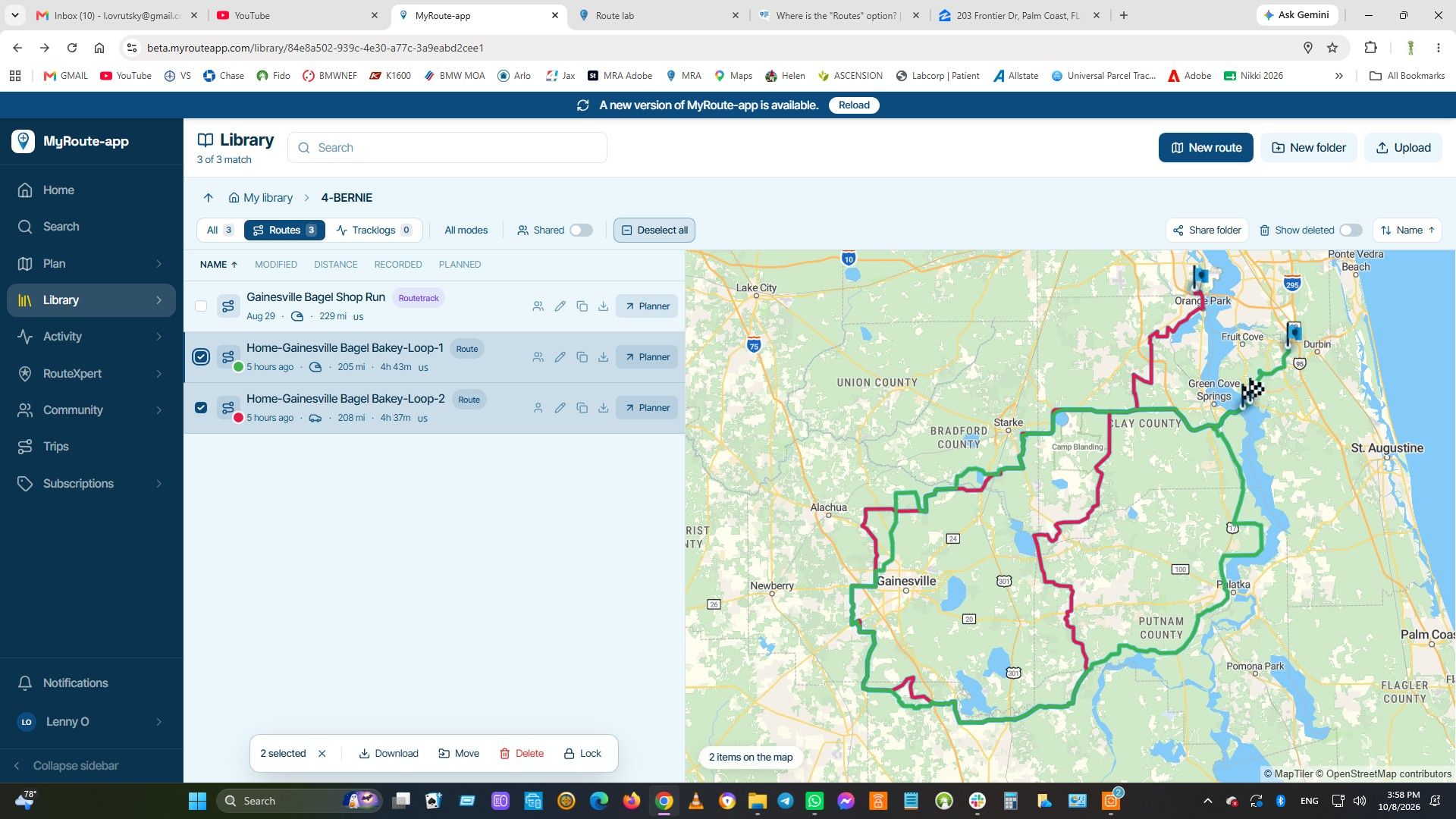
-
No, you actually have to open a route in the planner. Then click the bottom-left block, “My Library”.
Then you can display other routes on the map and optionally add them to your open route.🏍️ Tiger: DMD Nor7e + SilverFox controller
🏍️ Bobber: iPhone 15 Pro + Quad Lock mount
🚗 Car: iPhone 15 Pro with wireless Apple CarPlay -
No, you actually have to open a route in the planner. Then click the bottom-left block, “My Library”.
Then you can display other routes on the map and optionally add them to your open route.
@Bart-De-Medts Thank you!
-
It actually works GREAT!!!!
Very clever implementation, ONCE YOU FIND IT.... Good job, @corjan-meijerink!
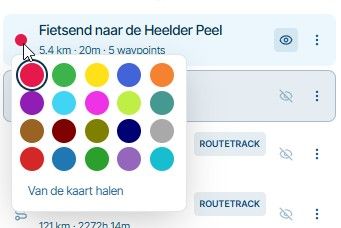
Suggestion / request - can we still control the colors of the displayed routes as in the current app?
People have different preception of various colors (like me, for example) and though it is nice that every route gets its own color automatically, it is not always good enough to work on it without straining the eyes.Positive emotions are worth every penny ;)
-
It actually works GREAT!!!!
Very clever implementation, ONCE YOU FIND IT.... Good job, @corjan-meijerink!
Suggestion / request - can we still control the colors of the displayed routes as in the current app?
People have different preception of various colors (like me, for example) and though it is nice that every route gets its own color automatically, it is not always good enough to work on it without straining the eyes.
@LennyO, Yes, click the color in front...

You need to click before asking
I am just an enthusiastic MRA user, and hope you will be one too!
Most motorcycle problems are caused by the nut that connects the handlebar to the saddle.
Check out RideSleepRepeat.eu, a biker community for sharing stays across Europe
-
@Con-Hennekens Aha! Great!
Who would've thought that it is even clickable...... Geeees.... Tough crowd
Mr @corjan-meijerink is brilliant!Positive emotions are worth every penny ;)
-
@Con-Hennekens Aha! Great!
Who would've thought that it is even clickable...... Geeees.... Tough crowd
Mr @corjan-meijerink is brilliant!
@LennyO, Everything that is clickable turns the cursor arrow into a hand when hoovered
I am just an enthusiastic MRA user, and hope you will be one too!
Most motorcycle problems are caused by the nut that connects the handlebar to the saddle.
Check out RideSleepRepeat.eu, a biker community for sharing stays across Europe
-
@Con-Hennekens Really...????
Of course I know that bit!
My point was that I did not even think to try for some reason.... Getting old sucks!Positive emotions are worth every penny ;)
-
@Con-Hennekens Really...????
Of course I know that bit!
My point was that I did not even think to try for some reason.... Getting old sucks!
@LennyO, thanks for letting me know, so I can prepare...
Hello! It looks like you're interested in this conversation, but you don't have an account yet.
Getting fed up of having to scroll through the same posts each visit? When you register for an account, you'll always come back to exactly where you were before, and choose to be notified of new replies (either via email, or push notification). You'll also be able to save bookmarks and upvote posts to show your appreciation to other community members.
With your input, this post could be even better 💗
Register Login-
 023138
-
 118150
-
015116
-
 01192
01192
-
0935
-
3988
-
2885
-
-1874