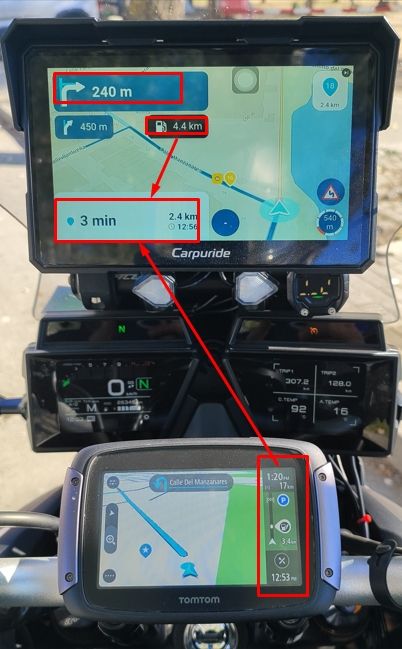
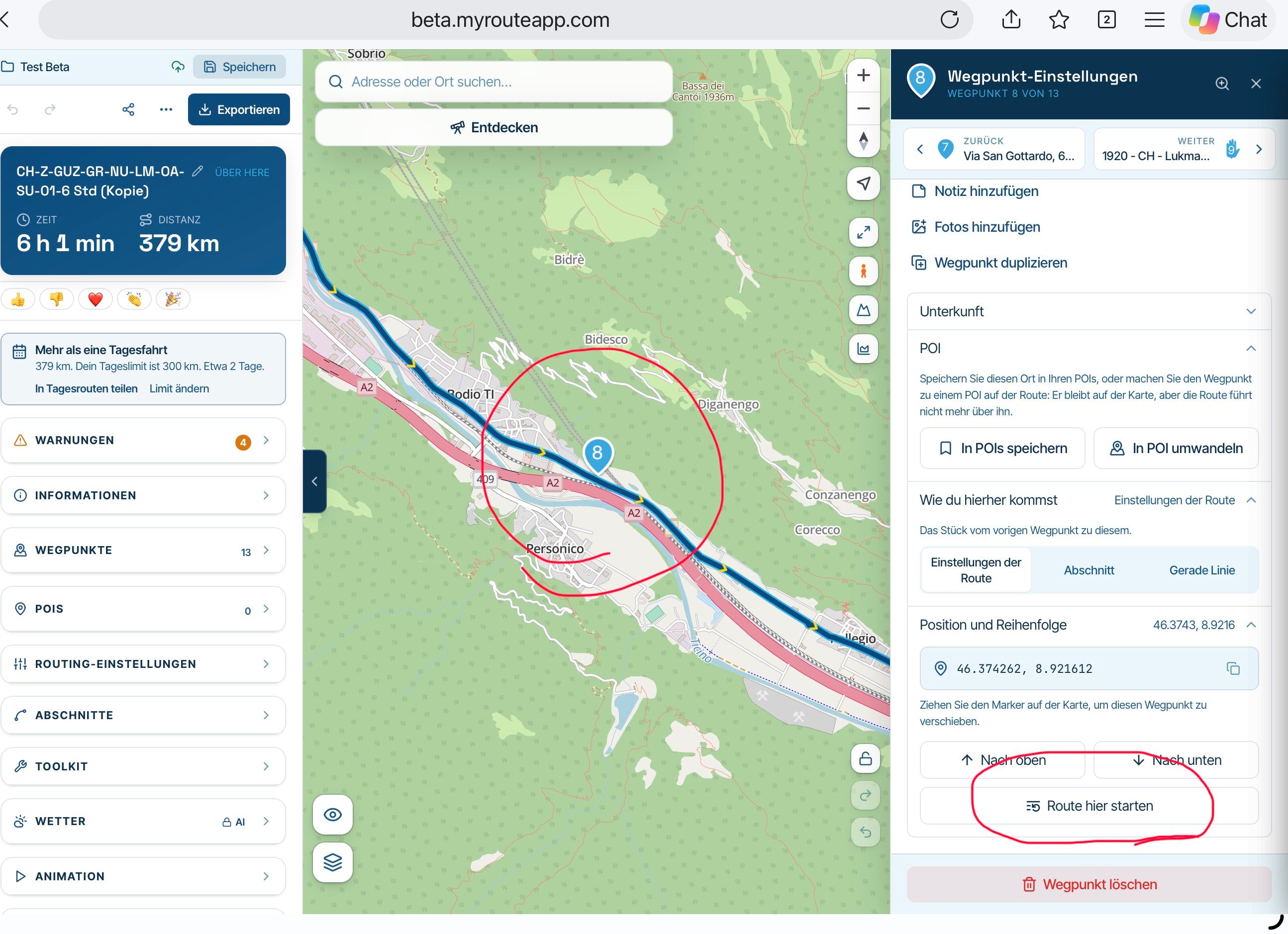
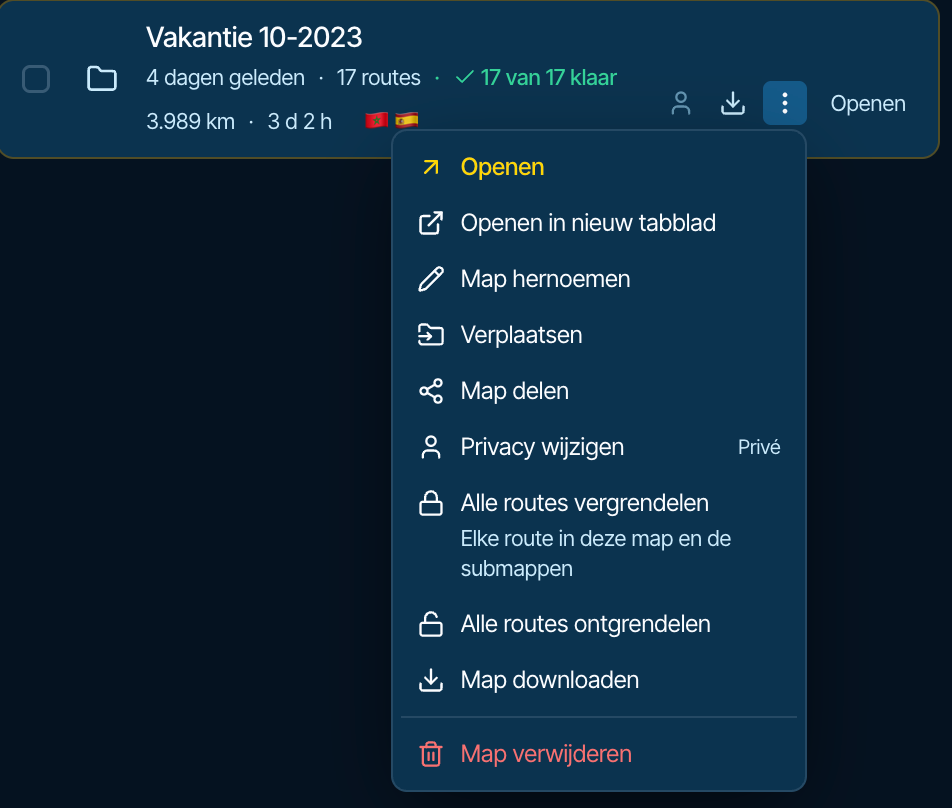
How to export GPX files to Zumo XT without recalculation
-
@Olivier-Weinand you missed the smileys?! I know the features of the XT, it was a joke between @habven-aka-mrmra and me.
-

Problems with the Drive-app are, what I read, only with iOS. I updated my phone and tablet, both on Android, and they work fine.
-
Even those of us who have used Garmin devices for years and understand the associated software (up to the Garmin XT1) Will bash Garmin for good reason.
Good
The Hardware.....robust water dust and heat proof. My Oldest Garmin device is 22 and still works.
The Desktop software Mapsource and later Basecamp are fine pieces of software and I still use Basecamp for handling tracks and POI's as this is an area in MRA that still needs work.Bad
The XT1 and I believe the 2 and 3 have a bug with "imported" routes which causes repeated U turns if a via point is missed (even if skipped). This can be mitigated by making all routes "Saved" but its something to be aware of.
Somewhere after the Zumo 390 and 590 GPS units Garmin changed the Routing algorithm of the devices so that with the devices set using the same parameters "Faster Time" no longer meant the fastest time between two way points irrespective of road type but meant "Faster Roads" creating additional complication when designing routes for a Garmin XT1 for example as Basecamp routes were not longer WYSIWYG with the GPS unit.
For the XT1 "explore" does not add value to the experience of using the unit if you connect it. Its a poor piece of software IMO. In many ways MRA is what explore should have been.
Garmin's recent software has in general been buggy. The otherwise excellent "Drive" app was broken for Android users recently when they added functionality unrelated to the Zumo XT
If you are using the unit outside its area for example using a Europe unit in the US or visa versa you can load Garmin's expensive "Here" maps or you have to Garminise Open Street Maps to get coverage.
I've moved to navigation using the MRA navigation app. Mainly because my Africa twin has built in AA/CP and I can manipulate the software using my bar buttons which is safer and more convenient than prodding the XT screen (I now I should stop!)
What I have found is that working this way via android auto is more flexible. I use My Route app navigation for routes. OSMand for tracks and Google maps for fast A-B navigation and using voice commands to find coffee and lunch stops. I still have my XT mounted as a backup with my routes and tracks "Saved" on it. I have the Track displayed on it and any Custom or proximity alerted POI's I might want to use loaded.

@mzokk I didn't mean for my post to generate a critique for what's right/wrong with the XT. All navigation HW/SW has bugs, oddities or whatever you want to call them . The Garmin XT series is not immune. My main point is that if you know how the XTs (XT, XT2, XT3) work -- REALLY WORK, they're a perfectly good GPS solution. A properly constructed route in MRA or any other planner will execute correctly. The XTs don't screw up routes unless you've done something seriously wrong. Yet we get a parade of users who trash the units when it's instead operator error. Self-reflection is a much better solution in this realm.
As far as your comments, with due respect, RUT is not a universal problem. I've been using Garmins (BMW Nav VI, Zumo XT, XT3) as my primary route execution devices over the past 8 years, and I've never experienced RUT. I know that it exists, but hitting it depends on how you execute off-route recalculations. I've personally always subscribed to what's outlined in post #30 of this excellent MRA forum topic, which you also contributed to:
In short, I never turn auto recalculate on. I create routes to be ridden as created. I almost never deviate enough to need recalculations to continue back on-route. If I do, I have other approaches/tools to get back on track. The beauty of Garmins is that the route continues when you rejoin at a later point without having to recalculate anything. To me, this is one of the advantages of using an XT device for navigation.
Your other "Bad" items don't register on my radar. The Tread app for the XT2/XT3 is excellent IF you configure it carefully/correctly when installed. Most users get in trouble because they install without understanding the pros/cons of the options available.
I'm all for having debates and/or conversations when the people making complains understand the XT GPS units. Unfortunately, most of the time they don't.
-
PS You are free to think whatever you like.
I have also never encountered any issues with the routes I create and send to a Garmin Zumo 660, 395, 590, XT, XT2, XT3, TomTom, or BMW CRN. That said, the fact remains that a route still has to be calculated.
I did have issues when using a Carpe Iter tablet—which, incidentally, didn't stay on my motorcycle for very long. I’m not familiar with DMD; after my experience with the Carpe Iter, I’ve come to the conclusion that a dedicated navigation device works best—after all, that’s what they’re designed for. A tablet or smartphone is, at best, just a makeshift solution.
@HABVEN-aka-MrMRA can you explain how you do it then please… I purchased a new bike at the weekend borrowed a mates XT2 for the bmw mount as I didn’t have time to put the DMD tablet on whilst he went with his DMD device, first roundabout we got to, we went left, next thing we know we’re getting the dreaded off route notification on the Garmin… !!! Literally half a flipping mile from the house.
-
These topics bashing the Garmin XT series devices will never stop. The units take some dedicated effort to understand, and frankly most riders don’t want to put in the effort. If it doesn’t work like Google right out of the box, there must be something wrong with it. In a world of simple phone app alternatives the motivation simply isn’t there to dig in. And that’s OK because phone apps are all that most riders need,
Regardless, MRA Routeplanner is the best available routing SW on the market. Garmin GPS devices have the most total core capabilities of any navigation options on the market. If you truly know how to use each, they 100% work well together. It’s not debatable.
I wish more who come on here would approach this from the standpoint of “what am I doing wrong?”. It would be a much more productive exchange.
@John-S-Parry interesting John, so why are we on a forum if its not debatable???

I’ve wasted hours trying to get most BMW nav’s and the XT range to follow routes and I fail and the annoying thing is I’ve no idea why, I have tried everything, was a little better with the XT and the drive app…. please don’t assume that people don't like to work a problem because I do…and in the end I gave up and went to another brand which simply follows the route you put on it.
Therefore if you have the time and you’re willing, can you please reply with exactly what you do from planning to exporting to using the device and I will attempt to replicate your guidance on Friday when we all go for a ride… don’t need war and peace just bullet points will do e.g file type, transfer wired or WiFi etc etc
Edited: to add a thank you in advance!!!!

 ️
-
@HABVEN-aka-MrMRA with the greatest of respect that is utter rubbish which is why so many people have been asking the same question for years… and it is literally years now, I can’t believe people are still parting with in excess of £500 for a device and as for that Tread app…
I have had pretty much every sat nav going on my motorcycle journey (forgive the pun) and its only DMD that doesn’t mess with the ‘planned route’ this is an important distinction to make, I’m talking about sitting down and planning a cracking ride for example in Spain not using the device to go from AtoB… I plan on here and export to DMD and not once have I had an issue, plan on here and export to the Zumo XT2 and nothing but issues, I could go and on with other examples... couple below for you.
Example: Last year we were having a cracking ride in the Saint Mere Eglis area of France, using Zumo XT2’s next thing we know we’re on a motorway for an hour and a half as the route had been changed, we should’ve been following the ‘planned’ coast road. Later in the year I had the same issues on a trip with my wife.
Regards,
Andy.
with the greatest of respect that is utter rubbish which is why so many people have been asking the same question for years… and it is literally years now, I can’t believe people are still parting with in excess of £500 for a device and as for that Tread app…
Andy, I was triggered when I read your original post above. The issue isn't the XT/XT2/XT3 devices -- they do work well. The issue is than many riders (most) who buy the devices never properly learn how to use them. In fairness, it's not easy. The official Garmin documentation isn't great (closer to terrible), and it takes a lot of dedication to experiment and piece things together over time. One of the best resources on the planet is the dedicated Zumo XT forum:
https://zumouserforums.co.uk/viewtopic.php?t=1464
Even there, the information can be overwhelming to absorb. I wish I could write a few paragraphs that would give you everything you need to know, but that's not possible. Especially by Friday.

If you're having that much trouble with an XT (or XT2/XT3), I'd recommend initially staying with MRA Desktop for route planning and the MRA Next app for navigation. The MRA documentation and learning resources are excellent, and there are many forum regulars more than willing to help. The learning curve is much less, and it can be a good entry point to advancing to the XT platforms in the future. Good luck.
-

It sounds to me that people who want to avoid their navigation device recalculating the route they planned are actually looking for turn-by-turn navigation on a track rather than on a route.
Unfortunately, very few navigation devices support this. Most devices that offer track-based turn-by-turn navigation are designed for running or hiking and rely on dedicated file formats that contain both the track and the navigation instructions.
For motorcycle navigation, the only solutions I know that provide true turn-by-turn navigation on a plain GPX track are DMD2 and OsmAnd. Of the two, DMD2 is much more intuitive and easier to use, whereas OsmAnd offers similar functionality but comes with a significantly steeper learning curve.
-
It sounds to me that people who want to avoid their navigation device recalculating the route they planned are actually looking for turn-by-turn navigation on a track rather than on a route.
Unfortunately, very few navigation devices support this. Most devices that offer track-based turn-by-turn navigation are designed for running or hiking and rely on dedicated file formats that contain both the track and the navigation instructions.
For motorcycle navigation, the only solutions I know that provide true turn-by-turn navigation on a plain GPX track are DMD2 and OsmAnd. Of the two, DMD2 is much more intuitive and easier to use, whereas OsmAnd offers similar functionality but comes with a significantly steeper learning curve.
It sounds to me that people who want to avoid their navigation device recalculating the route they planned are actually looking for turn-by-turn navigation on a track rather than on a route.
100% agree!
Another indicator: nailing down the route with plenty of obsolete SPs to make sure it keeps its original shape, even when it's recalculated.For motorcycle navigation, the only solutions I know that provide true turn-by-turn navigation on a plain GPX track are DMD2 and OsmAnd. Of the two, DMD2 is much more intuitive and easier to use, whereas OsmAnd offers similar functionality but comes with a significantly steeper learning curve.
I would add Stegra.io — it also offers two types of track navigation: either based on a route calculated on top of the track (similar to MRA’s approach), which provides TBTs like “turn left onto xyz street”, or purely based on the track data with simplified TBTs like “slightly left”.
Most users think track navigation is only suitable for off-road, but that's often based on a misunderstanding; it also works really well for on-road. -
@John-S-Parry interesting John, so why are we on a forum if its not debatable???
I’ve wasted hours trying to get most BMW nav’s and the XT range to follow routes and I fail and the annoying thing is I’ve no idea why, I have tried everything, was a little better with the XT and the drive app…. please don’t assume that people don't like to work a problem because I do…and in the end I gave up and went to another brand which simply follows the route you put on it.
Therefore if you have the time and you’re willing, can you please reply with exactly what you do from planning to exporting to using the device and I will attempt to replicate your guidance on Friday when we all go for a ride… don’t need war and peace just bullet points will do e.g file type, transfer wired or WiFi etc etc
Edited: to add a thank you in advance!!!!
️
@John-S-Parry interesting John, so why are we on a forum if its not debatable???
I’ve wasted hours trying to get most BMW nav’s and the XT range to follow routes and I fail and the annoying thing is I’ve no idea why, I have tried everything, was a little better with the XT and the drive app…. please don’t assume that people don't like to work a problem because I do…and in the end I gave up and went to another brand which simply follows the route you put on it.
Therefore if you have the time and you’re willing, can you please reply with exactly what you do from planning to exporting to using the device and I will attempt to replicate your guidance on Friday when we all go for a ride… don’t need war and peace just bullet points will do e.g file type, transfer wired or WiFi etc etc
Edited: to add a thank you in advance!!!!
️I must say I rarely have issues with my Zumo XT calculating a different route to the one I planned in MRA, but sometimes the XT will show a slightly different route so not 100% foolproof.
Here’s what I do:
• Plan my route in MRA. I generally use VIA points for thinks like fuel stops, café stops etc and using SHAPING points for all my other WPs
• I then tend to put a shaping point after every turn to force the XT to take the road I’m planning to use. That shaping point is placed 10-20m right after the turn
• If on a particular road for some distance I will judge whether the XT might want to divert me off to take a “faster” road and I will pop another shaping point in to force it to continue on the road I want.
• On round return routes I will normally split into two distinct “Outward” and “Return” legs, especially if the round route crosses over or does a figure of eight etc
• I will often pop in VIA points to mark quarter, half and three quarters into the route. This is belt and braces so if I have to detour and I prefer to keep off route calculation on and the XT goes haywire and I need to restart the route, I can use these as a reference for where I am on the route. Using the “closest entry point” prompt on the XT will normally get me back on my route no problem
• I then export the route as GPX 1.1 and I transfer it to my SD card on the XT via a usb connection from computer to XT – I don’t use the Drive app
• I will then import both the track and the route from the SD card into the main XT memory.
• I go into tracks, select my route and check the “visible on map” box and choose that to show in blue
• I then go into trips and select my route and load it as if I was going to start navigating. Before the final “Go” button to start navigation, I will click on the XT map and visually check the route. It is in magenta for me and because I’ve made the track visible I can see visually where the magenta and blue lines deviate. If this is a deviation I can’t live with I will go back into MRA and add some more shaping points on that area to force the route. Then I delete the route and track from the XT and go back to the export stage and repeat until I’m happy that my route and track match. -
@John-S-Parry interesting John, so why are we on a forum if its not debatable???
I’ve wasted hours trying to get most BMW nav’s and the XT range to follow routes and I fail and the annoying thing is I’ve no idea why, I have tried everything, was a little better with the XT and the drive app…. please don’t assume that people don't like to work a problem because I do…and in the end I gave up and went to another brand which simply follows the route you put on it.
Therefore if you have the time and you’re willing, can you please reply with exactly what you do from planning to exporting to using the device and I will attempt to replicate your guidance on Friday when we all go for a ride… don’t need war and peace just bullet points will do e.g file type, transfer wired or WiFi etc etc
Edited: to add a thank you in advance!!!!
️I must say I rarely have issues with my Zumo XT calculating a different route to the one I planned in MRA, but sometimes the XT will show a slightly different route so not 100% foolproof.
Here’s what I do:
• Plan my route in MRA. I generally use VIA points for thinks like fuel stops, café stops etc and using SHAPING points for all my other WPs
• I then tend to put a shaping point after every turn to force the XT to take the road I’m planning to use. That shaping point is placed 10-20m right after the turn
• If on a particular road for some distance I will judge whether the XT might want to divert me off to take a “faster” road and I will pop another shaping point in to force it to continue on the road I want.
• On round return routes I will normally split into two distinct “Outward” and “Return” legs, especially if the round route crosses over or does a figure of eight etc
• I will often pop in VIA points to mark quarter, half and three quarters into the route. This is belt and braces so if I have to detour and I prefer to keep off route calculation on and the XT goes haywire and I need to restart the route, I can use these as a reference for where I am on the route. Using the “closest entry point” prompt on the XT will normally get me back on my route no problem
• I then export the route as GPX 1.1 and I transfer it to my SD card on the XT via a usb connection from computer to XT – I don’t use the Drive app
• I will then import both the track and the route from the SD card into the main XT memory.
• I go into tracks, select my route and check the “visible on map” box and choose that to show in blue
• I then go into trips and select my route and load it as if I was going to start navigating. Before the final “Go” button to start navigation, I will click on the XT map and visually check the route. It is in magenta for me and because I’ve made the track visible I can see visually where the magenta and blue lines deviate. If this is a deviation I can’t live with I will go back into MRA and add some more shaping points on that area to force the route. Then I delete the route and track from the XT and go back to the export stage and repeat until I’m happy that my route and track match.
@Will-Brooks Hi Will many thanks for the reply...
See straight away you say 1.1 others say 1.2...
XT or XT2? I was specifically talking about the XT2... The XT was definitely better with the Drive app.
I'll give it a quick go tomorrow but can just see myself wiring in the DMD set up again as I don't have to second guess what's going to happen route wise on a holiday.
Thanks again.
-
It sounds to me that people who want to avoid their navigation device recalculating the route they planned are actually looking for turn-by-turn navigation on a track rather than on a route.
Unfortunately, very few navigation devices support this. Most devices that offer track-based turn-by-turn navigation are designed for running or hiking and rely on dedicated file formats that contain both the track and the navigation instructions.
For motorcycle navigation, the only solutions I know that provide true turn-by-turn navigation on a plain GPX track are DMD2 and OsmAnd. Of the two, DMD2 is much more intuitive and easier to use, whereas OsmAnd offers similar functionality but comes with a significantly steeper learning curve.
@Hans-Kremers Hi Hans, Not sure I understand your post, I've never mentioned tracks, I know that a track is followed correctly and I know that routes are where you get your guidance??? You are correct about DMD which as I've said before is superb and to be quite frank Garmin could do with talking to these guys before releasing anymore products!!!
-
with the greatest of respect that is utter rubbish which is why so many people have been asking the same question for years… and it is literally years now, I can’t believe people are still parting with in excess of £500 for a device and as for that Tread app…
Andy, I was triggered when I read your original post above. The issue isn't the XT/XT2/XT3 devices -- they do work well. The issue is than many riders (most) who buy the devices never properly learn how to use them. In fairness, it's not easy. The official Garmin documentation isn't great (closer to terrible), and it takes a lot of dedication to experiment and piece things together over time. One of the best resources on the planet is the dedicated Zumo XT forum:
https://zumouserforums.co.uk/viewtopic.php?t=1464
Even there, the information can be overwhelming to absorb. I wish I could write a few paragraphs that would give you everything you need to know, but that's not possible. Especially by Friday.
If you're having that much trouble with an XT (or XT2/XT3), I'd recommend initially staying with MRA Desktop for route planning and the MRA Next app for navigation. The MRA documentation and learning resources are excellent, and there are many forum regulars more than willing to help. The learning curve is much less, and it can be a good entry point to advancing to the XT platforms in the future. Good luck.
@John-S-Parry Thanks John, I'll stick with my set up mate, it works!
(MRA planner DMD to Navigate) -
I only have experience of the XT.
It's all down to individual preferences and it took me a lot of patience and experimentation to find the sweet spot for my usage.
1.2 will work really well IF you have off route recalculation off and like to find your own way back onto your route if you deviate. For many this is the perfect choice.
I prefer 1.1 because if I go off route I like the XT to re route me. I often ride roads where an unexpected diversion comes into play and I'm not always that bothered if I'm not riding my route inch by inch perfect the way i planned it!
In my experience 1.1 works well for me IF I've used enough shaping points. The logic is the XT will look at all the options it can take to get from each VIA point to the next VIA point. By adding a shaping point you force the XT to use that point to shape the route. The more shaping points you use the less choice the XT has to pick from until you get to a point where the XT only has one choice or that road has the "best" parameters to fit the algorithm - eg shortest distance, fastest etc - whatever your settings are - so it choses that route.
I also mentioned about loading the track and having that visible. There some stuff on the internet about customising the width of tracks visible on the map to make it wider then the route line. So when I'm navigating I have my magenta route line and underneath that the blue line of the track shows. As long as they match up I know I'm following my route. If they deviate then I have the choice to follow what the XT says or manually and visually follow the blue track line - my planned route. In my use having off route recalculation ON usually means that the XT will recalculate and bring my magenta trip line back in sync with my blue track line.



Hello! It looks like you're interested in this conversation, but you don't have an account yet.
Getting fed up of having to scroll through the same posts each visit? When you register for an account, you'll always come back to exactly where you were before, and choose to be notified of new replies (either via email, or push notification). You'll also be able to save bookmarks and upvote posts to show your appreciation to other community members.
With your input, this post could be even better 💗
Register Login



-
 1011107
-
2463.0k
-
 5251.1k
-
011286
-
 0542
-
 0534
-
 0532
-
0658