Carpe Iter BMW Control
-
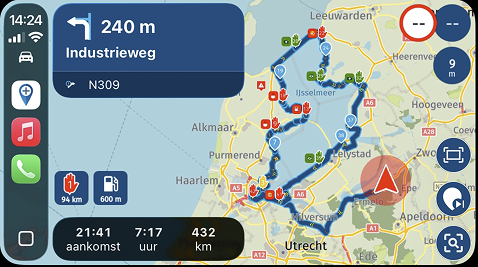
Hi, I have been using MyRoute-app together with Carpe Iter BMW Control Kit on my motorcycle BMW R1200GS Adventure 2015 for a while and found most things working brilliant. However, some things could be improved.
-
Scrolling the main menu is problematic, some menu items got hidden below and also disappear at top sometimes.
-
“Skip waypoint” on a button is brilliant, but I would also need a “Previous waypoint” on a button. If it was available I would set it like this:
Short press = Skip waypoint
Long press = Previous waypoint
Please make this possible. -
As it is now I can bring up the waypoint list, scroll it and select a specific waypoint. But, I cannot “long press” a waypoint to activate it as current waypoint. By pressing the "Confirm" button it should be activated as current waypoint, please.
Following App Specific Settings for MyRoute-app works best for me

Wonder Wheel
Up: Zoom in / Previous item
Down: Zoom out / Next item
Short left: Back / Stop nav
Short right: Map Center / Orientation (Confirm)
Long right: Map Pan Up (Route overview)Button 1-4
4 short: Map Pan Right (Stat Navigation / Skip waypoint)
3 short: Map Pan Left (Cycle arrival time)
2 short: Map Pan Up (Route Overview)
1 short: Map Pan Down (Cancel / Open menu)
1 long: HUD (Heads Up Display)Version data:
BMW Control Firmware 53.0
Carpe Iter NGH 1.26 (144).
Mobile is Samsung S25 Ultra, One UI 8.5, Android 16.
Navigation app is MyRoute-app 5.0.4-451. -

Hello! It looks like you're interested in this conversation, but you don't have an account yet.
Getting fed up of having to scroll through the same posts each visit? When you register for an account, you'll always come back to exactly where you were before, and choose to be notified of new replies (either via email, or push notification). You'll also be able to save bookmarks and upvote posts to show your appreciation to other community members.
With your input, this post could be even better 💗
Register Login-
15371.7k
-
2549
-
05144
-
04100
-
03103
-
07204
-
0660
-
025