Scroll not working on the phone to add a photo
-

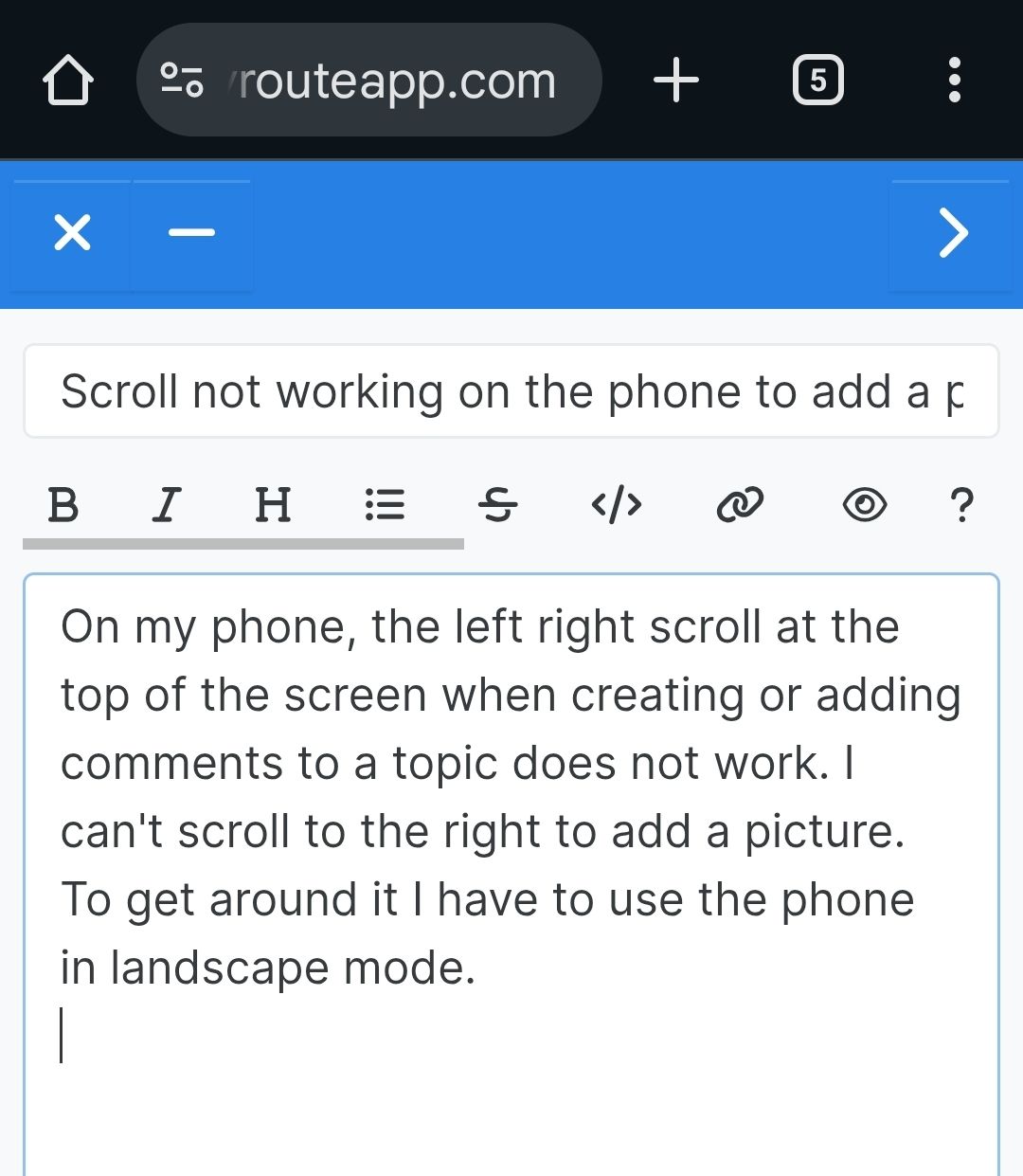
On my phone, the left right scroll at the top of the screen when creating or adding comments to a topic does not work. I can't scroll to the right to add a picture.
To get around it I have to use the phone in landscape mode.
2010 GL1800 Goldwing using Samsung Galaxy S20 5G Android 13.
-
On my phone, the left right scroll at the top of the screen when creating or adding comments to a topic does not work. I can't scroll to the right to add a picture.
To get around it I have to use the phone in landscape mode.

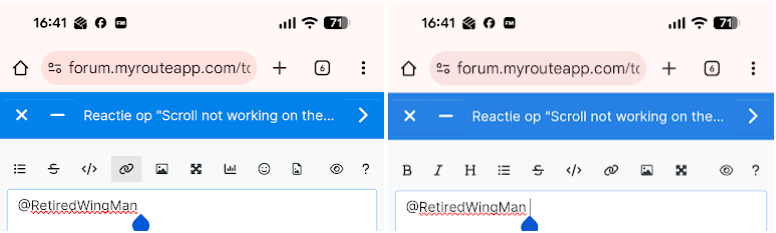
@RetiredWingMan, You can simply swipe that line...
I am just an enthusiastic MRA user, and hope you will be one too!
Most motorcycle problems are caused by the nut that connects the handlebar to the saddle.
Check out RideSleepRepeat.eu, a biker community for sharing stays across Europe
-
@RetiredWingMan, You can simply swipe that line...
@Con-Hennekens no matter what I do I can't get it to scroll.
-
@Con-Hennekens no matter what I do I can't get it to scroll.
@RetiredWingMan, That's strange... What if you press, hold for a second, and then scroll? What browser do you use?
-
@Con-Hennekens no matter what I do I can't get it to scroll.

@RetiredWingMan Tried it for myself too on iOS and Android (S24). Works fine. Could it be browser related?
-
@RetiredWingMan, That's strange... What if you press, hold for a second, and then scroll? What browser do you use?
@Con-Hennekens I tried holding my finger for a couple seconds and eventually got it to scroll. Had to press on the left side. Using Chrome. Thanks for the suggestion.
Hello! It looks like you're interested in this conversation, but you don't have an account yet.
Getting fed up of having to scroll through the same posts each visit? When you register for an account, you'll always come back to exactly where you were before, and choose to be notified of new replies (either via email, or push notification). You'll also be able to save bookmarks and upvote posts to show your appreciation to other community members.
With your input, this post could be even better 💗
Register Login-
 1432675
-
 0942
0942
-
 08118
08118
-
 10731
10731
-
 0636
0636
-
 05108
05108
-
0411
-
 116319