Sharing live location with friends on Android Auto problem
-
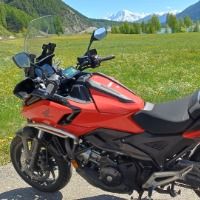
Hi, Today I have been following a route with 2 friends who are also Beta users. We shared our live positions on the route. I use a Samsung phone and a Interphone ridesync screen. I mount both on the handlebars and find the controller view along side the Android auto map screen very useful. Unfortunately, whilst my friends could see our live positions on their phones, I couldn't see them on the Android Auto screen. When I switched my phone from controller view to Map View, I could see them on my phone. It would be great if I could see them on the Interphone Ridesync display.
-

Your friends should show up on the Android Auto screen too, with the same round avatars you see on the phone, and they should show whether your phone is on the controller view or the map. So something isn't right here, and I'd like to find out what. Could you tell me:
- Which app version you have (Settings, at the bottom)?
- Whether all three of you joined one group share, or each shared your own location separately?
- Whether "show riders on map" was switched on, and whether the Android Auto screen still showed nobody after you switched your phone to the map?
With that I can find out what went wrong. Thanks for testing the beta with your friends!
-
Your friends should show up on the Android Auto screen too, with the same round avatars you see on the phone, and they should show whether your phone is on the controller view or the map. So something isn't right here, and I'd like to find out what. Could you tell me:
- Which app version you have (Settings, at the bottom)?
- Whether all three of you joined one group share, or each shared your own location separately?
- Whether "show riders on map" was switched on, and whether the Android Auto screen still showed nobody after you switched your phone to the map?
With that I can find out what went wrong. Thanks for testing the beta with your friends!
@Corjan-Meijerink Hi, 1) The app version is 6.0.0 - 532. 2) I started a route on my phone, scrolled down to the ride section and selected share live and selected 'group ride.' Who can watch.....only people you invite.....selected 2 of the 3 friends who have beta and were on this ride. . I also sent them via whatsapp the link to the ride but we were not sure if that was strictly necessary? Under 'see everyone on the map' I could see the 3 participantsin the list......I also toggled off and back on 'show the group on the map' .. I switched my phone from controller view to map view which brought up the friends on my phone screen but still not on the Android Auto. I then switched back to controller view....maybe i should have given it a bit more time. When we were discussing the results afterwards we came to the conclusion that the feature would be very useful when we were on tour in a large group (usually about 10 of us ) as the lead rider could see that everyone was following rather than having to stop in a layby to check we were all still present. When we were close together however, there is obviously a bit of a time lag as my friend reported I was showing up riding behind him when in actual fact I was just in front. Hope this helps Many Thanks Gary
-
That was exactly what I needed. You did everything right: an invite-only group ride is enough, and the WhatsApp link isn't needed. You found a real bug. The phone did pass your friends to the Android Auto screen, but in a form the car screen couldn't receive, so they never appeared there, whatever you set on the phone. It's fixed for the next beta, and it'll show your group on Android Auto and CarPlay. On the time lag: positions update every few seconds, so when you're riding close together, someone can briefly look a little behind. Thanks for the idea about the lead rider keeping an eye on a group of 10, that's just what this is meant for.
Hello! It looks like you're interested in this conversation, but you don't have an account yet.
Getting fed up of having to scroll through the same posts each visit? When you register for an account, you'll always come back to exactly where you were before, and choose to be notified of new replies (either via email, or push notification). You'll also be able to save bookmarks and upvote posts to show your appreciation to other community members.
With your input, this post could be even better 💗
Register Login-
04106
-
 0338
-
 0327
-
0345
-
029
-
 0214
-
0216
-
0229