Skip to content
  • Categories
  • Recent
  • Popular
  • Support
  • MyRoute-app
Collapse
Brand Logo

MRA Community Forum

  1. Home
  2. MRA Routeplanner Next Beta
  3. [Web-Beta] Suggestions and Discussions
  4. Place Street View on the waypoint's position

Place Street View on the waypoint's position
Scheduled Pinned Locked Moved [Web-Beta] Suggestions and Discussions
3 Posts 2 Posters 25 Views 2 Watching
  • Oldest to Newest
  • Newest to Oldest
  • Most Votes
Reply
  • Reply as topic
Log in to reply
This topic has been deleted. Only users with topic management privileges can see it.
  • Corrado Miniati
    Corrado Miniati
    Corrado Miniati
    Valued contributor
    wrote last edited by
    #1

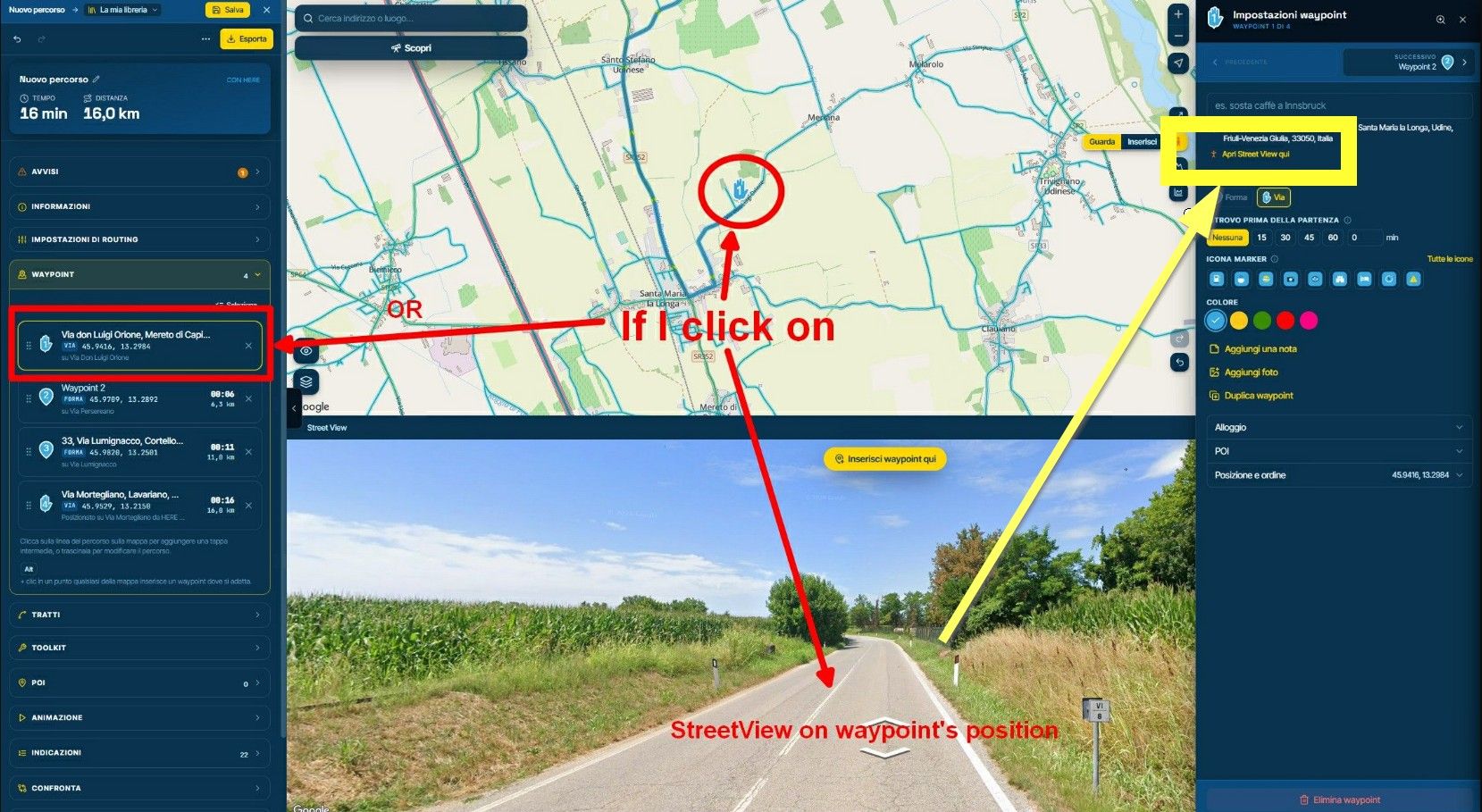
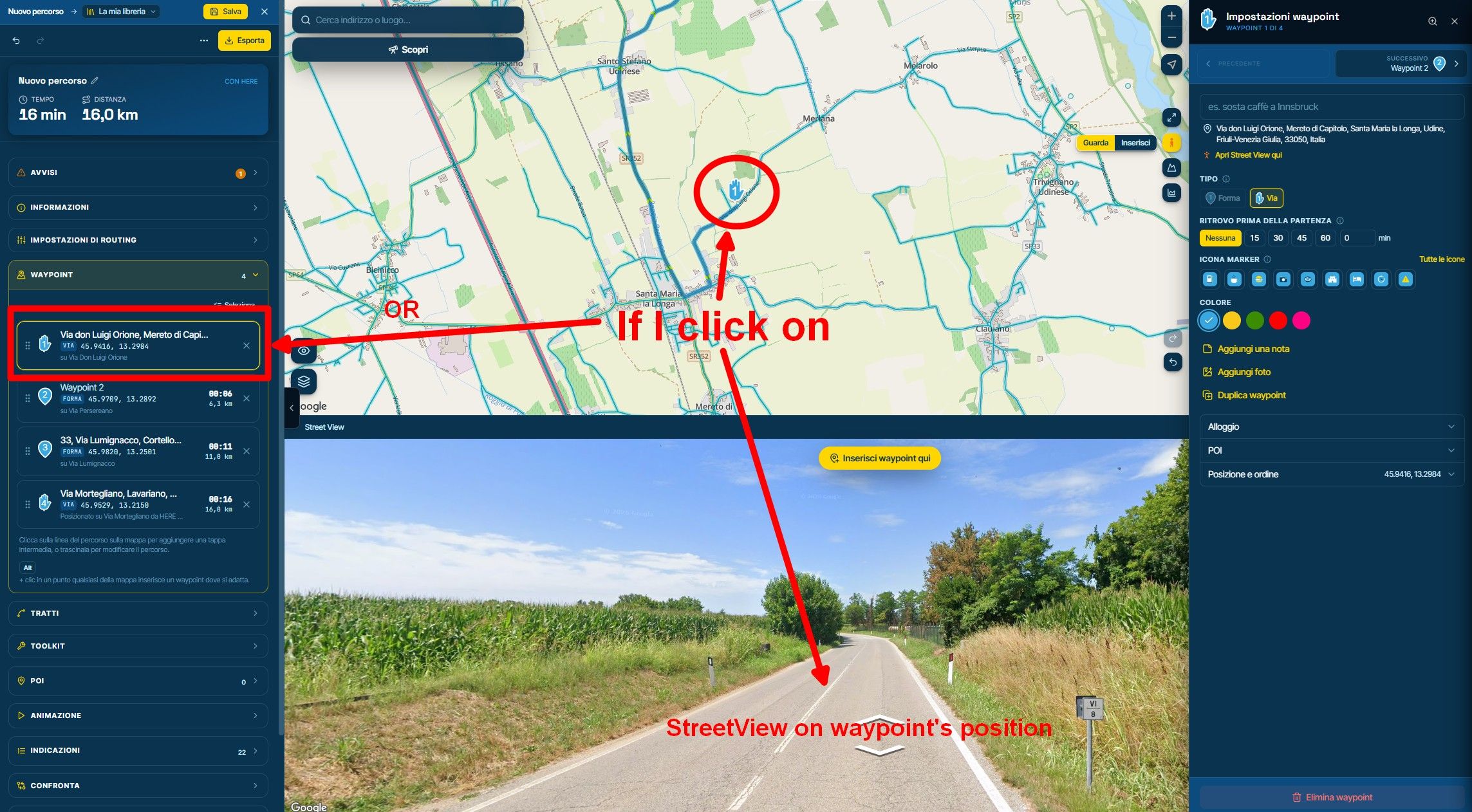
    Once Street View (V) has been activated, it would be very practical and convenient to be able to view the street corresponding to a specific waypoint, either by clicking on the point itself on the map or by selecting it from the list in the menu on the left.
    This would make it quick and easy to check road conditions at every waypoint along the route.
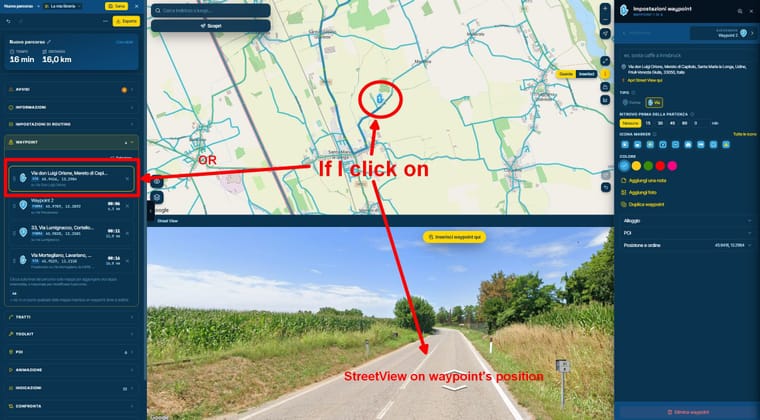
    image.jpeg

    Thanks

    Stefan Hummelink 1 Reply Last reply
    0
    • Corrado Miniati Corrado Miniati

      Once Street View (V) has been activated, it would be very practical and convenient to be able to view the street corresponding to a specific waypoint, either by clicking on the point itself on the map or by selecting it from the list in the menu on the left.
      This would make it quick and easy to check road conditions at every waypoint along the route.

      image.jpeg

      Thanks

      Stefan Hummelink
      Stefan Hummelink
      Stefan Hummelink
      Alpha tester
      wrote last edited by
      #2

      @Corrado-Miniati I suggest to try the button/functionality in the yellow box... 😊 👏 :

      image.jpeg

      Manks bu'j te bange.

      1 Reply Last reply
      2
      • Corrado Miniati
        Corrado Miniati
        Corrado Miniati
        Valued contributor
        wrote last edited by
        #3

        Hi Stefan, thanks for the feedback.
        The yellow button does exactly what I need, great, but the text is so small that I hadn't noticed it at all.
        Would it be possible to make it a bit more visible in the menu?

        1 Reply Last reply
        0

        Hello! It looks like you're interested in this conversation, but you don't have an account yet.

        Getting fed up of having to scroll through the same posts each visit? When you register for an account, you'll always come back to exactly where you were before, and choose to be notified of new replies (either via email, or push notification). You'll also be able to save bookmarks and upvote posts to show your appreciation to other community members.

        With your input, this post could be even better 💗

        Register Login
        Reply
        • Reply as topic
        Log in to reply
        • Oldest to Newest
        • Newest to Oldest
        • Most Votes


        ACTIVE USERS
        Corrado Miniati
        Corrado Miniati
        Stefan Hummelink
        Stefan Hummelink
        POPULAR TOPICS
        • Navigating on NEX
          Òscar
          Òscar
          1
          8
          67

        • Automatic optimization of an entire route to find the shortest route in terms of time or distance.
          Corrado Miniati
          Corrado Miniati
          0
          7
          95

        • Spoken notes are truncated
          Nick Carthew
          Nick Carthew
          0
          6
          34

        • How to export GPX files to Zumo XT without recalculation
          John S Parry
          John S Parry
          2
          51
          3.2k

        • Place Street View on the waypoint's position
          Corrado Miniati
          Corrado Miniati
          0
          3
          25

        • knop "Segment aanpassen" werkt niet
          Rob Verhoeff
          Rob Verhoeff
          0
          3
          20

        • Map behouden bij wisselen tussen Routes en Tracklogs
          Ed van Klink
          Ed van Klink
          0
          3
          48

        • Move pop up
          CD130
          CD130
          0
          3
          40

        MY GROUPS
        • Login

        • Login or register to search.
        • First post
          Last post
        0
        • Categories
        • Recent
        • Popular
        • Support
        • MyRoute-app