
Default map displayed on Planner startup
-
Hello,
when opening the Planner, the map is displayed at a default zoom level, showing what I assume is the country or general area based on your current location. This is very useful when starting to plan a route.
However, if I’m still exploring the map and have zoomed in significantly without adding any waypoints yet, it would be very convenient to have a keyboard shortcut to quickly return the map to the initial zoom level and position shown when the Planner was opened, similar to how the “F” shortcut works for fitting the route on the map.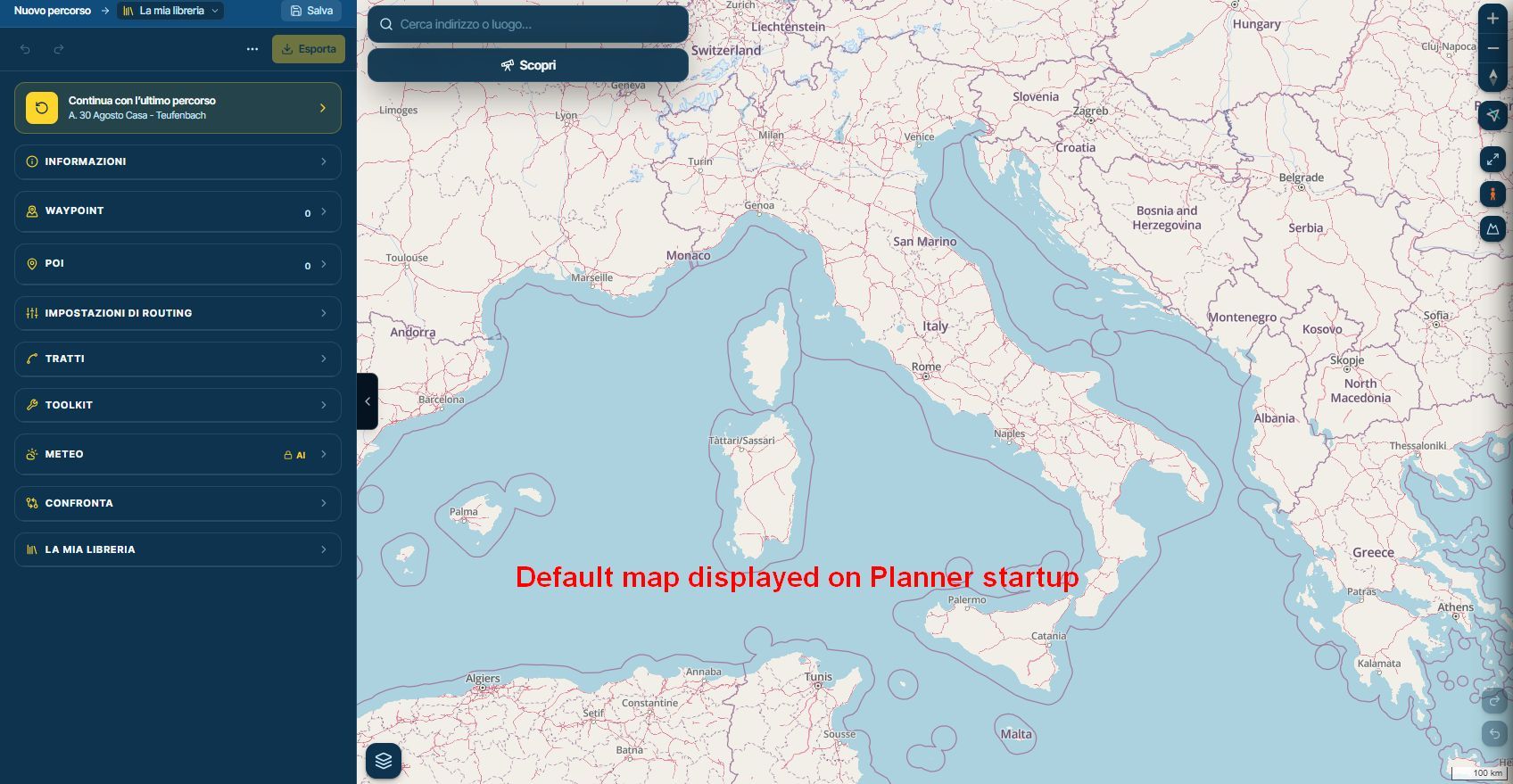
What do you think?
-

Thanks for sharing.
Hello! It looks like you're interested in this conversation, but you don't have an account yet.
Getting fed up of having to scroll through the same posts each visit? When you register for an account, you'll always come back to exactly where you were before, and choose to be notified of new replies (either via email, or push notification). You'll also be able to save bookmarks and upvote posts to show your appreciation to other community members.
With your input, this post could be even better 💗
Register Login-
 01693
-
 2342.1k
-
 015450
-
 07100
-
01387
-
 0632
-
 08292
-
 1211.7k