F010 Display error – group jumping onto routes 0 ?
-

MRA Routenplanner Next : "Routen 0"
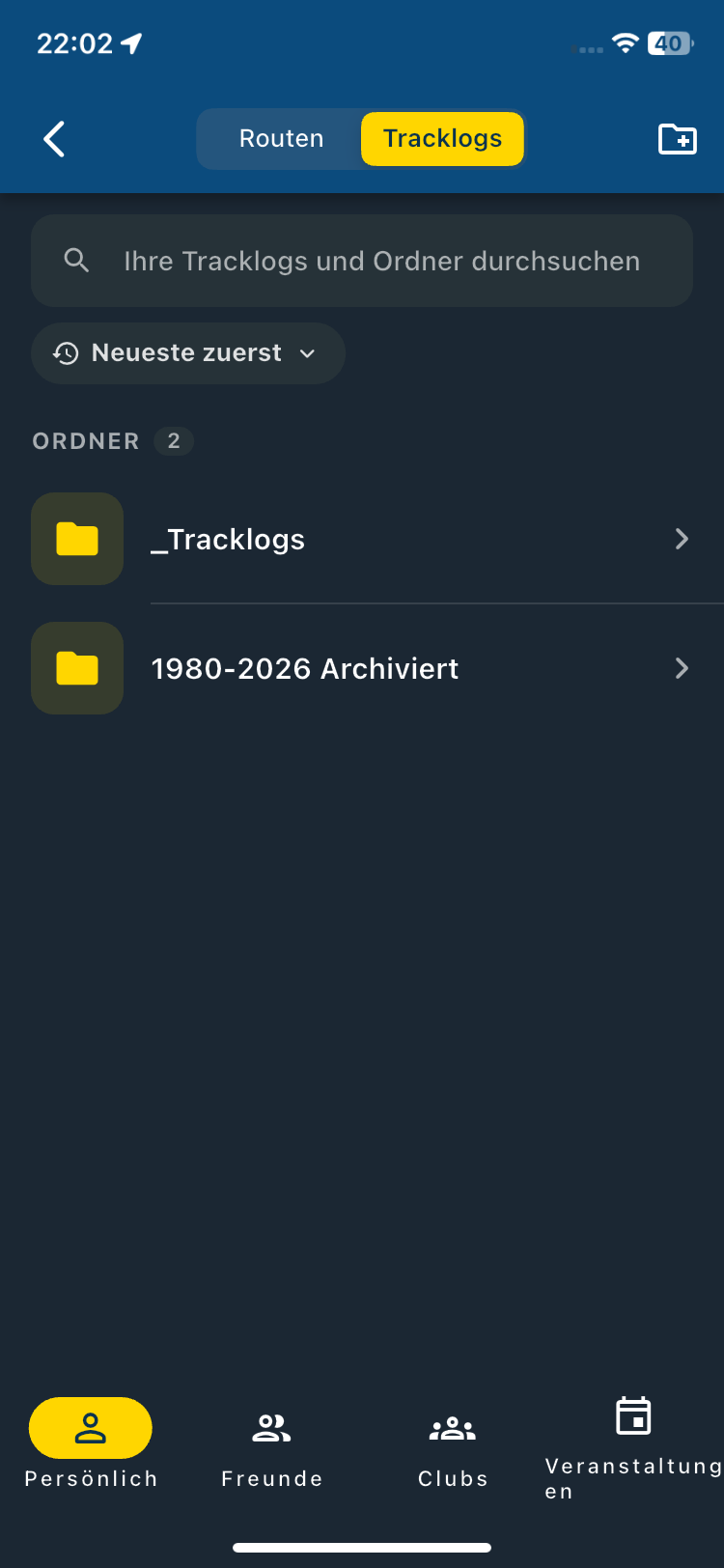
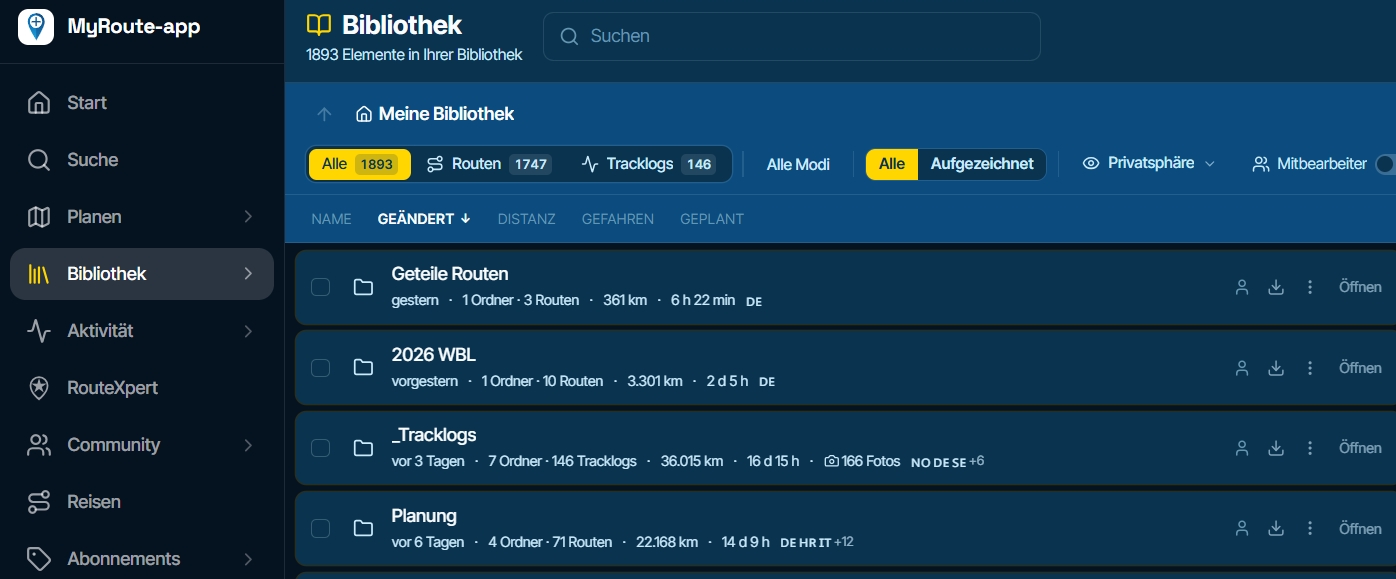
When I go to the library and open the "Tracklogs" group, and then open one of the folders, the "Routes 1747" entry disappears from the display—it suddenly shows "Routes 0" instead. If I then navigate to the "Routes" group, nothing is there.It’s quite a shock; however, if I switch from the library to the planning section and then return to the library, everything reappears.
This issue only occurs in the web-based MRA Routeplanner Next; I do not encounter this problem in the MRA Navigation Next app (version 6.0.0 (526)). !!
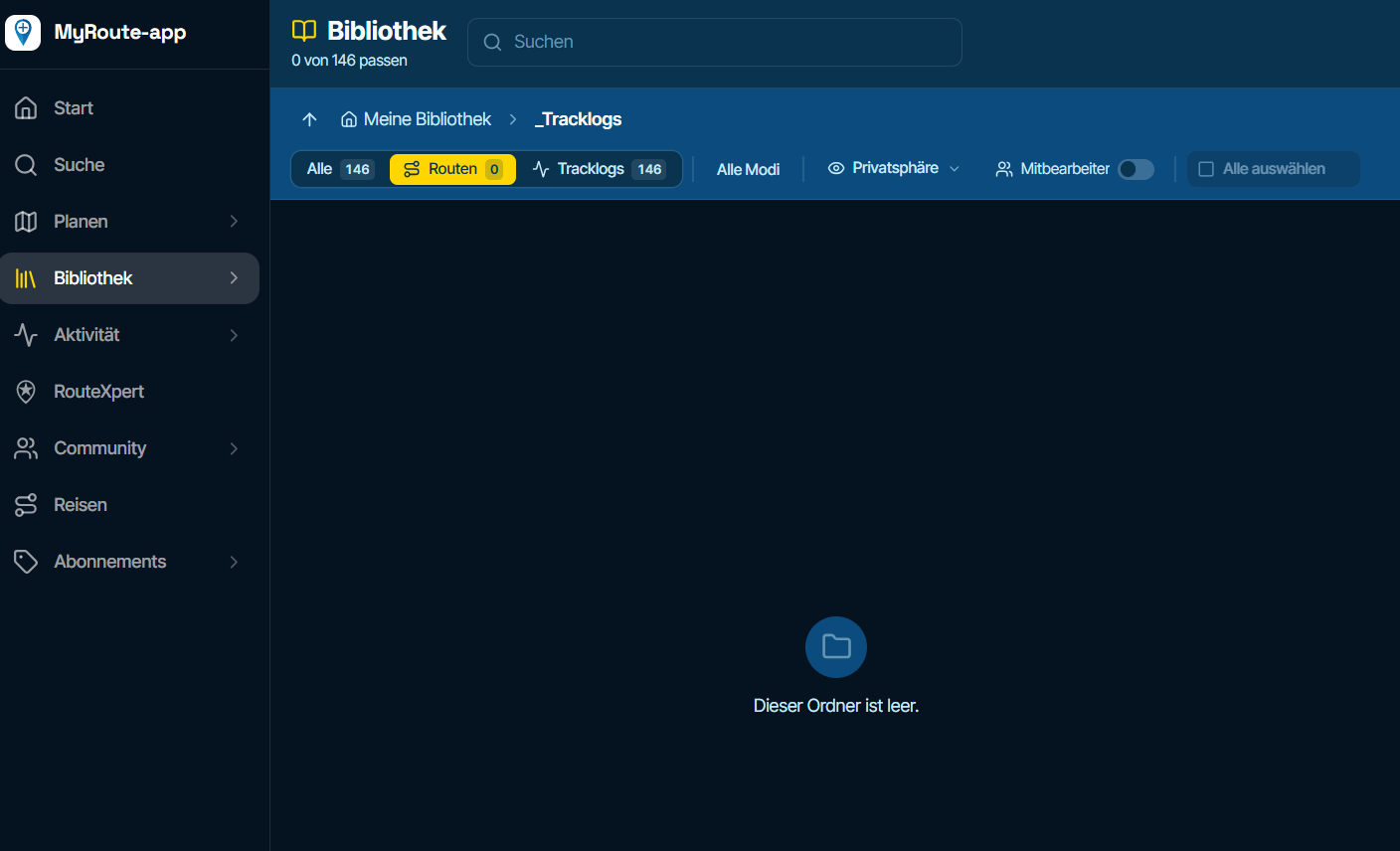
After that, everyone is back and also available ...
-

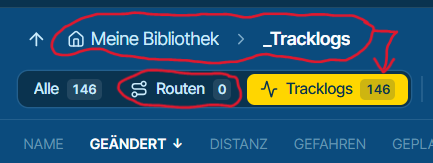
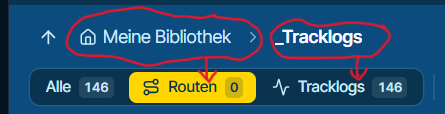
Well, you filter for routes in the tracklogs folder which has no routes

-
Okay, if I switch to routes, I would expect it to also change the filter to routes and display them... right?
-
No, I don't agree.
Tracklogs and routes can be placed in the exact same folder.
It's just that you haven't moved them yet that every tracklog is in "_Tracklogs". -
Okay, that makes things clearer for all of us, if that’s how it can be done.
Thanks for the clarification here!!
Hello! It looks like you're interested in this conversation, but you don't have an account yet.
Getting fed up of having to scroll through the same posts each visit? When you register for an account, you'll always come back to exactly where you were before, and choose to be notified of new replies (either via email, or push notification). You'll also be able to save bookmarks and upvote posts to show your appreciation to other community members.
With your input, this post could be even better 💗
Register Login-
 01125
01125
-
 0646
0646
-
0510
-
 05161
05161
-
16161
-
0318
-
0427
-
 0335
0335