
Skip to content
  • Categories
  • Recent
  • Popular
  • Support
  • MyRoute-app
Collapse
Brand Logo

MRA Community Forum

  1. Home
  2. MyRoute-app Routeplanner
  3. [Web] Problems, Bugs and other Issues
  4. Error 02 on import

Error 02 on import

Scheduled Pinned Locked Moved [Web] Problems, Bugs and other Issues
8 Posts 4 Posters 667 Views 2 Watching
  • Oldest to Newest
  • Newest to Oldest
  • Most Votes
Reply
  • Reply as topic
Log in to reply
This topic has been deleted. Only users with topic management privileges can see it.
  • Kerry Lebelundefined Offline
    Kerry Lebelundefined Offline
    Kerry Lebel
    wrote on last edited by Kerry Lebel
    #1

    I have a a KMZ file that I exported directly from a custom Google map that I am trying to import in MRA. Below is a screenshot of the error message I am getting when I try to import the file. I have tried as a route, route-track and tracklog. All result in the same error.
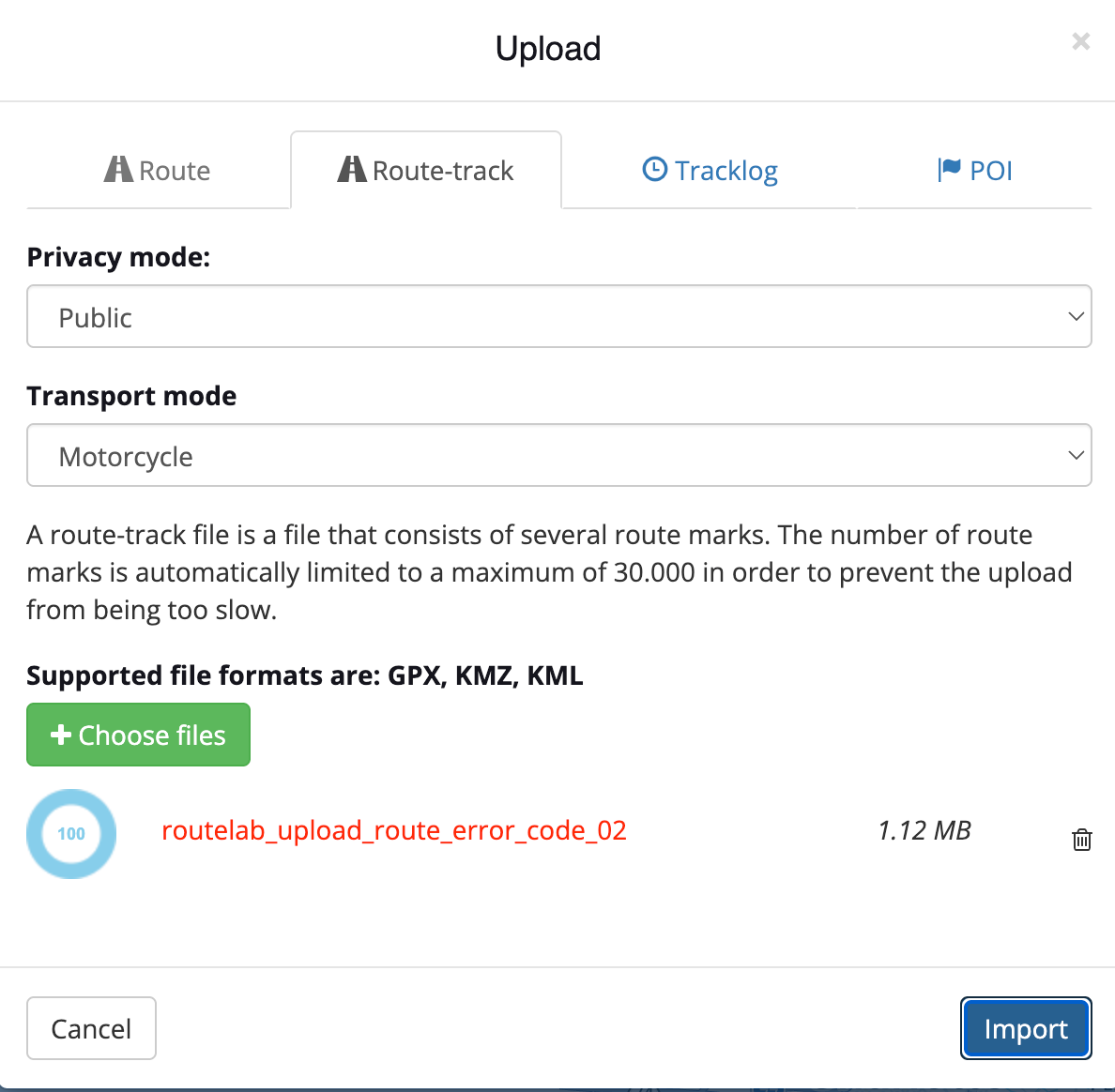
    Screenshot 2026-03-05 at 11.48.16 AM.png

    Here is a Google Drive link to the actual file.

    https://drive.google.com/file/d/1xrCVMpPAeaM_LSECay72YdtsqNRNM-zM/view?usp=sharing

    I've made no modifications to the file exported from Google. Any help would be appreciated. Thanks!

    Adrian Avramundefined 1 Reply Last reply
    0
    • white.mouseundefined Offline
      white.mouseundefined Offline
      white.mouse
      Valued contributor
      wrote on last edited by
      #2

      I get this message when I try to view the file!
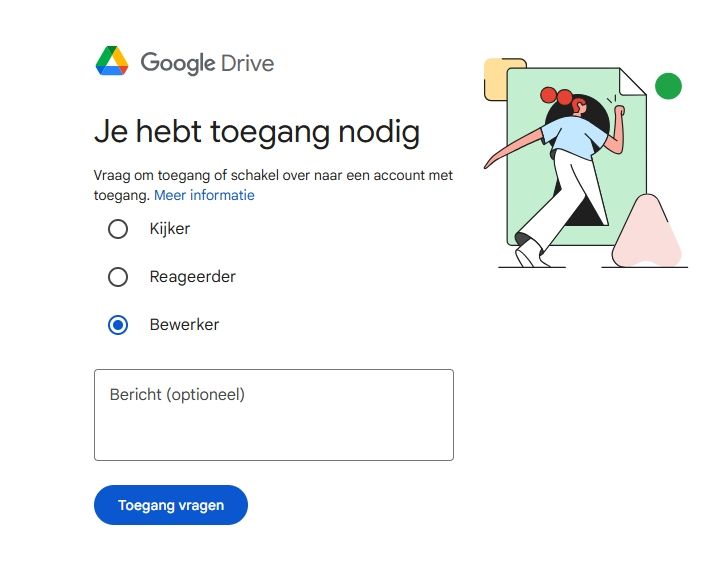
      ScreenShot-001.jpg

      met een R1250RT met TFT en BMW Connected Ride App (die dus nog steeds niet voldoet!) ;
      de Garmin Zumo XT en M.R.A. in combinatie met de Carpuride W702 (voor Android op de Motor!)

      Adrian Avramundefined 1 Reply Last reply
      0
      • Kerry Lebelundefined Offline
        Kerry Lebelundefined Offline
        Kerry Lebel
        wrote on last edited by Kerry Lebel
        #3

        Apologies. I copied the wrong link. This one should give you full editor rights.

        https://drive.google.com/file/d/1xrCVMpPAeaM_LSECay72YdtsqNRNM-zM/view?usp=sharing

        1 Reply Last reply
        0
        • Con Hennekensundefined Offline
          Con Hennekensundefined Offline
          Con Hennekens
          Alpha tester
          wrote on last edited by
          #4

          @Kerry-Lebel, I tried to import as route, and it does that without issues. It is just that between the route points a route is calculated that is likely not correct. Importing as track leads to the error you mentioned indeed. What I did was convert the KMZ to GPX at https://mygeodata.cloud/

          Conversion leads to a multi day folder with individual GPX files with checkpoints, and a single complete track GPX file that all import just fine.
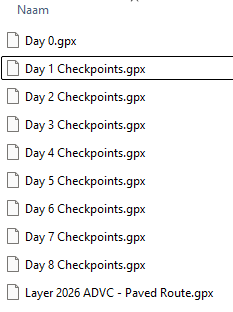
          image.png

          I think the culprit here is that MRA import can't handle multiple segments in one file.

          I am just an enthusiastic MRA user, and hope you will be one too!

          Most motorcycle problems are caused by the nut that connects the handlebar to the saddle.

          Check out RideSleepRepeat.eu, a biker community for sharing stays across Europe

          1 Reply Last reply
          1
          • Kerry Lebelundefined Kerry Lebel

            I have a a KMZ file that I exported directly from a custom Google map that I am trying to import in MRA. Below is a screenshot of the error message I am getting when I try to import the file. I have tried as a route, route-track and tracklog. All result in the same error.

            Screenshot 2026-03-05 at 11.48.16 AM.png

            Here is a Google Drive link to the actual file.

            https://drive.google.com/file/d/1xrCVMpPAeaM_LSECay72YdtsqNRNM-zM/view?usp=sharing

            I've made no modifications to the file exported from Google. Any help would be appreciated. Thanks!

            Adrian Avramundefined Offline
            Adrian Avramundefined Offline
            Adrian Avram
            wrote on last edited by Adrian Avram
            #5

            @Kerry-Lebel for me the import works perfectly without any issues
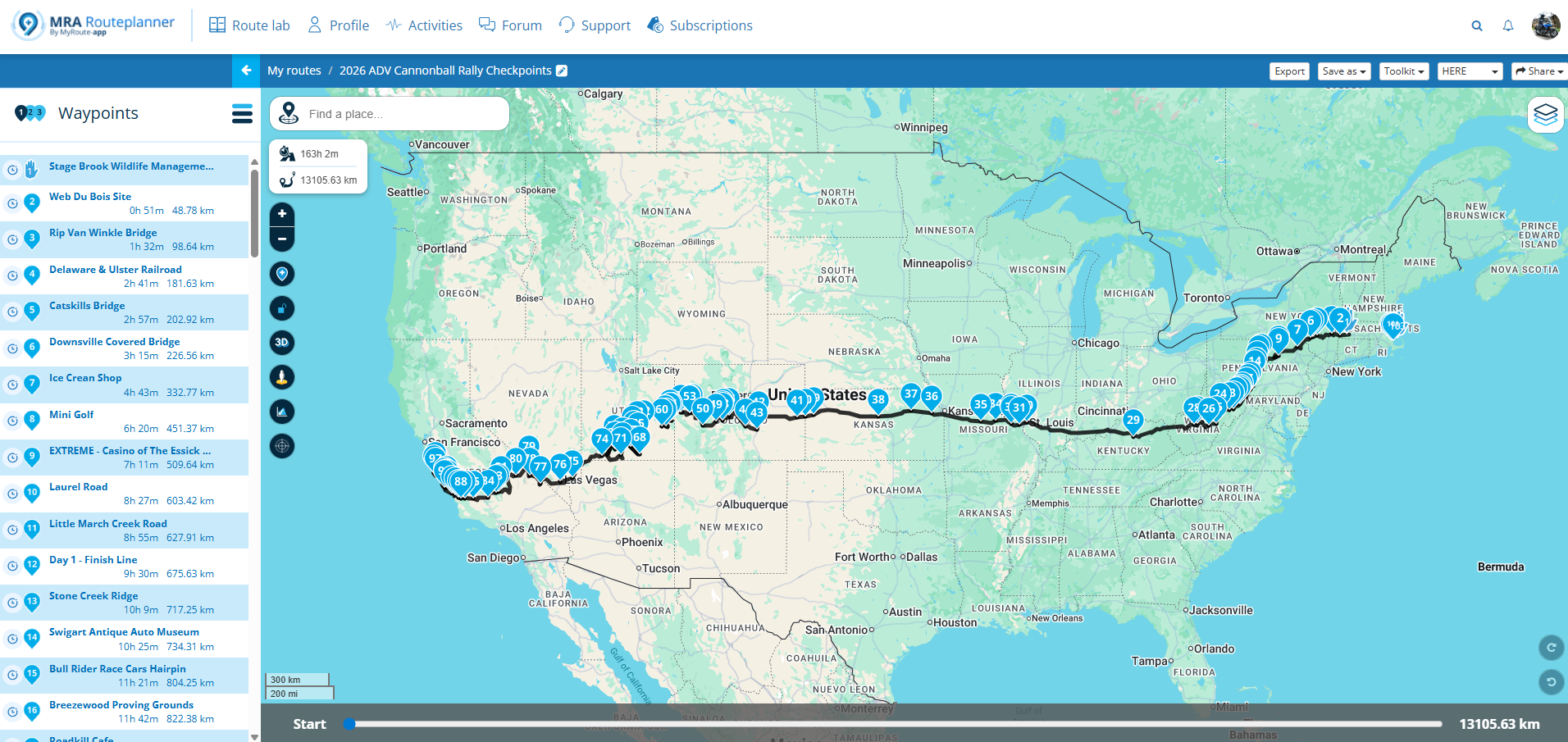
            dd0e94a7-5cdb-407f-98b4-a8e20e58c290-image.png

            Best regards,
            Adrian

            Samsung S24 Ultra and Motorola Thinkphone with Android Auto
            MyRoute-APP (Planner+Navigation, GOLD Lifetime)
            Honda NC750X (2021) with CHIGEE Aio-5 Play

            Kerry Lebelundefined 1 Reply Last reply
            0
            • Adrian Avramundefined Adrian Avram

              @Kerry-Lebel for me the import works perfectly without any issues

              dd0e94a7-5cdb-407f-98b4-a8e20e58c290-image.png

              Kerry Lebelundefined Offline
              Kerry Lebelundefined Offline
              Kerry Lebel
              wrote on last edited by
              #6

              @Adrian-Avram can you tell me what your process was please? I still can not get it to import without following @Con-Hennekens (thank you Con) extra steps converting to a GOX file first.

              Adrian Avramundefined 1 Reply Last reply
              0
              • Kerry Lebelundefined Kerry Lebel

                @Adrian-Avram can you tell me what your process was please? I still can not get it to import without following @Con-Hennekens (thank you Con) extra steps converting to a GOX file first.

                Adrian Avramundefined Offline
                Adrian Avramundefined Offline
                Adrian Avram
                wrote on last edited by
                #7

                @Kerry-Lebel said in Error 02 on import:

                can you tell me what your process was please?

                Sure.
                https://drive.google.com/file/d/1FRwnbuSFrU2YWDEysqEP6DE_ODRlngGp/view?usp=drive_link

                Best regards,
                Adrian

                Samsung S24 Ultra and Motorola Thinkphone with Android Auto
                MyRoute-APP (Planner+Navigation, GOLD Lifetime)
                Honda NC750X (2021) with CHIGEE Aio-5 Play

                1 Reply Last reply
                1
                • white.mouseundefined white.mouse

                  I get this message when I try to view the file!

                  ScreenShot-001.jpg

                  Adrian Avramundefined Offline
                  Adrian Avramundefined Offline
                  Adrian Avram
                  wrote on last edited by
                  #8

                  @white.mouse in order to view it directly from Google Drive, you need to install an addon.
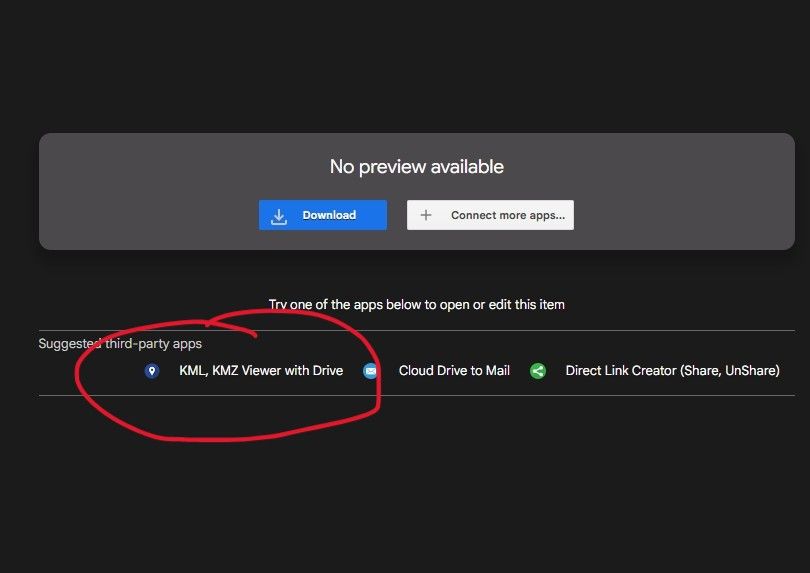
                  Screenshot 2026-03-06 152041.jpg

                  wich looks like this after opening directly in Google Drive:
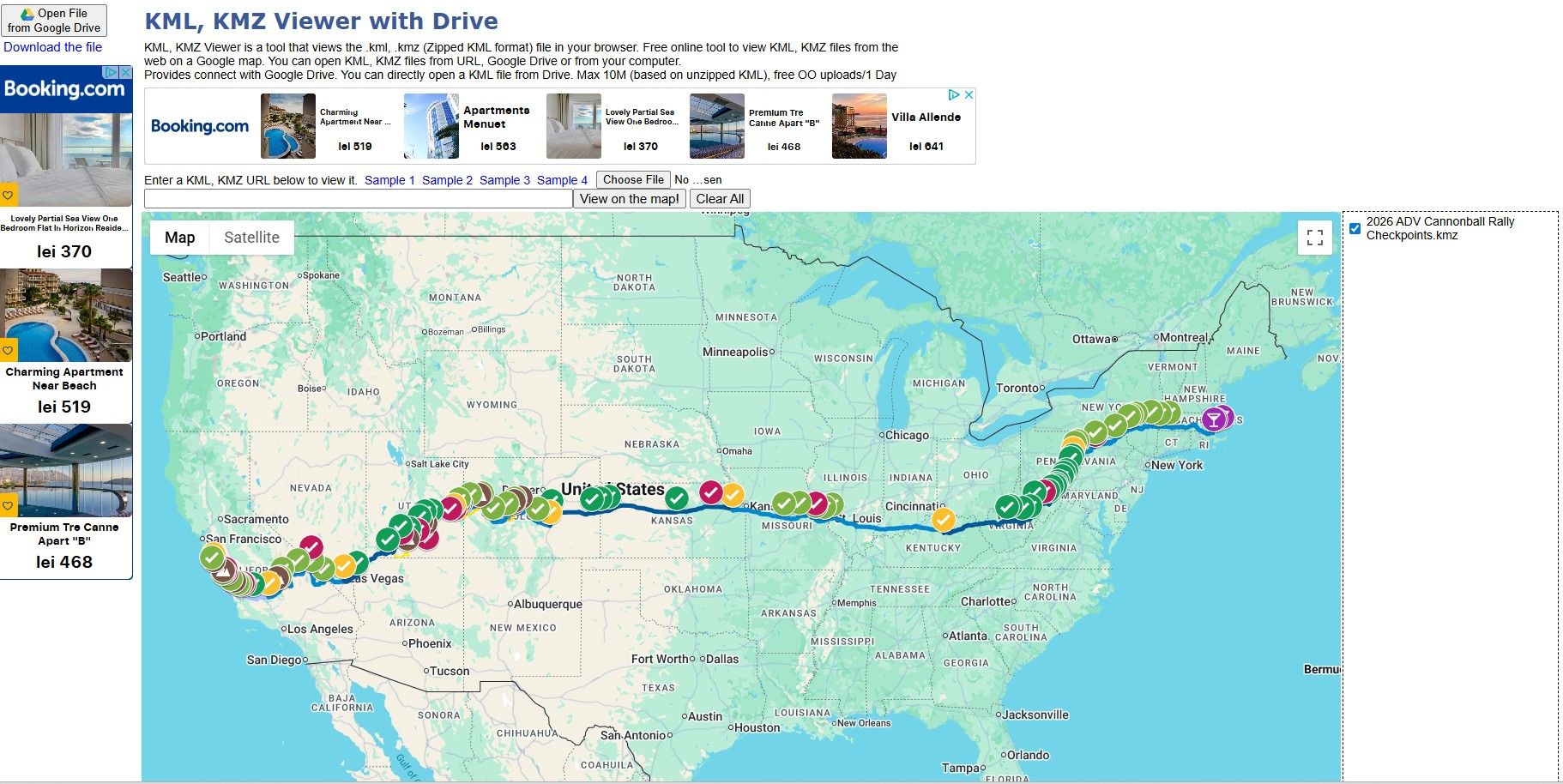
                  Screenshot 2026-03-06 152132.jpg

                  Best regards,
                  Adrian

                  Samsung S24 Ultra and Motorola Thinkphone with Android Auto
                  MyRoute-APP (Planner+Navigation, GOLD Lifetime)
                  Honda NC750X (2021) with CHIGEE Aio-5 Play

                  1 Reply Last reply
                  1

                  Hello! It looks like you're interested in this conversation, but you don't have an account yet.

                  Getting fed up of having to scroll through the same posts each visit? When you register for an account, you'll always come back to exactly where you were before, and choose to be notified of new replies (either via email, or push notification). You'll also be able to save bookmarks and upvote posts to show your appreciation to other community members.

                  With your input, this post could be even better 💗

                  Register Login
                  Reply
                  • Reply as topic
                  Log in to reply
                  • Oldest to Newest
                  • Newest to Oldest
                  • Most Votes


                  ACTIVE USERS
                  white.mouseundefined
                  white.mouse
                  Kerry Lebelundefined
                  Kerry Lebel
                  Con Hennekensundefined
                  Con Hennekens
                  Adrian Avramundefined
                  Adrian Avram
                  POPULAR TOPICS
                  • Managing POIs and Favorites - Do POIs show up in other routes?
                    Nick Carthewundefined
                    Nick Carthew
                    0
                    4
                    72

                  • deleting entries from the device limit list
                    Corjan Meijerinkundefined
                    Corjan Meijerink
                    0
                    5
                    94

                  • Android app voor het forum
                    Corjan Meijerinkundefined
                    Corjan Meijerink
                    0
                    2
                    10

                  • Android beta 5.1
                    b0hd1undefined
                    b0hd1
                    3
                    2
                    29

                  • Exporteren vanuit MRA naar Garmin XT lukt niet.
                    Hans van de Ven MR.MRAundefined
                    Hans van de Ven MR.MRA
                    0
                    5
                    118

                  • Please bring back GPX export from Navigation mode
                    Marinus van Deudekomundefined
                    Marinus van Deudekom
                    0
                    2
                    91

                  • POI import anomalies
                    Mzokkundefined
                    Mzokk
                    0
                    4
                    156

                  MY GROUPS
                  • Login

                  • Login or register to search.
                  • First post
                    Last post
                  0
                  • Categories
                  • Recent
                  • Popular
                  • Support
                  • MyRoute-app







