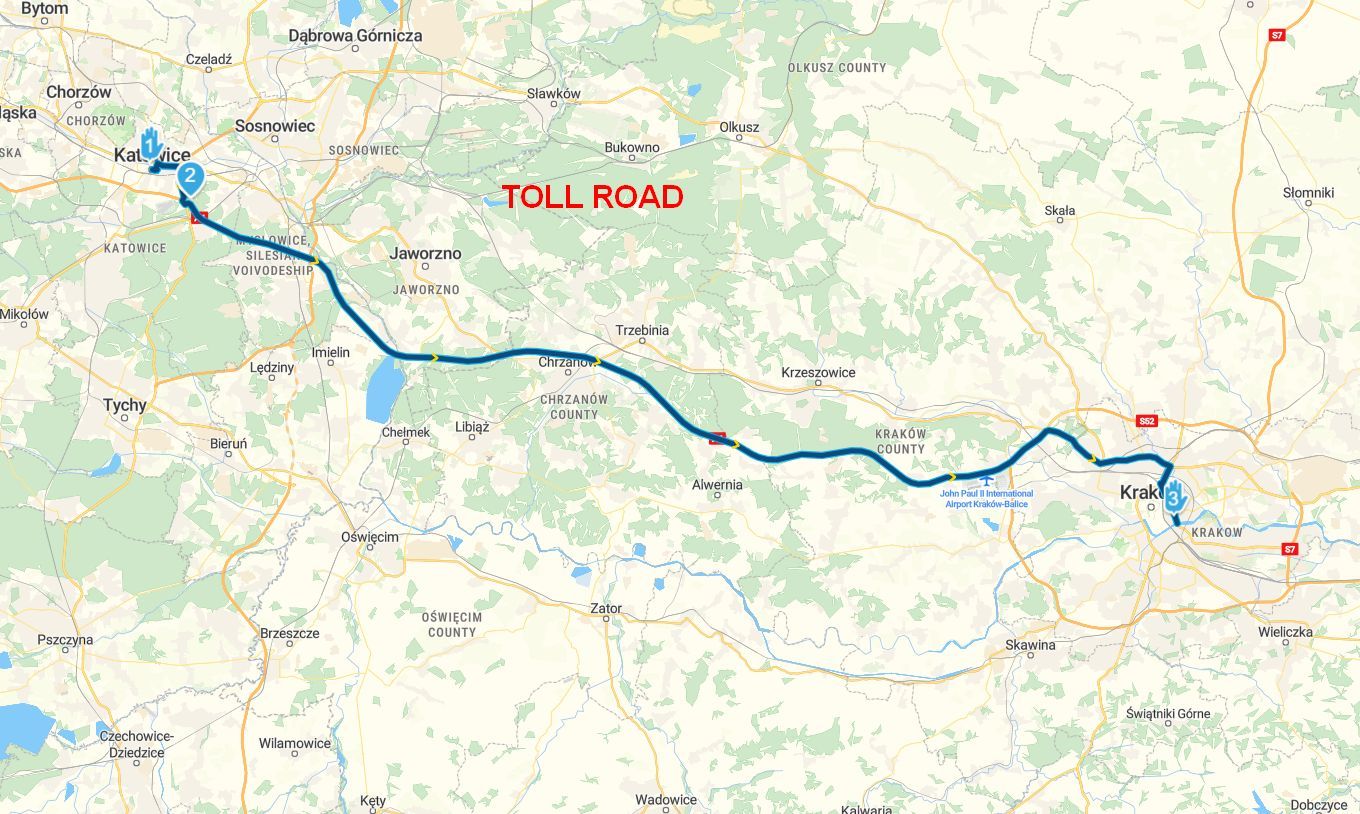
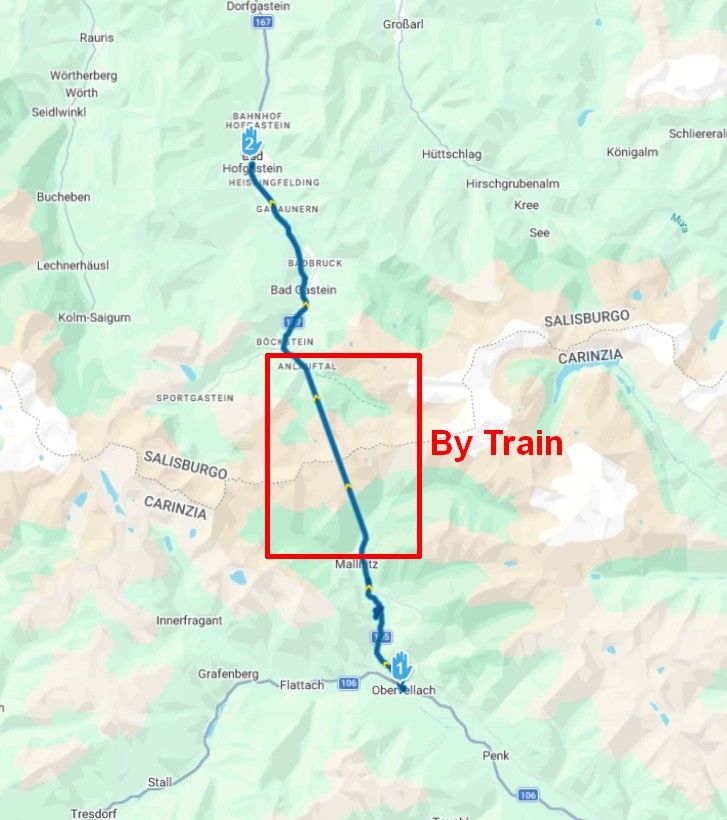
Route in Zumo is twice as long (km's and time) as in MRA
-

Hi everyone,
I made some routes and imported them to my Garmin Zumo 595 device. No problems sofar. However, once the routes (after convertion) are on my device, some of them are twice as long in km's and time. I couldn't solve this so I had to make the routes once again. Those second routes were ok on my device but I am eager to understand what went wrong for the first time. Anybody an idea...?
Thanks a lot.
-
Hi everyone,
I made some routes and imported them to my Garmin Zumo 595 device. No problems sofar. However, once the routes (after convertion) are on my device, some of them are twice as long in km's and time. I couldn't solve this so I had to make the routes once again. Those second routes were ok on my device but I am eager to understand what went wrong for the first time. Anybody an idea...?
Thanks a lot.

@Henk-Bongers-0, hard to tell, you clearly have done something different the second time. How did the route look on the device the first time and the second time. No difference visible?
I am just an enthusiastic MRA user, and hope you will be one too!
Most motorcycle problems are caused by the nut that connects the handlebar to the saddle.
Check out RideSleepRepeat.eu, a biker community for sharing stays across Europe
-
@Henk-Bongers-0, hard to tell, you clearly have done something different the second time. How did the route look on the device the first time and the second time. No difference visible?
@Con-Hennekens first time I saw on the device that the orignal route was extended with different roads which were originally not in the route..... Second time it was okay.
-
Hi everyone,
I made some routes and imported them to my Garmin Zumo 595 device. No problems sofar. However, once the routes (after convertion) are on my device, some of them are twice as long in km's and time. I couldn't solve this so I had to make the routes once again. Those second routes were ok on my device but I am eager to understand what went wrong for the first time. Anybody an idea...?
Thanks a lot.
@Henk-Bongers-0
Without knowing what you did or what the route looked like in both MRA and on your device, it's impossible to tell what went wrong. A few things to check, though:- use the same map as the one used by your navigation device when planning a route (when the intended navigation device is a Garmin product, this is the map that should be used in planning). Routes planned on a different map (OSM or TomTom) have a much bigger chance of deviating when used on a device that uses HERE maps. Note that deviations can still occur because of newer/older versions of the maps. In general, try to keep your device up to date with the latest maps, if possible.
- check that all routepoints are on the road (and the correct side of the road in case of motorways and other roads with separate lanes for different directions), not next to it and not too close to an intersection/turn either. Points placed close to an intersection or turn have a greater impact when they are not placed exactly on the intended road.
- make sure that your navigation device uses the same navigation settings as used in MRA (e.g. 'avoid motorways'/'avoid unpaved roads' etc. should be set the same in MRA and on your device, they are not transferred with the route).
-
The point is that I use MRA for some time. I never had this problem. No settings were changed. So I guess it must be in the specific routes. I can't tell what changed as no settings were adjusted at all.
I think I accept the issue and leave it like it is. With the new routes everything is okay so let's rest it.
Thanks for your comments.
Hello! It looks like you're interested in this conversation, but you don't have an account yet.
Getting fed up of having to scroll through the same posts each visit? When you register for an account, you'll always come back to exactly where you were before, and choose to be notified of new replies (either via email, or push notification). You'll also be able to save bookmarks and upvote posts to show your appreciation to other community members.
With your input, this post could be even better 💗
Register Login-
 034212
-
 2241365
-
 01153
01153
-
0850
-
 1866
1866
-
 015208
-
2642
-
 722288