No space bar on iphone ;-)
-

I got this screen yesterday, I don't have a mouse to do a click and no space bar on my iPhone.
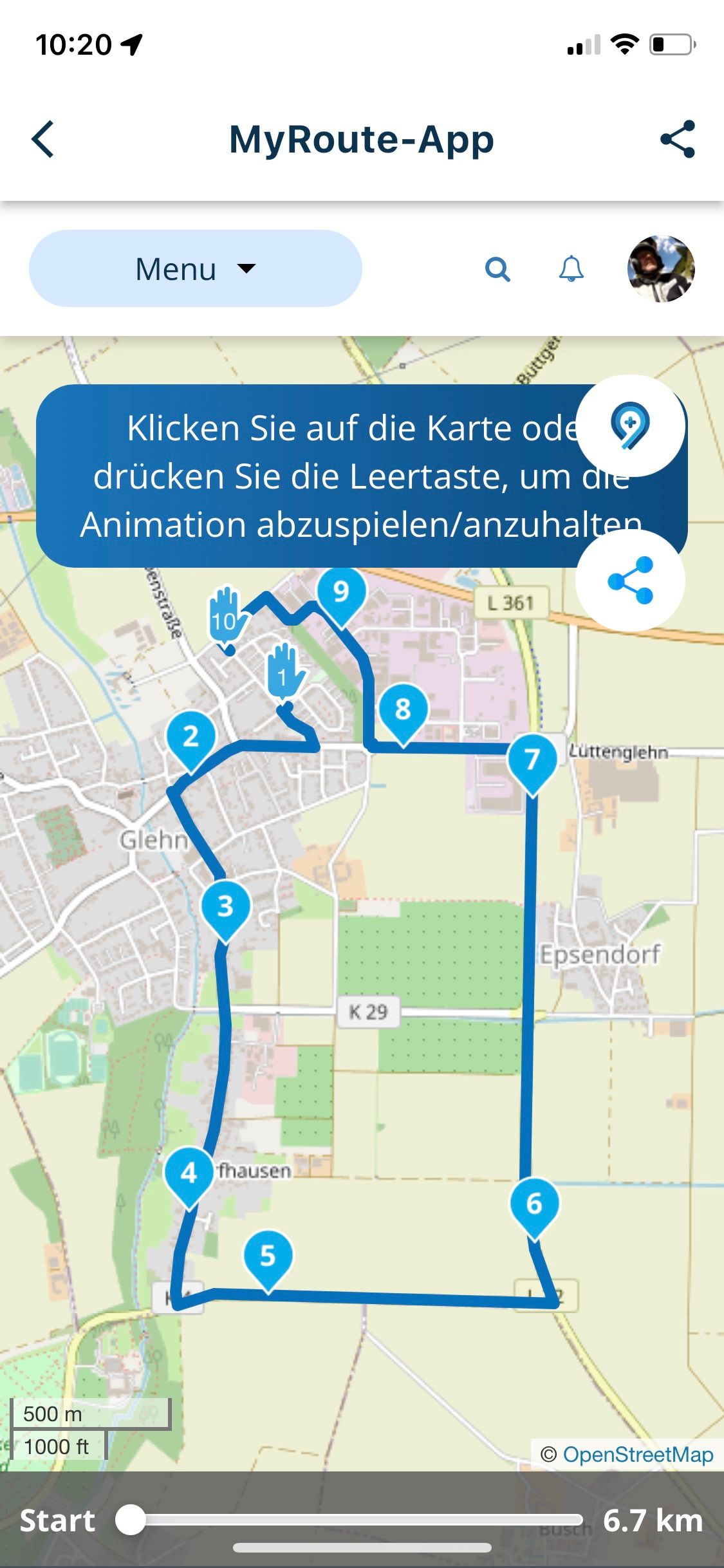
I think this should not be shown on a mobile phone.
Hardware
iPhone 12 pro (iOS 26.2.1)
iPad (7.Gen.) 18.7.3
Oukitel RT3 Pro (Andr. 14)
Wireless CarPlay mit (Elebest C650)
Wired CarPlay (SEAT Arona - 2021)
MRA Workshops in Deutsch sind hier zu finden -
I got this screen yesterday, I don't have a mouse to do a click and no space bar on my iPhone.
I think this should not be shown on a mobile phone.

@Jörgen a tap will work
 But yeah, good minor detail.
The website isn't as mobile oriented as it can be. -
I got this screen yesterday, I don't have a mouse to do a click and no space bar on my iPhone.
I think this should not be shown on a mobile phone.

@Jörgen, it's about time you get those!
What you are seeing is an an embedded browserwindow to the online service. MRA already promised to develop native app functionality for the planner again. But first let's finish NEXT! -
I know that this is a minor detail, just for the to-do List.
But it's kind of like the problem with the website on a tablet. Despite switching to desktop mode, elements remain as mobile version, which sometimes interferes with planning. But here too minor...Hardware
iPhone 12 pro (iOS 26.2.1)
iPad (7.Gen.) 18.7.3
Oukitel RT3 Pro (Andr. 14)
Wireless CarPlay mit (Elebest C650)
Wired CarPlay (SEAT Arona - 2021)
MRA Workshops in Deutsch sind hier zu finden -
I know that this is a minor detail, just for the to-do List.
But it's kind of like the problem with the website on a tablet. Despite switching to desktop mode, elements remain as mobile version, which sometimes interferes with planning. But here too minor...
@Jörgen No worries about that list
Currently it's 116 items long.Community feedback alone is 144 items of which we have now completed 73

Yes, I keep track of everything hahah
Hello! It looks like you're interested in this conversation, but you don't have an account yet.
Getting fed up of having to scroll through the same posts each visit? When you register for an account, you'll always come back to exactly where you were before, and choose to be notified of new replies (either via email, or push notification). You'll also be able to save bookmarks and upvote posts to show your appreciation to other community members.
With your input, this post could be even better 💗
Register Login-
 034212
-
 2241362
-
01153
-
0850
-
 1866
1866
-
 015208
-
2640
-
 722288