Something happened to the zoom on iPhone
-

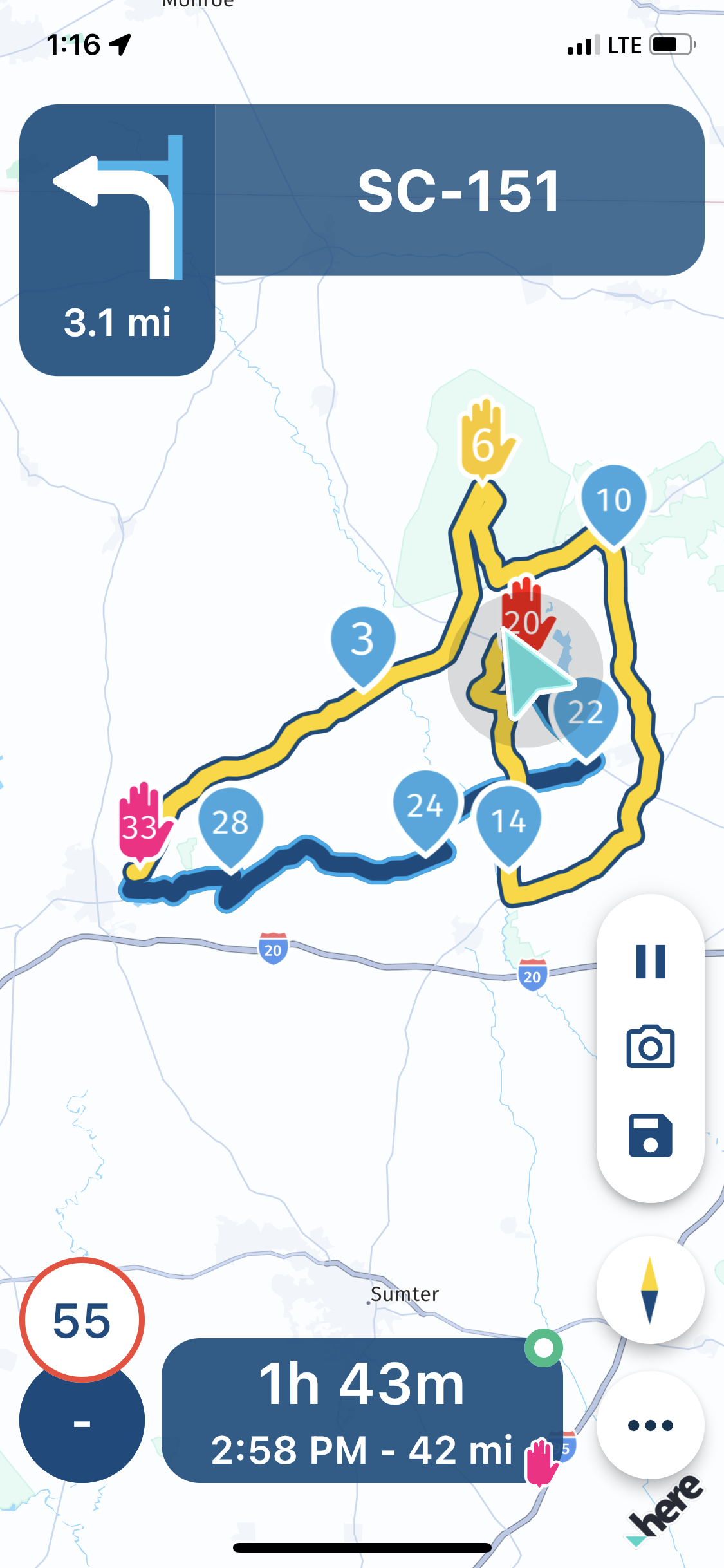
Something strange happened to the zoom on the iPhone 11P (iOS v. 16.3.1; MRA Next 3.2.10 - 16.2.)
If I remember correctly, I have long press the location triangle thinking that the location will be saved to favorites. What happened, the route moved to the right edge of the phone display. I could move the route with location triangle to the center, but it would run out of the screen in a while. When I pressed compass to re-center, the route with location arrow was moving to the right.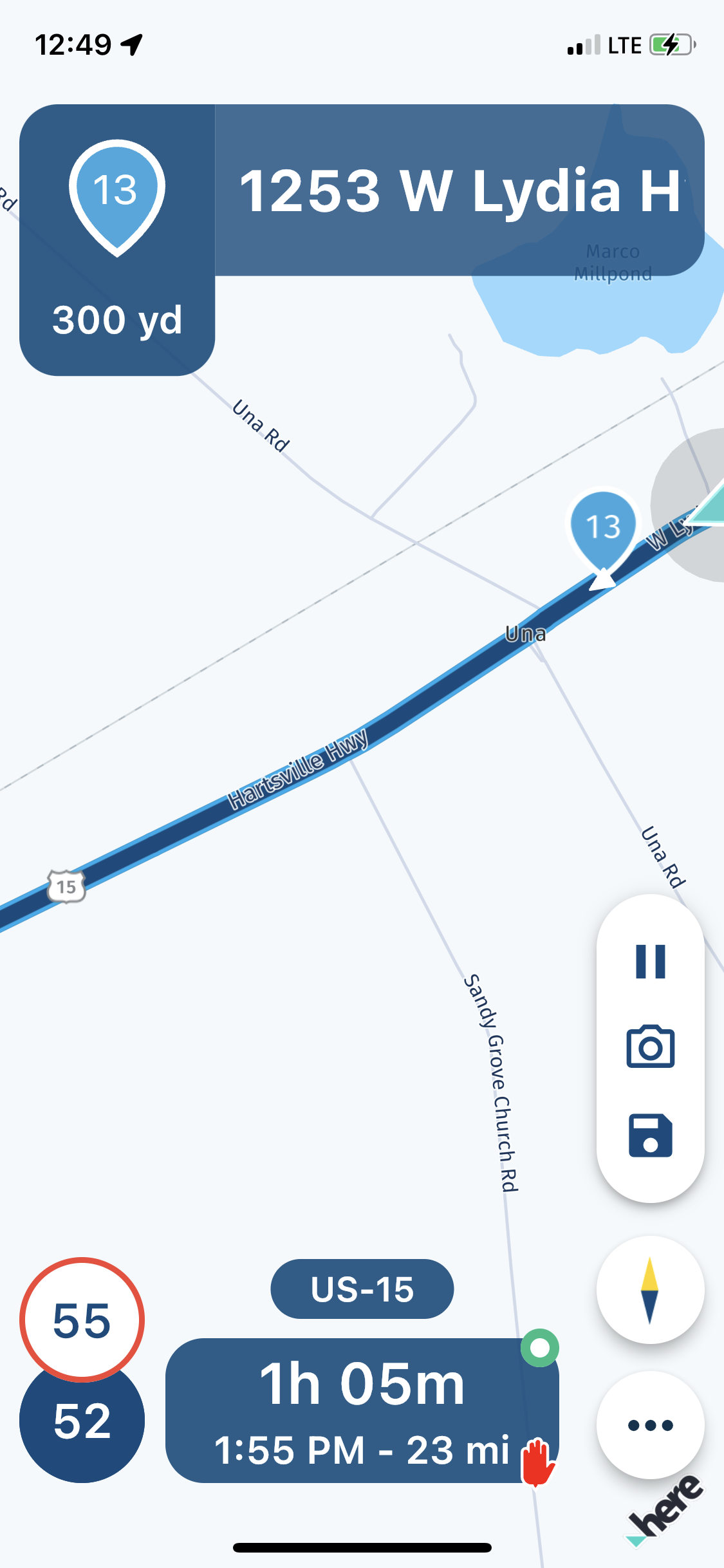
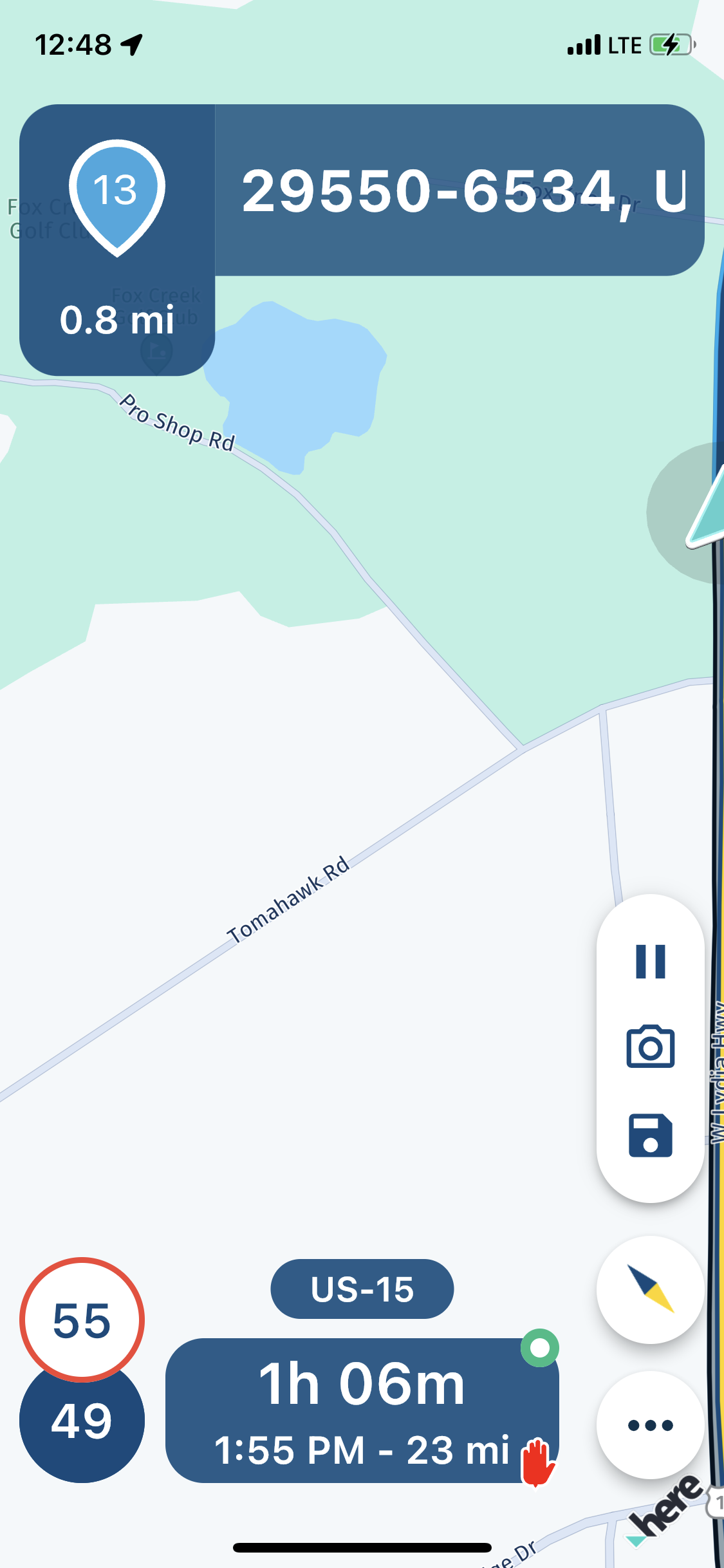
I am not sure how I fixed that. I think I have stopped and long pressed the compass. The whole route was displayed. When I pressed compass again, I returned to navigation and all was fine.
-
Something strange happened to the zoom on the iPhone 11P (iOS v. 16.3.1; MRA Next 3.2.10 - 16.2.)
If I remember correctly, I have long press the location triangle thinking that the location will be saved to favorites. What happened, the route moved to the right edge of the phone display. I could move the route with location triangle to the center, but it would run out of the screen in a while. When I pressed compass to re-center, the route with location arrow was moving to the right. I am not sure how I fixed that. I think I have stopped and long pressed the compass. The whole route was displayed. When I pressed compass again, I returned to navigation and all was fine.

@UltraStar thanks for sharing. I'd have to take a look later

Hello! It looks like you're interested in this conversation, but you don't have an account yet.
Getting fed up of having to scroll through the same posts each visit? When you register for an account, you'll always come back to exactly where you were before, and choose to be notified of new replies (either via email, or push notification). You'll also be able to save bookmarks and upvote posts to show your appreciation to other community members.
With your input, this post could be even better 💗
Register Login-
 01223
01223
-
 0817
0817
-
 0710
0710
-
 0724
0724
-
 0631
0631
-
1518
-
0412
-
0420