Skip to content
  • Categories
  • Recent
  • Popular
  • Support
  • MyRoute-app
Collapse
Brand Logo

MRA Community Forum

  1. Home
  2. [Beta] The MyRoute-app
  3. [Beta] Problems, Bugs and other Issues
  4. Android - Drop Down Menus and Keyboard

Android - Drop Down Menus and Keyboard

Scheduled Pinned Locked Moved [Beta] Problems, Bugs and other Issues
3 Posts 2 Posters 75 Views 1 Watching
  • Oldest to Newest
  • Newest to Oldest
  • Most Votes
Reply
  • Reply as topic
Log in to reply
This topic has been deleted. Only users with topic management privileges can see it.
  • Dave J 0undefined Offline
    Dave J 0undefined Offline
    Dave J 0
    Valued contributor
    wrote on last edited by
    #1

    @Corjan-Meijerink Just started testing on Android (as well as iOS previously) and found a strange behaviour with the drop down menus and the software keyboard overlay obscuring the drop down content.

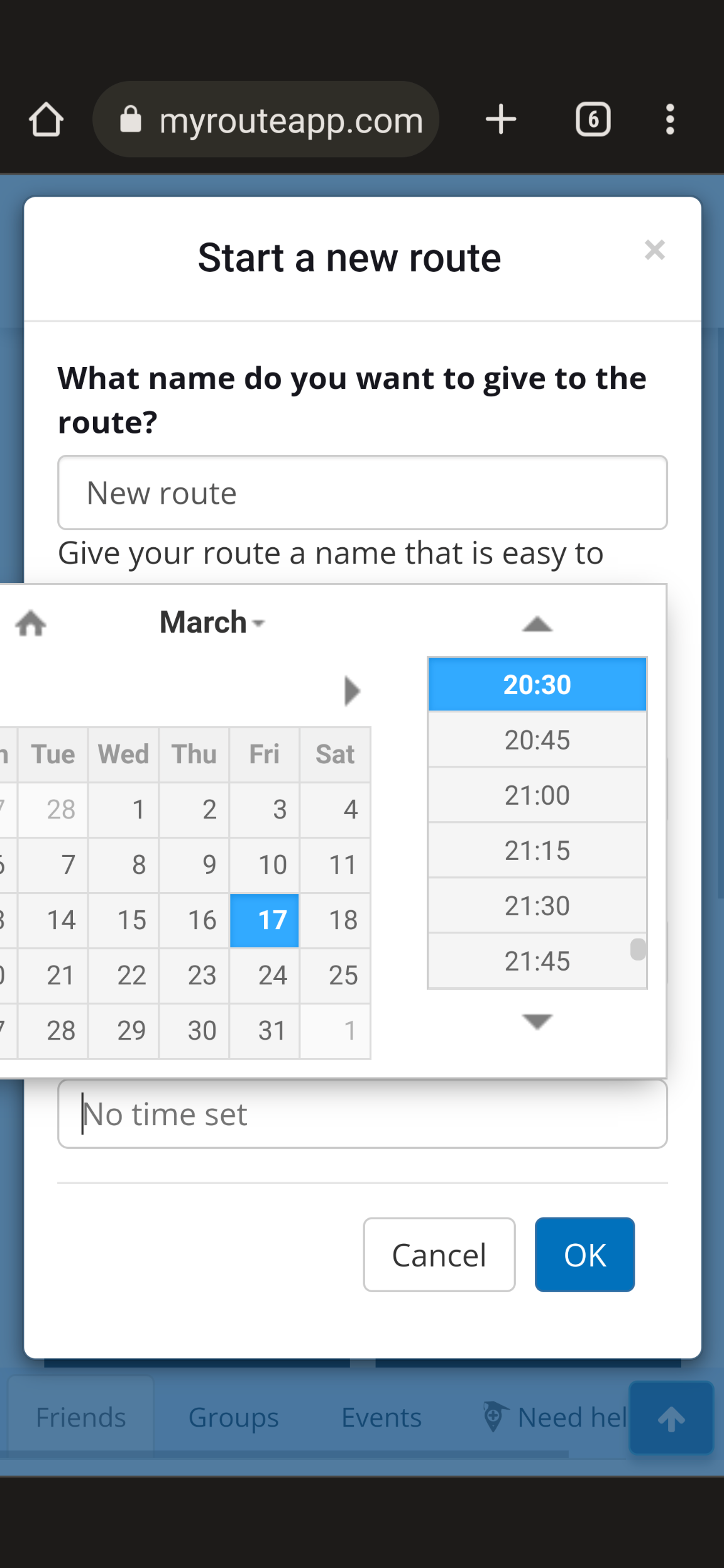
    With the first occurrence e when creating a route, the back/minimise left hand button on my Pixel 6 Pro (Android 13) will not remove the keyboard to show the drop down options at all:
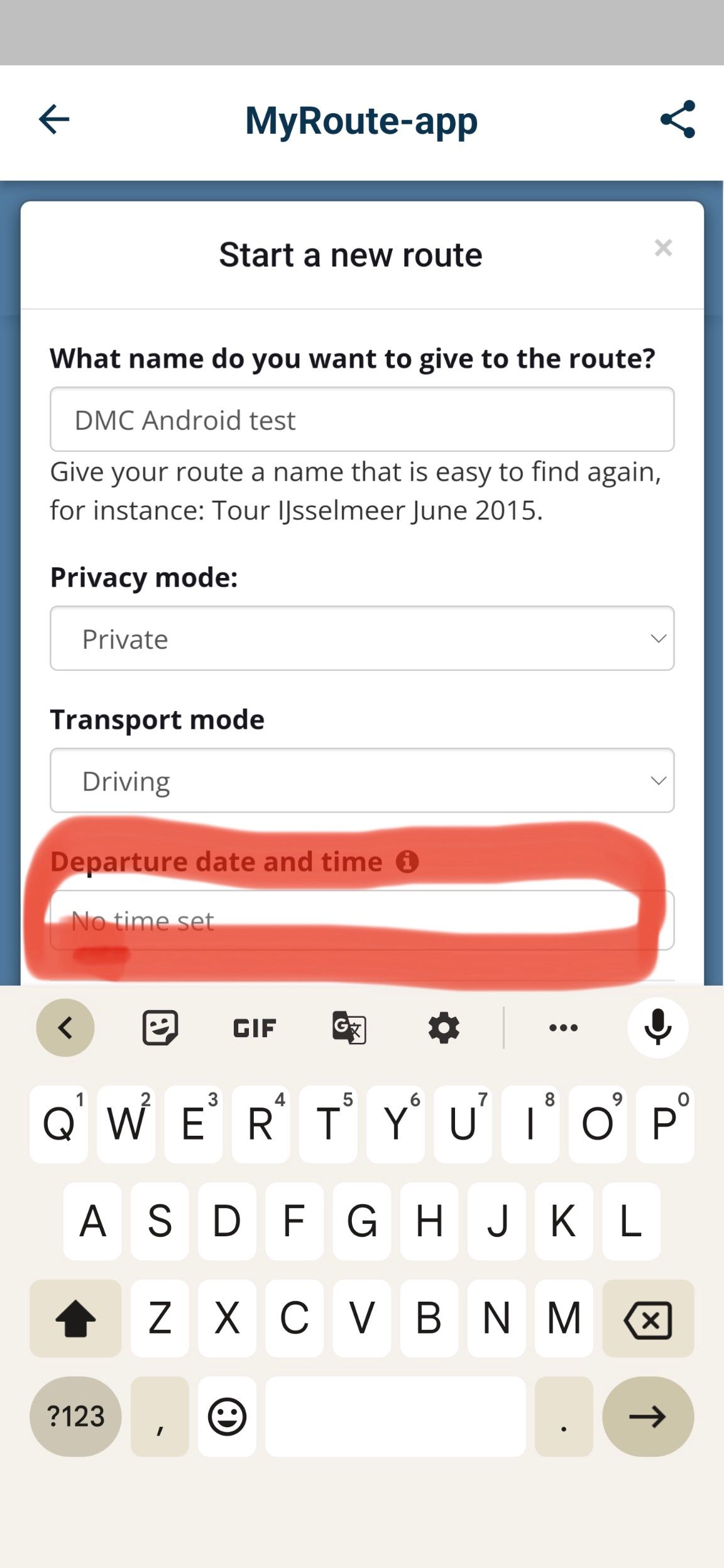
    A788E647-362C-48CB-ACC2-28384BB4076F.jpeg

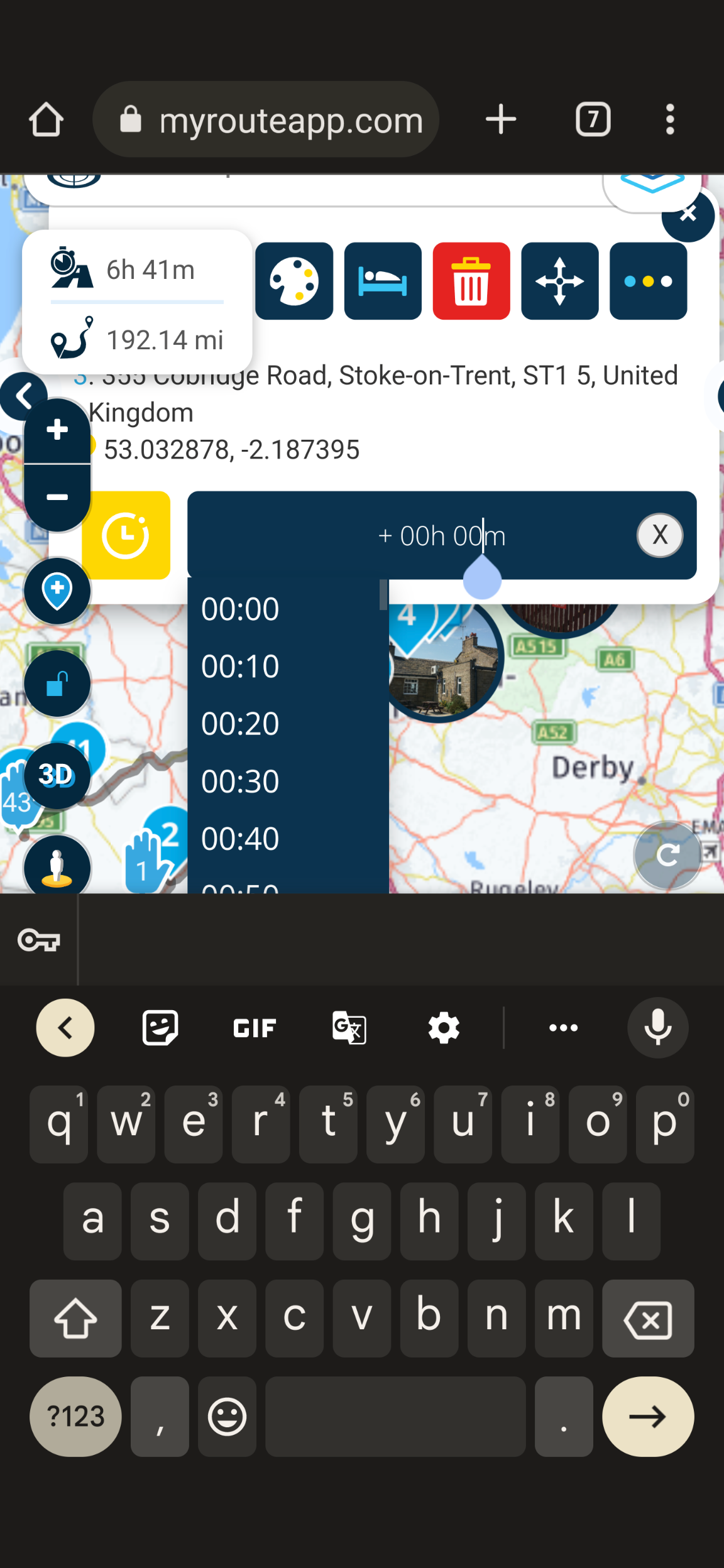
    When editing waypoint information the keyboard shown but the back/minimise left hand button will remove the keyboard:
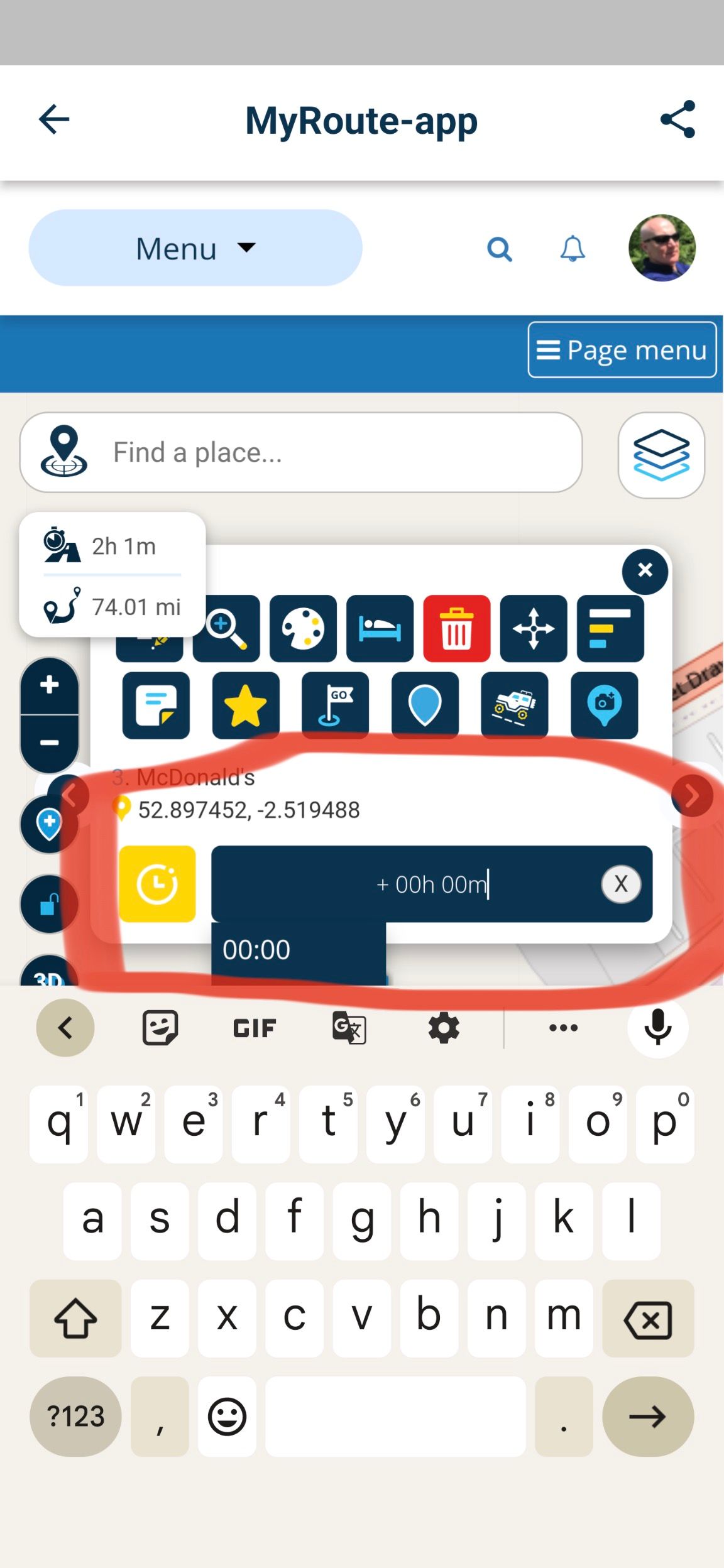
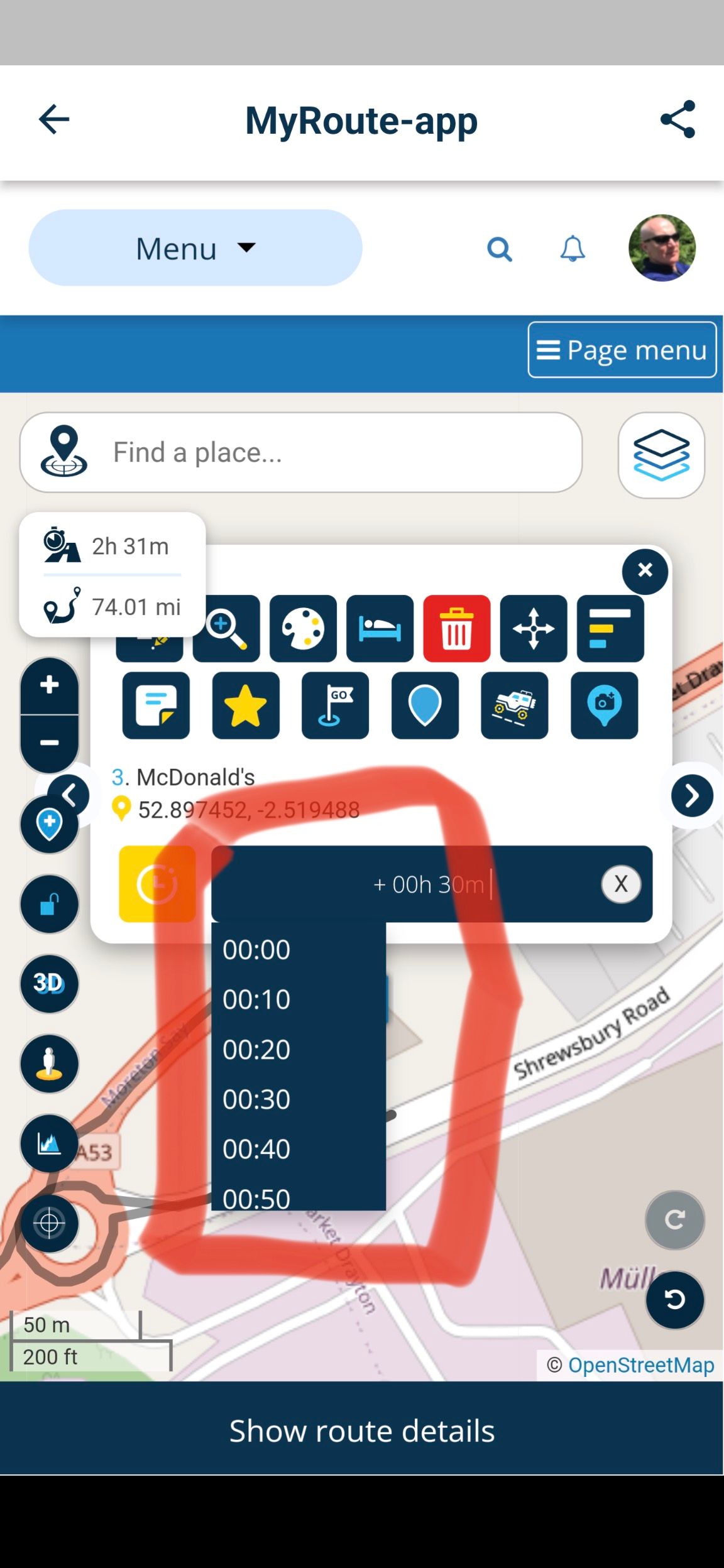
    B12649A8-7762-4C69-9A0E-4028D45EE63D.jpeg

    A960C151-40B8-4A5F-BCD5-472F6A10B32F.jpeg

    I would have expected the keyboard to not show in these instances when selecting the input box. Not sure if there are any others as this was my first quick test on Android today.

    Kind Regards. Help where I can.
    Ducati Multistrada V4 Rally
    iPhone 15 Pro
    CHIGEE AIO-6 LTE
    Google Pixel 6 Pro - mounted on SP Connect Plus
    Ex Garmin XT2 and XT1 as well as Ex TomTom Rider User

    Corjan Meijerinkundefined 1 Reply Last reply
    0
    • Dave J 0undefined Dave J 0

      @Corjan-Meijerink Just started testing on Android (as well as iOS previously) and found a strange behaviour with the drop down menus and the software keyboard overlay obscuring the drop down content.

      With the first occurrence e when creating a route, the back/minimise left hand button on my Pixel 6 Pro (Android 13) will not remove the keyboard to show the drop down options at all:

      A788E647-362C-48CB-ACC2-28384BB4076F.jpeg

      When editing waypoint information the keyboard shown but the back/minimise left hand button will remove the keyboard:

      B12649A8-7762-4C69-9A0E-4028D45EE63D.jpeg

      A960C151-40B8-4A5F-BCD5-472F6A10B32F.jpeg

      I would have expected the keyboard to not show in these instances when selecting the input box. Not sure if there are any others as this was my first quick test on Android today.

      Corjan Meijerinkundefined Offline
      Corjan Meijerinkundefined Offline
      Corjan Meijerink
      Developer
      wrote on last edited by
      #2

      @Dave-J-0 Interesting! Thanks for sharing, this looks like an issue with the website on Mobile devices. Can you confirm the issue also exists when using a browser on your Android (an not in the app)?

      Dave J 0undefined 1 Reply Last reply
      0
      • Corjan Meijerinkundefined Corjan Meijerink

        @Dave-J-0 Interesting! Thanks for sharing, this looks like an issue with the website on Mobile devices. Can you confirm the issue also exists when using a browser on your Android (an not in the app)?

        Dave J 0undefined Offline
        Dave J 0undefined Offline
        Dave J 0
        Valued contributor
        wrote on last edited by
        #3

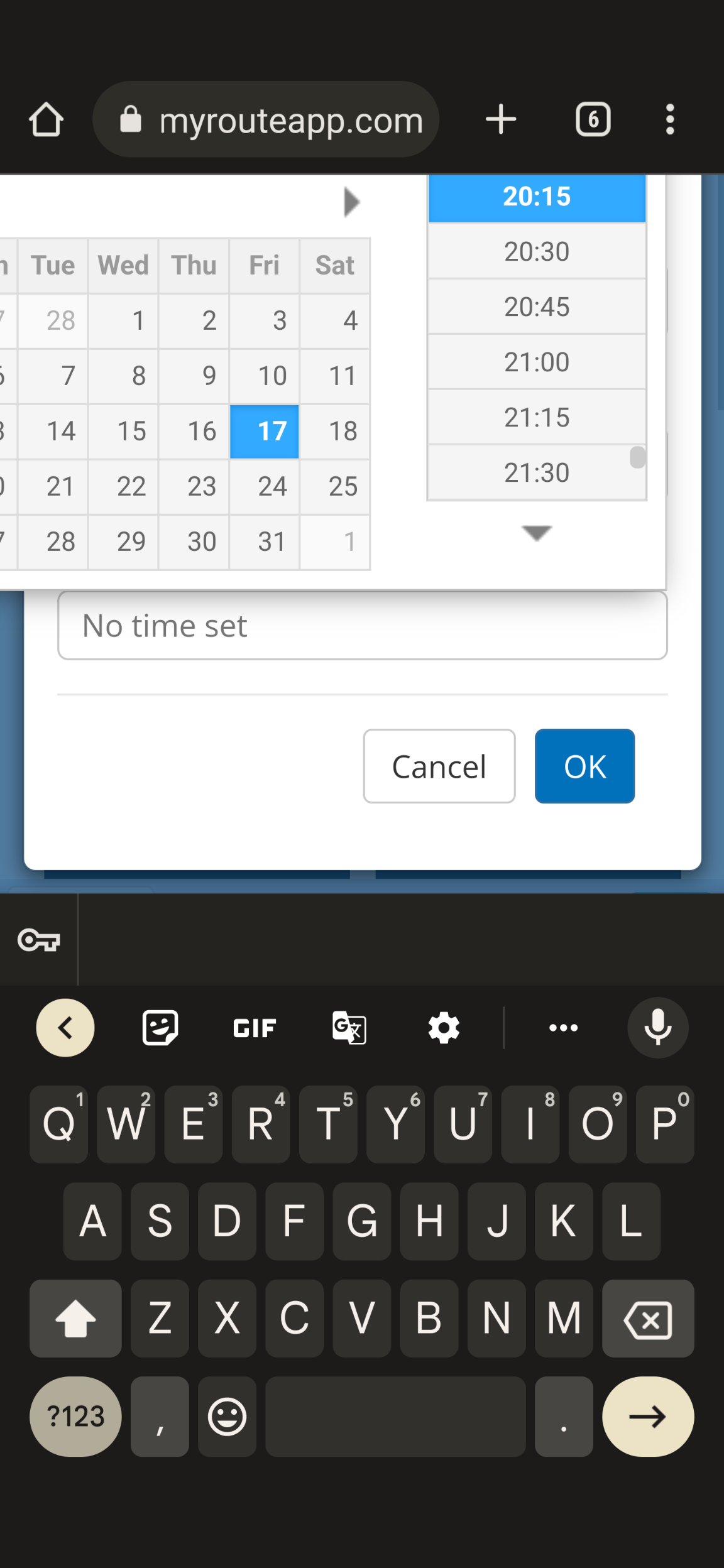
        @Corjan-Meijerink tried the Chrome browser and I can remove the keyboard with the back/minimise button. All works as expected in the browser:
        Screenshot_20230317-201745.png
        Screenshot_20230317-202600.png
        Screenshot_20230317-202331.png

        Kind Regards. Help where I can.
        Ducati Multistrada V4 Rally
        iPhone 15 Pro
        CHIGEE AIO-6 LTE
        Google Pixel 6 Pro - mounted on SP Connect Plus
        Ex Garmin XT2 and XT1 as well as Ex TomTom Rider User

        1 Reply Last reply
        0
        Reply
        • Reply as topic
        Log in to reply
        • Oldest to Newest
        • Newest to Oldest
        • Most Votes


        ACTIVE USERS
        Dave J 0undefined
        Dave J 0
        Corjan Meijerinkundefined
        Corjan Meijerink
        POPULAR TOPICS
        • Navigatie stelt onnodige omwegen
          Marjeaundefined
          Marjea
          0
          7
          162

        • Vormingspunten worden niet overgeslagen bij navigeren
          Herman Veldhuizenundefined
          Herman Veldhuizen
          0
          43
          1.5k

        • how to exit the nav app on the phone (not just stop navigation)?
          Aaron hingertundefined
          Aaron hingert
          0
          4
          98

        • cursus 11-03-2026
          Hans van de Ven MR.MRAundefined
          Hans van de Ven MR.MRA
          0
          2
          65

        • Update Afsluitingen Nederland
          Hans van de Ven MR.MRAundefined
          Hans van de Ven MR.MRA
          2
          11
          421

        • Cant see a friends routes,
          Aaron hingertundefined
          Aaron hingert
          0
          5
          128

        • MyRoute-app wedding
          Erdnaundefined
          Erdna
          24
          30
          655

        • schaal bij gebruik navigatie op de gsm
          undefined
          0
          1
          38
        MY GROUPS
        • Login

        • Login or register to search.
        • First post
          Last post
        0
        • Categories
        • Recent
        • Popular
        • Support
        • MyRoute-app