Use existing route for navigation + information on screen?
-
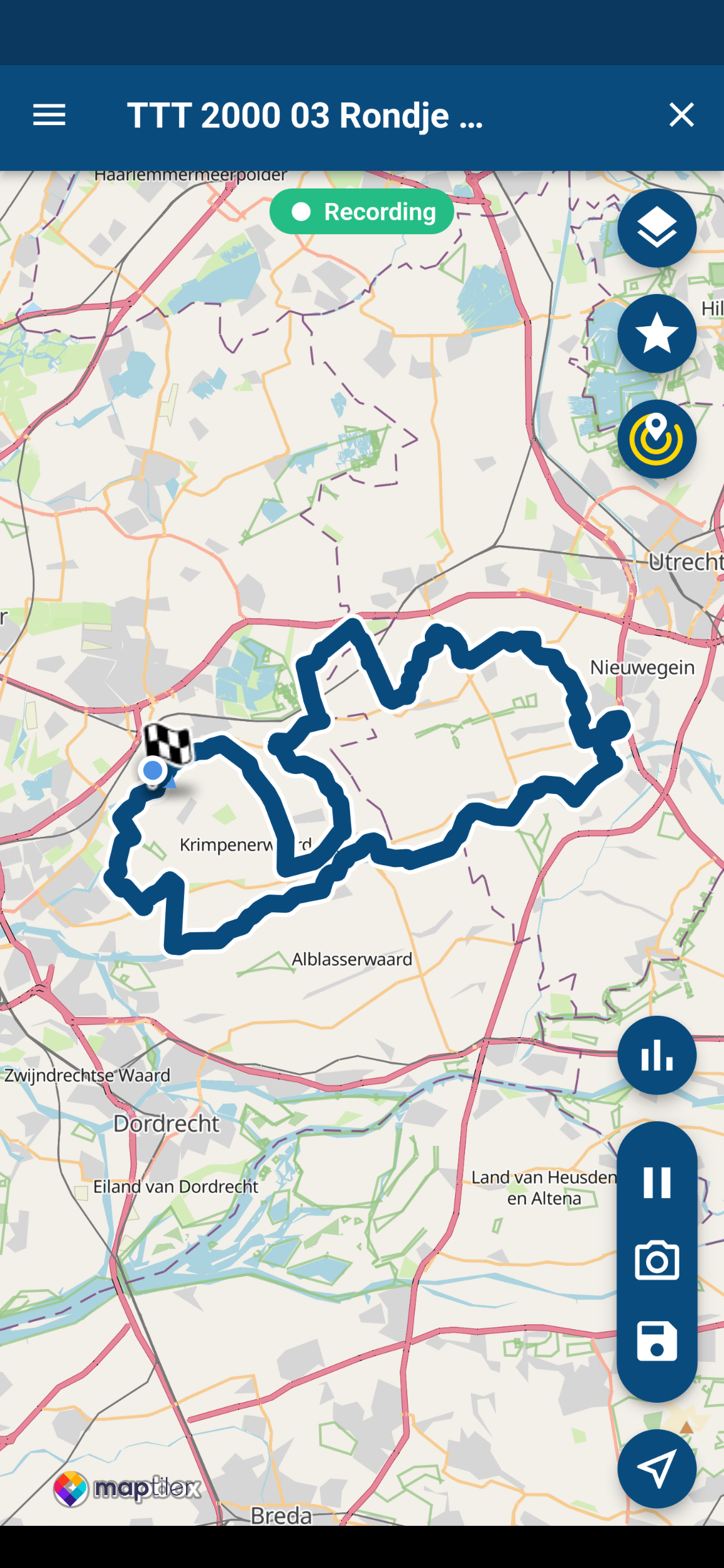
Newbe question, probably, but I wanted to ask anyways: I imported a route using the web interface. Next I wanted to use the app on my (Android) phone to track and navigate the route. In the app I can select the route and select "Open route". Next an overview of the route will be shown.
Recording is started automatically (nice)
But what next? How do I start the actual navigation? There is no start button. I selected the 'location icon' (icon on the lower right side), and that zooms in to my current location, but when I start riding no navigation clues and no data shown about my current speed...Is this feature not available yet, or am I missing something?!
Thanks
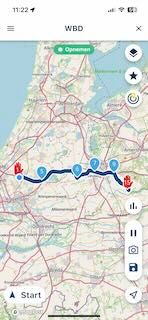
@Rolf-Aalders on iOS it looks like this:
-
Newbe question, probably, but I wanted to ask anyways: I imported a route using the web interface. Next I wanted to use the app on my (Android) phone to track and navigate the route. In the app I can select the route and select "Open route". Next an overview of the route will be shown.
Recording is started automatically (nice)
But what next? How do I start the actual navigation? There is no start button. I selected the 'location icon' (icon on the lower right side), and that zooms in to my current location, but when I start riding no navigation clues and no data shown about my current speed...Is this feature not available yet, or am I missing something?!
Thanks
@Rolf-Aalders
Sorry my photos showing the buttons are on the wrong order on the post.
This is the answer for navigation next I think this is what you meant. -
Newbe question, probably, but I wanted to ask anyways: I imported a route using the web interface. Next I wanted to use the app on my (Android) phone to track and navigate the route. In the app I can select the route and select "Open route". Next an overview of the route will be shown.
Recording is started automatically (nice)
But what next? How do I start the actual navigation? There is no start button. I selected the 'location icon' (icon on the lower right side), and that zooms in to my current location, but when I start riding no navigation clues and no data shown about my current speed...Is this feature not available yet, or am I missing something?!
Thanks
@Rolf-Aalders If I take another good look at your image, you have opened a tracklog. You cannot navigate with a tracklog. You must first convert it to a route with waypoints. Only then can you navigate with it.
🏍️ BMW K1600GT-P (2013) | Nolan N100-5 with Sena 30K
📱 iOS on iPhone 13 & 16 (mounted on Quadlock or AliExpress extention on BMW-cradle)
🚙 Apple CarPlay in VW T-Roc
💻 Routelab on MacBook Air & iMac (Golden Gate & Ventura) -
@Rolf-Aalders If I take another good look at your image, you have opened a tracklog. You cannot navigate with a tracklog. You must first convert it to a route with waypoints. Only then can you navigate with it.

Thanks for all the replies!
I didn't open a tracklog: the route is available in my "Route" section.
I tried a differerent route in the same list and indeed, that route has an additional button (refer to screenshot). Odd that the other route does not have that button.The route without the button, I found in the MRA library (https://www.myrouteapp.com/en/motor-and-car-routes/nl/Utrecht/1625106/TTT-2000-03-Rondje-Lopikerwaard) which I wanted to use. I downloaded it, I think as .gpx 1.2), saved to Google Drive, opened on my phone with the MRA Mobile 3.2.5 (beta).
The other route I have listed in my Route section, does have the extra button. When I selected it, the app crashed. Restarted the app, same procedure: again it crashed. 3rd attempt, same process: the route loaded and I could see the navigation screen. I didn't need to navigate, since I was just testing from the couch.
I'll try soon! Thanks for the help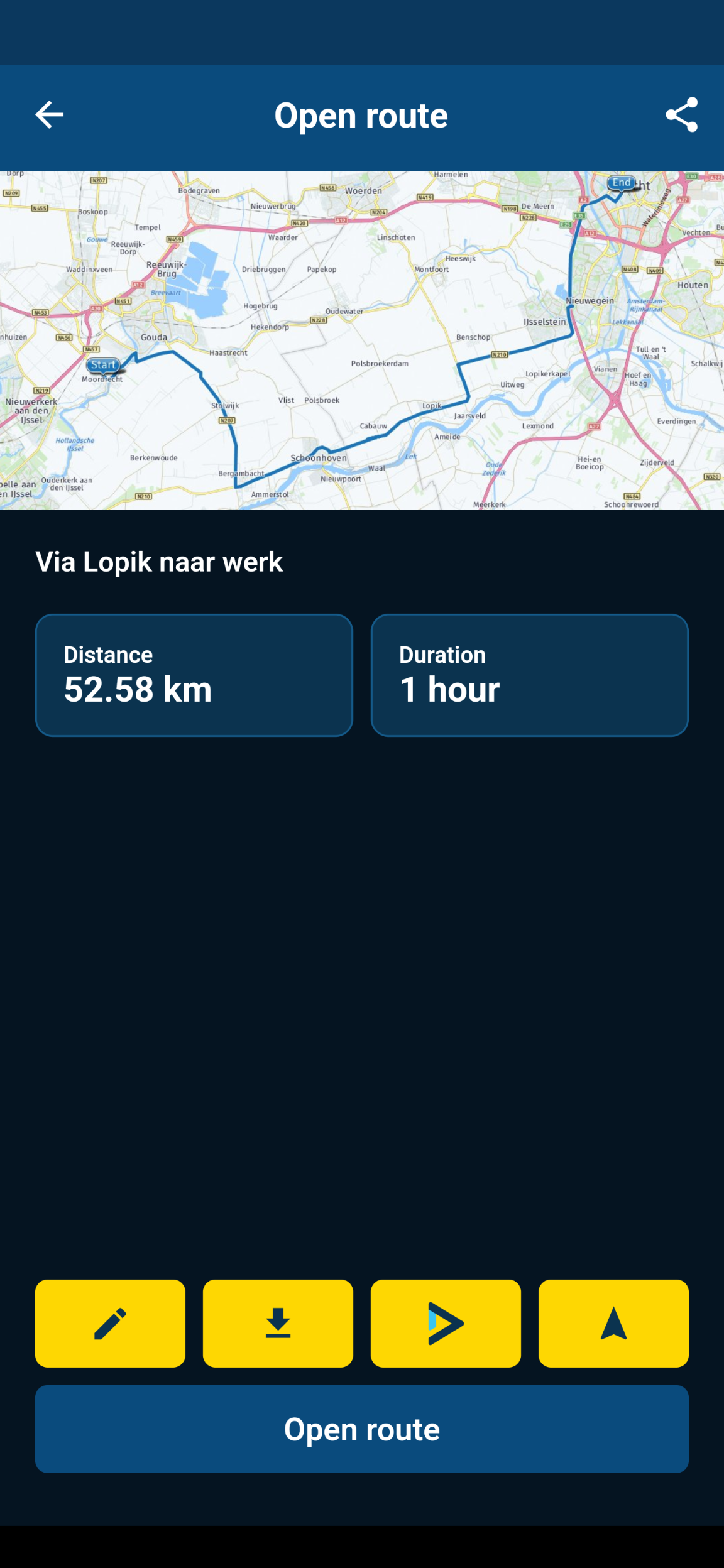
Since January 2024 I started recording some of my rides commuting and touring the R1200RT in The Netherlands:
https://youtube.com/@FlatTwinTherapy -
I just noticed that the route that does not show the navigation option/button also is missing duration value in the route overview (refer to screenshot), so something is not right with that route.

Since January 2024 I started recording some of my rides commuting and touring the R1200RT in The Netherlands:
https://youtube.com/@FlatTwinTherapy -
I just noticed that the route that does not show the navigation option/button also is missing duration value in the route overview (refer to screenshot), so something is not right with that route.
@Rolf-Aalders said in Use existing route for navigation + information on screen?:
I just noticed that the route that does not show the navigation option/button also is missing duration value in the route overview (refer to screenshot), so something is not right with that route.
That's a ROUTE-TRACK, not a ROUTE. You need to convert it to a route.
-
Thanks for all the replies!
I didn't open a tracklog: the route is available in my "Route" section.
I tried a differerent route in the same list and indeed, that route has an additional button (refer to screenshot). Odd that the other route does not have that button.The route without the button, I found in the MRA library (https://www.myrouteapp.com/en/motor-and-car-routes/nl/Utrecht/1625106/TTT-2000-03-Rondje-Lopikerwaard) which I wanted to use. I downloaded it, I think as .gpx 1.2), saved to Google Drive, opened on my phone with the MRA Mobile 3.2.5 (beta).
The other route I have listed in my Route section, does have the extra button. When I selected it, the app crashed. Restarted the app, same procedure: again it crashed. 3rd attempt, same process: the route loaded and I could see the navigation screen. I didn't need to navigate, since I was just testing from the couch.
I'll try soon! Thanks for the help
@Rolf-Aalders said in Use existing route for navigation + information on screen?:
Thanks for all the replies!
I didn't open a tracklog: the route is available in my "Route" section.The finish-flag in the screenshot of your first post indicates that this is a tracklog.
🏍️ BMW K1600GT-P (2013) | Nolan N100-5 with Sena 30K
📱 iOS on iPhone 13 & 16 (mounted on Quadlock or AliExpress extention on BMW-cradle)
🚙 Apple CarPlay in VW T-Roc
💻 Routelab on MacBook Air & iMac (Golden Gate & Ventura) -
@Rolf-Aalders said in Use existing route for navigation + information on screen?:
Thanks for all the replies!
I didn't open a tracklog: the route is available in my "Route" section.The finish-flag in the screenshot of your first post indicates that this is a tracklog.
@Rob-Verhoeff It's not a track log, it's a route-track. Those are two separate things, but neither can be used to navigate with (other than "follow the line").
AFAIK, the (technical) difference between a track log and a route-track is that a track log contains timing information (i.e. each logged position also contains a timestamp indicating when it was logged) and a route-track does not, that's just a representation of a pre-calculated route, without any waypoints.
In MRA, there's an additional difference in that track-logs can have "moments" attached to them and route-tracks cannot.
-
@Rolf-Aalders said in Use existing route for navigation + information on screen?:
I just noticed that the route that does not show the navigation option/button also is missing duration value in the route overview (refer to screenshot), so something is not right with that route.
That's a ROUTE-TRACK, not a ROUTE. You need to convert it to a route.
@Matt-Flaming Thanks! I see it now. "Route-track".
Any tips on how to convert a route-track to a route?
Thanks!Since January 2024 I started recording some of my rides commuting and touring the R1200RT in The Netherlands:
https://youtube.com/@FlatTwinTherapy -
@Matt-Flaming Thanks! I see it now. "Route-track".
Any tips on how to convert a route-track to a route?
Thanks!
@Rolf-Aalders said in Use existing route for navigation + information on screen?:
@Matt-Flaming Thanks! I see it now. "Route-track".
Any tips on how to convert a route-track to a route?
Thanks!Open it up and in the upper right hand corner "Edit route-track"

-
@Rolf-Aalders said in Use existing route for navigation + information on screen?:
@Matt-Flaming Thanks! I see it now. "Route-track".
Any tips on how to convert a route-track to a route?
Thanks!Open it up and in the upper right hand corner "Edit route-track"
@Matt-Flaming Great!! Thanks for the info!
Hello! It looks like you're interested in this conversation, but you don't have an account yet.
Getting fed up of having to scroll through the same posts each visit? When you register for an account, you'll always come back to exactly where you were before, and choose to be notified of new replies (either via email, or push notification). You'll also be able to save bookmarks and upvote posts to show your appreciation to other community members.
With your input, this post could be even better 💗
Register Login-
 034212
-
 01153
01153
-
 2241367
-
 1867
1867
-
 015208
-
0850
-
2647
-
 722290