Skip to content
  • Categories
  • Recent
  • Popular
  • Support
  • MyRoute-app
Collapse
Brand Logo

MRA Community Forum

  1. Home
  2. [Beta] The MyRoute-app
  3. [Beta] Suggestions and Discussions
  4. Suggestion: display road closures on map

Suggestion: display road closures on map

Scheduled Pinned Locked Moved [Beta] Suggestions and Discussions
12 Posts 6 Posters 191 Views 1 Watching
  • Oldest to Newest
  • Newest to Oldest
  • Most Votes
Reply
  • Reply as topic
Log in to reply
This topic has been deleted. Only users with topic management privileges can see it.
  • richtea999 richtea999

    Whilst I was leading a route, the navigation started struggling with the route - sending me up dead-ends and back again. This happened 3 times in the space of a couple of kilometres - it was obvious that they weren't sensible routes, but not why. We parked up and compared TomTom with MRA.

    It turned out that there was a road closure on the original route. The difference was that TomTom displayed the road closure, and MRA stayed silent (no indicators of any problems on the map), and thus its attempts to re-route were very confusing!

    If road closures are known about in the MRA/HERE routing engine, is it possible to add them to the map, so the user can make visual sense of the enforced change of route?

    Con Hennekens Offline
    Con Hennekens Offline
    Con Hennekens
    Alpha tester
    wrote on last edited by
    #2

    @richtea999, when in settings the "show original route" toggle is enabled, you can see the deviation where the blue route line is going around a piece of the original route. But indeed, it would be great of the blocked part got a red route line for example.

    I am just an enthusiastic MRA user, and hope you will be one too!

    Most motorcycle problems are caused by the nut that connects the handlebar to the saddle.

    Check out RideSleepRepeat.eu, a biker community for sharing stays across Europe

    1 Reply Last reply
    0
    • lasironayahoo.com Offline
      lasironayahoo.com Offline
      lasironayahoo.com
      wrote on last edited by
      #3

      I think this would be a really useful feature in planning as well. Here's a good example from California...

      Here's a planned route from SF Bay Area to Santa Barbara in MRA:
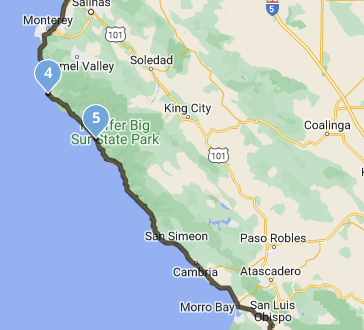
      d8b41247-d33f-47d2-b405-f1c0b317e591-image.png

      Then, if you look at the same section in Google Maps with traffic:
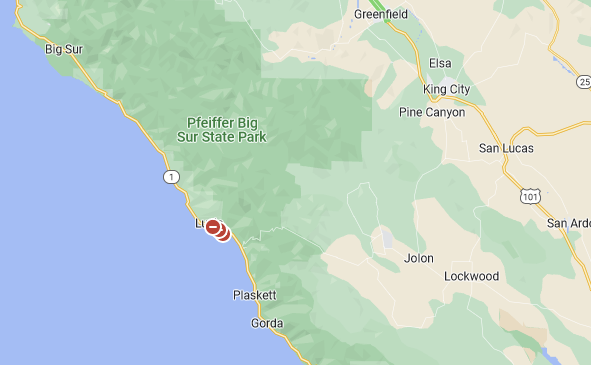
      4d7557ff-5e68-46c0-96bd-bb8be28bd804-image.png

      Those red dots are road closures until December 2023.

      iPhone 14 Pro

      1 Reply Last reply
      2
      • Jörgen Offline
        Jörgen Offline
        Jörgen
        Valued contributor
        wrote on last edited by
        #4

        You can switch on Traffic in the planning app (under maps) to see also road closure with black lines.
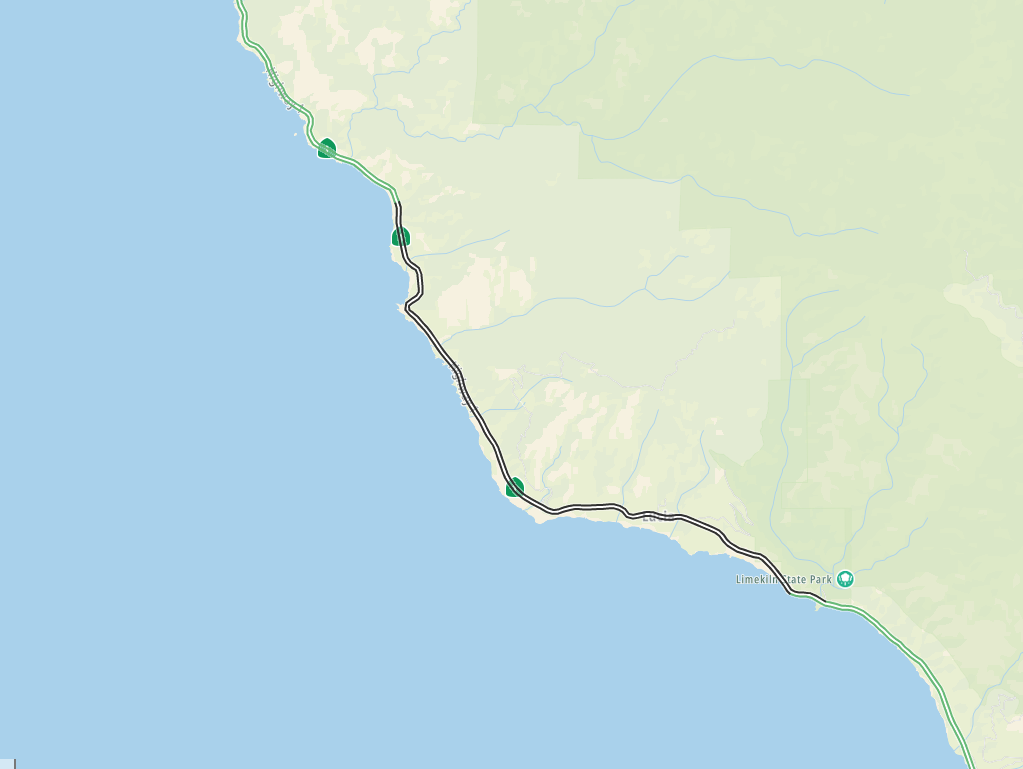
        32139854-f58a-40db-b2b3-b2ef5684c66a-image.png

        Hardware
        iPhone 12 pro (iOS 26.2.1)
        iPad (7.Gen.) 18.7.3
        Oukitel RT3 Pro (Andr. 14)
        Wireless CarPlay mit (Elebest C650)
        Wired CarPlay (SEAT Arona - 2021)
        MRA Workshops in Deutsch sind hier zu finden

        1 Reply Last reply
        0
        • Corjan Meijerink Offline
          Corjan Meijerink Offline
          Corjan Meijerink
          Developer
          wrote on last edited by
          #5

          If known closures, the app will display them.
          Routeplanner might not as planning isn’t as time based.

          richtea999 1 Reply Last reply
          0
          • lasironayahoo.com Offline
            lasironayahoo.com Offline
            lasironayahoo.com
            wrote on last edited by
            #6

            Ok, I see what you mean. I would have to walk the path prior to setting my next waypoint. Otherwise, the planned route is black and the road closure indicator is black. Although not optimum, it works. Is there a way to change the color of the planned route? I know there's a transparency setting, but I don't remember seeing colors

            iPhone 14 Pro

            1 Reply Last reply
            0
            • lasironayahoo.com Offline
              lasironayahoo.com Offline
              lasironayahoo.com
              wrote on last edited by
              #7

              You can disregard... After spending some time with the traffic setting, I noticed that every other status isn't black. I can use that as an indicator.

              I typically just let routelab set the route unless there's something about the area I want to see. That's why I was curious, so I wouldn't have to walk the routes ahead of time not knowing which route the routelab was actually going to use.

              iPhone 14 Pro

              1 Reply Last reply
              0
              • Corjan Meijerink Corjan Meijerink

                If known closures, the app will display them.
                Routeplanner might not as planning isn’t as time based.

                richtea999 Offline
                richtea999 Offline
                richtea999
                Valued contributor
                wrote on last edited by
                #8

                @Corjan-Meijerink said in Suggestion: display road closures on map:

                If known closures, the app will display them.
                Routeplanner might not as planning isn’t as time based.

                Thanks Corjan, is there an example screenshot so I know what the closures will look like next time? (I didnt see anything, but I have, on other occasions, seen a lighter route line, which I guess is the 'original route' mentioned by Jörgen.)

                Corjan Meijerink 1 Reply Last reply
                0
                • richtea999 richtea999

                  @Corjan-Meijerink said in Suggestion: display road closures on map:

                  If known closures, the app will display them.
                  Routeplanner might not as planning isn’t as time based.

                  Thanks Corjan, is there an example screenshot so I know what the closures will look like next time? (I didnt see anything, but I have, on other occasions, seen a lighter route line, which I guess is the 'original route' mentioned by Jörgen.)

                  Corjan Meijerink Offline
                  Corjan Meijerink Offline
                  Corjan Meijerink
                  Developer
                  wrote on last edited by
                  #9

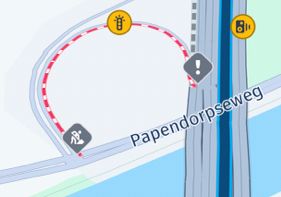
                  @richtea999 it’s a dashed red line.
                  Cannot find one either at this point and I’ll definitely forget replying later - sorry 🙂

                  1 Reply Last reply
                  0
                  • richtea999 richtea999 referenced this topic on
                  • Corjan Meijerink Offline
                    Corjan Meijerink Offline
                    Corjan Meijerink
                    Developer
                    wrote on last edited by
                    #10

                    Like this 🙂

                    DB7212C0-DB18-435A-B53B-2ED595789EE6.jpeg

                    Which is different from the red delay line:
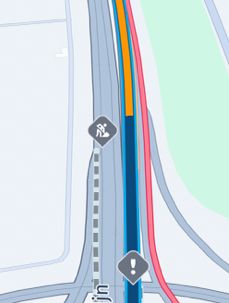
                    127DC72D-B75F-41AF-B23B-0B3ADF479AA9.jpeg

                    Arno 0 1 Reply Last reply
                    1
                    • Corjan Meijerink Corjan Meijerink

                      Like this 🙂

                      DB7212C0-DB18-435A-B53B-2ED595789EE6.jpeg

                      Which is different from the red delay line:

                      127DC72D-B75F-41AF-B23B-0B3ADF479AA9.jpeg

                      Arno 0 Offline
                      Arno 0 Offline
                      Arno 0
                      wrote on last edited by
                      #11

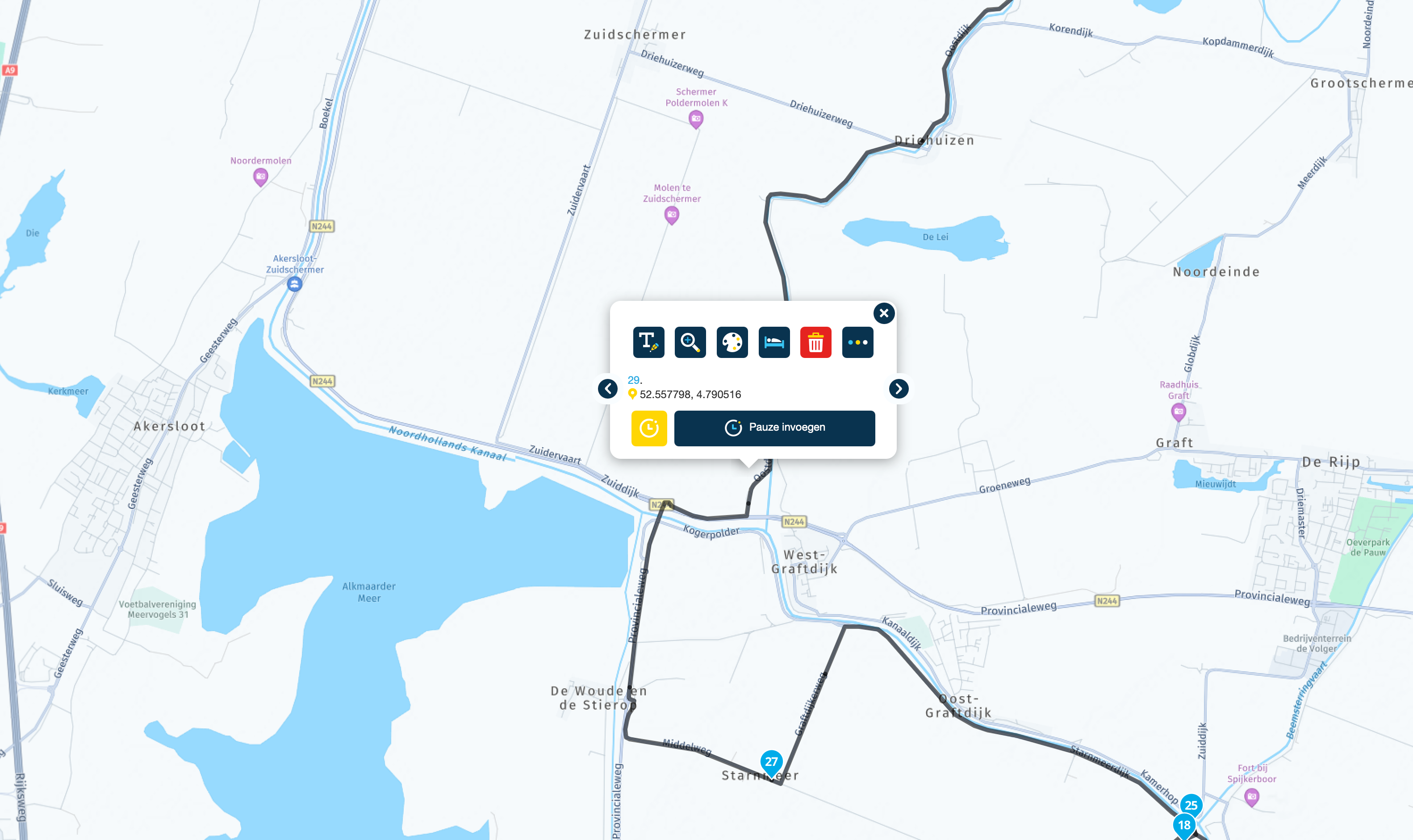
                      @Corjan-Meijerink the examples given are pictures from the navigation app and these make very clear that the road is blocked. However, when creating a route in the planner it's not so clear because then a small black line is shown which you only see when you zoom in. Maybe something to improve when updating the planner 🙂

                      1 Reply Last reply
                      2
                      • Arno 0 Offline
                        Arno 0 Offline
                        Arno 0
                        wrote on last edited by Arno 0
                        #12

                        Another thing I forgot to mention is that when you select "disable seasonal closures" in the toolkit in the planner, you will not only not see the mountain passes that are closed during winter period but will also not see any road blocks. Therefore it might be good to change the name of the toolkit function in future.

                        1 Reply Last reply
                        0

                        Hello! It looks like you're interested in this conversation, but you don't have an account yet.

                        Getting fed up of having to scroll through the same posts each visit? When you register for an account, you'll always come back to exactly where you were before, and choose to be notified of new replies (either via email, or push notification). You'll also be able to save bookmarks and upvote posts to show your appreciation to other community members.

                        With your input, this post could be even better 💗

                        Register Login
                        Reply
                        • Reply as topic
                        Log in to reply
                        • Oldest to Newest
                        • Newest to Oldest
                        • Most Votes


                        ACTIVE USERS
                        richtea999
                        richtea999
                        Jörgen
                        Jörgen
                        Corjan Meijerink
                        Corjan Meijerink
                        Con Hennekens
                        Con Hennekens
                        Arno 0
                        Arno 0
                        lasironayahoo.com
                        lasironayahoo.com
                        POPULAR TOPICS
                        • Export to BMW CRN
                          Hubert Thoring
                          Hubert Thoring
                          1
                          12
                          572

                        • Export naar ZUMO XT2 verandert routes
                          Guzt
                          Guzt
                          0
                          4
                          60

                        • Nieuwe gebruiker uit Groningen
                          RetiredWingMan
                          RetiredWingMan
                          0
                          5
                          79

                        • Berekende route tijd
                          Travellexxie
                          Travellexxie
                          0
                          3
                          62

                        • Rondrit genereren
                          Hubert Thoring
                          Hubert Thoring
                          0
                          5
                          108

                        • Suggestions regarding traffic information and route changes
                          CD130
                          CD130
                          3
                          11
                          284

                        • Suggestion about making routes visible in a folder
                          0
                          1
                          7

                        • Update 5.2.2 - Quick fix
                          TomOnTour
                          TomOnTour
                          6
                          12
                          715

                        MY GROUPS
                        • Login

                        • Login or register to search.
                        • First post
                          Last post
                        0
                        • Categories
                        • Recent
                        • Popular
                        • Support
                        • MyRoute-app