Skip to content
  • Categories
  • Recent
  • Popular
  • Support
  • MyRoute-app
Collapse
Brand Logo

MRA Community Forum

  1. Home
  2. [Beta] The MyRoute-app
  3. [Beta] Suggestions and Discussions
  4. New Tester

New Tester

Scheduled Pinned Locked Moved [Beta] Suggestions and Discussions
4 Posts 2 Posters 88 Views
  • Oldest to Newest
  • Newest to Oldest
  • Most Votes
Reply
  • Reply as topic
Log in to reply
This topic has been deleted. Only users with topic management privileges can see it.
  • ferrand24gmail.comundefined Offline
    ferrand24gmail.comundefined Offline
    ferrand24gmail.com
    wrote on last edited by
    #1

    I have just signed up as a Beta tester so I'm sort of feeling my way a bit.
    I have downloaded three maps for off line use for a trip this week , however when I am out of wifi range I can't see the maps I have downloaded.
    How can I use them?

    Corjan Meijerinkundefined 1 Reply Last reply
    0
    • ferrand24gmail.comundefined ferrand24gmail.com

      I have just signed up as a Beta tester so I'm sort of feeling my way a bit.
      I have downloaded three maps for off line use for a trip this week , however when I am out of wifi range I can't see the maps I have downloaded.
      How can I use them?

      Corjan Meijerinkundefined Offline
      Corjan Meijerinkundefined Offline
      Corjan Meijerink
      Developer
      wrote on last edited by Corjan Meijerink
      #2

      @Roger-Doidge Switch the app to offline mode in "Navigation settings" -> "Functional" 🙂

      Edit: when actively navigating and the app discovers you don't have internet, it will automatically ask you if you want to switch to the offline mode.

      ferrand24gmail.comundefined 1 Reply Last reply
      0
      • Corjan Meijerinkundefined Corjan Meijerink

        @Roger-Doidge Switch the app to offline mode in "Navigation settings" -> "Functional" 🙂

        Edit: when actively navigating and the app discovers you don't have internet, it will automatically ask you if you want to switch to the offline mode.

        ferrand24gmail.comundefined Offline
        ferrand24gmail.comundefined Offline
        ferrand24gmail.com
        wrote on last edited by
        #3

        @Corjan-Meijerink
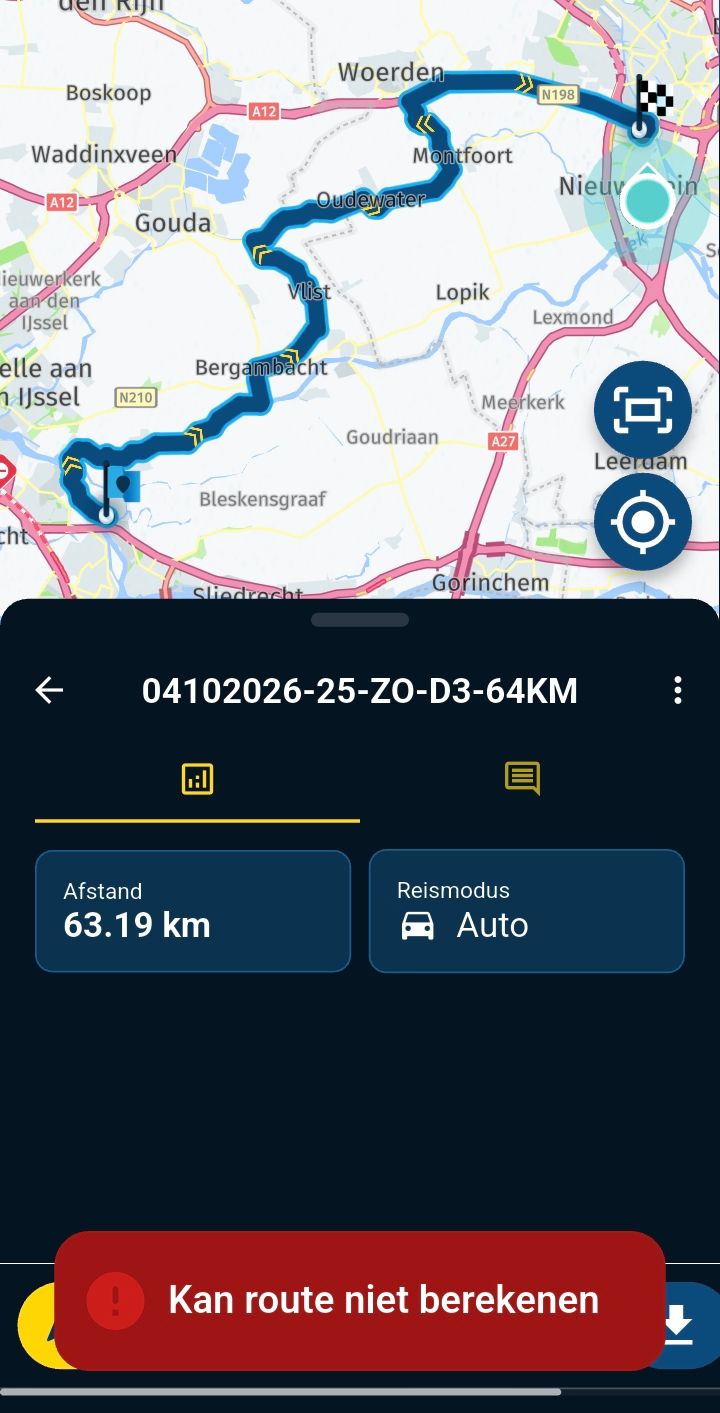
        Corjan, I have done as you suggested but I still can't see the routes if I am out of wifi range. The page just says "something has gone wrong". Each of the routes I have planned I have clicked on, Download... make available offline, but they are not visible if I have no internet.

        Corjan Meijerinkundefined 1 Reply Last reply
        0
        • ferrand24gmail.comundefined ferrand24gmail.com

          @Corjan-Meijerink
          Corjan, I have done as you suggested but I still can't see the routes if I am out of wifi range. The page just says "something has gone wrong". Each of the routes I have planned I have clicked on, Download... make available offline, but they are not visible if I have no internet.

          Corjan Meijerinkundefined Offline
          Corjan Meijerinkundefined Offline
          Corjan Meijerink
          Developer
          wrote on last edited by Corjan Meijerink
          #4

          @Roger-Doidge ah, that’s another question.
          So this is something we wish to improve later on.

          For now the routes made available offline are located in your account page (open menu, then click top right on account icon) and choose “Downloads”. Here you can find your route.

          Also: offline maps are only applicable to the Navigation module. The map you see when directly opening the app does require internet at all times (although it does cache to some limit).

          1 Reply Last reply
          0

          Hello! It looks like you're interested in this conversation, but you don't have an account yet.

          Getting fed up of having to scroll through the same posts each visit? When you register for an account, you'll always come back to exactly where you were before, and choose to be notified of new replies (either via email, or push notification). You'll also be able to save bookmarks and upvote posts to show your appreciation to other community members.

          With your input, this post could be even better 💗

          Register Login
          Reply
          • Reply as topic
          Log in to reply
          • Oldest to Newest
          • Newest to Oldest
          • Most Votes


          ACTIVE USERS
          Corjan Meijerinkundefined
          Corjan Meijerink
          ferrand24gmail.comundefined
          ferrand24gmail.com
          POPULAR TOPICS
          • Routepunt met adres invoegen
            Travellexxieundefined
            Travellexxie
            0
            9
            160

          • Navigation stopped working during Tour
            Thomas Neumeyerundefined
            Thomas Neumeyer
            1
            79
            5.4k

          • 'Toon route' optie eenvoudiger beschikbaar maken
            Con Hennekensundefined
            Con Hennekens
            0
            11
            216

          • Font for the distance to the next turn to smal
            Daniel 7undefined
            Daniel 7
            1
            14
            386

          • Tussenstop/routepunt toevoegen tijdens navigeren
            Vosjeundefined
            Vosje
            0
            18
            389

          • Ending a route
            Eric Colón 3 0undefined
            Eric Colón 3 0
            0
            5
            40

          • Compass is not working properly
            Marinus van Deudekomundefined
            Marinus van Deudekom
            0
            5
            70

          • Navigation instructions emphasized funny
            pehaundefined
            peha
            1
            5
            100

          MY GROUPS
          • Login

          • Login or register to search.
          • First post
            Last post
          0
          • Categories
          • Recent
          • Popular
          • Support
          • MyRoute-app