Offline maps
-
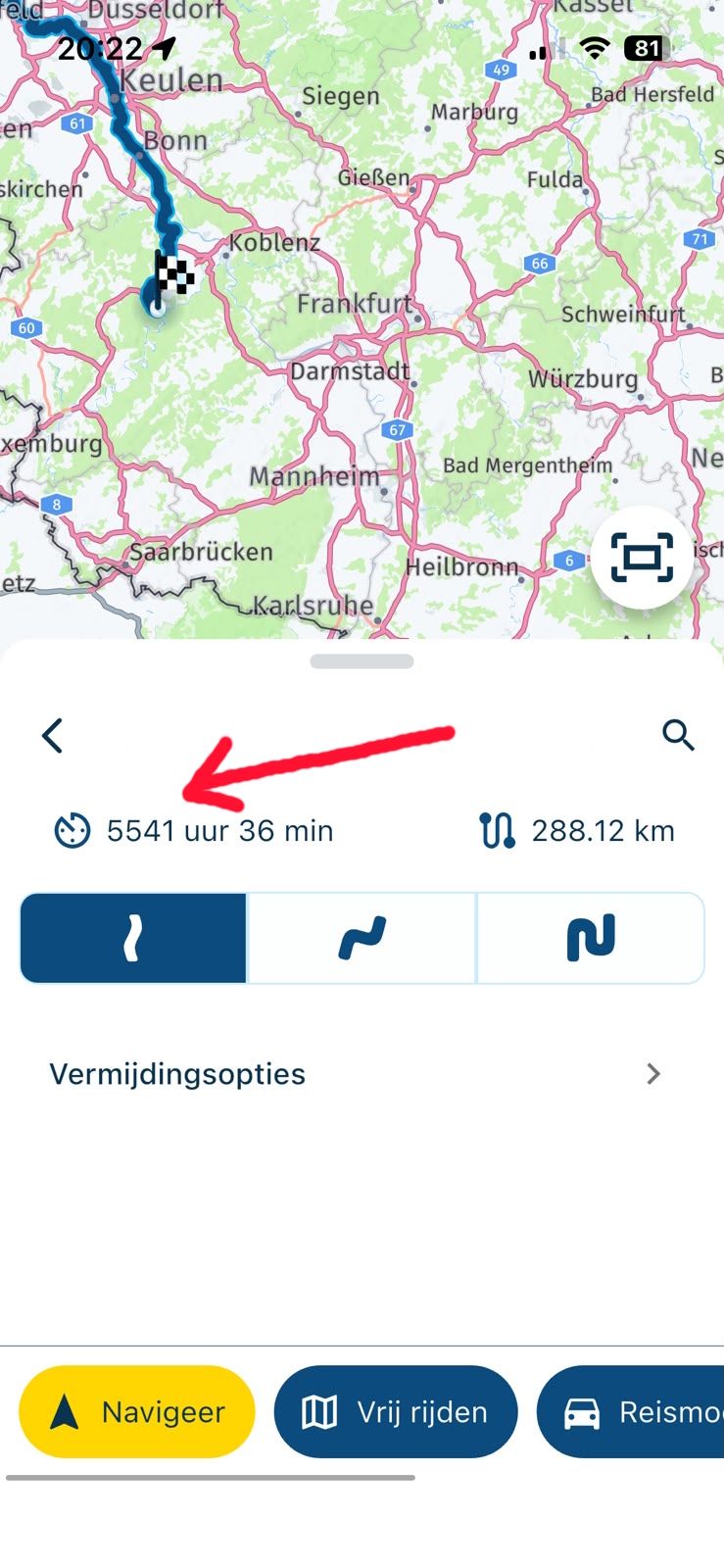
Hi do you know when roughy the offline mode will be implemented? I am travelling Europe at the end of May and parts of Switzerland and dolomites I think we will struggle for phone signal and will have to rely on an offline mode , hopefully I can use the beta app ? . I’ve just got back from a weekend around snowdonia in Wales and phone signal dropped on me a few times leaving the navigation stuck in the last place I had signal.
Thanks In advance -
Hi do you know when roughy the offline mode will be implemented? I am travelling Europe at the end of May and parts of Switzerland and dolomites I think we will struggle for phone signal and will have to rely on an offline mode , hopefully I can use the beta app ? . I’ve just got back from a weekend around snowdonia in Wales and phone signal dropped on me a few times leaving the navigation stuck in the last place I had signal.
Thanks In advance@Ian-foster-0 will be implemented for sure before the end of May!

-
Hi do you know when roughy the offline mode will be implemented? I am travelling Europe at the end of May and parts of Switzerland and dolomites I think we will struggle for phone signal and will have to rely on an offline mode , hopefully I can use the beta app ? . I’ve just got back from a weekend around snowdonia in Wales and phone signal dropped on me a few times leaving the navigation stuck in the last place I had signal.
Thanks In advance@Ian-foster-0, Next already makes use of the offline maps if you download them, as it stands. It is just for starting a route, the calculation needs an active internet connection. Once you are underway, the offline map will be used. That could of course be a problem if you need to restart your route underway for whatever reason. But in general it will work. (tip: keep the current Navigation App installed, with downloaded maps...)
-
@Ian-foster-0, Next already makes use of the offline maps if you download them, as it stands. It is just for starting a route, the calculation needs an active internet connection. Once you are underway, the offline map will be used. That could of course be a problem if you need to restart your route underway for whatever reason. But in general it will work. (tip: keep the current Navigation App installed, with downloaded maps...)
@Con-Hennekens Thanks I downloaded the current nav app yesterday and downloaded uk&wales as a backup, will test the “next”beta app then in a couple of weeks with uk maps downloaded when I’m next out on the bike

-
@Ian-foster-0, Next already makes use of the offline maps if you download them, as it stands. It is just for starting a route, the calculation needs an active internet connection. Once you are underway, the offline map will be used. That could of course be a problem if you need to restart your route underway for whatever reason. But in general it will work. (tip: keep the current Navigation App installed, with downloaded maps...)
@Con-Hennekens I've successfully downloaded UK and Spain. However, the 'offline navigation' toggle (account>navigation settings>functional) remains greyed out and unavailable. Are you suggesting that despite this the app uses the downloaded map?
-
@Con-Hennekens I've successfully downloaded UK and Spain. However, the 'offline navigation' toggle (account>navigation settings>functional) remains greyed out and unavailable. Are you suggesting that despite this the app uses the downloaded map?
@Greg-Meekings-0 That is correct. The offline maps will be used!
You however still need internet to calculate the actual route. Once that is possible too (working on it as we speak) - the offline preference switch you mention can be used. -
@Con-Hennekens I've successfully downloaded UK and Spain. However, the 'offline navigation' toggle (account>navigation settings>functional) remains greyed out and unavailable. Are you suggesting that despite this the app uses the downloaded map?
@Greg-Meekings-0, What Corjan says.
Offline navigation and offline maps are separate things. -
@Greg-Meekings-0 That is correct. The offline maps will be used!
You however still need internet to calculate the actual route. Once that is possible too (working on it as we speak) - the offline preference switch you mention can be used.@Corjan-Meijerink Thanks - understood.
-
Trying to download maps, but then I get the following message.


-
I get this error also quite often. In the meantime I have downloaded Belgium and Luxemburg, but downloading Germany and the Netherlands seems impossible, there is just ZERO progression.
I think I had some maps downloaded prior to the update. Is it possible I need to delete those old downloads because they are not recognized, but that they are conflicting with the new downloads?
I am just an enthusiastic MRA user, and hope you will be one too!
Most motorcycle problems are caused by the nut that connects the handlebar to the saddle.
Check out RideSleepRepeat.eu, a biker community for sharing stays across Europe
-
I get this error also quite often. In the meantime I have downloaded Belgium and Luxemburg, but downloading Germany and the Netherlands seems impossible, there is just ZERO progression.
I think I had some maps downloaded prior to the update. Is it possible I need to delete those old downloads because they are not recognized, but that they are conflicting with the new downloads?
@Con-Hennekens that should not be required but we are aware the offline maps state management isn’t at the level we need it to be
-
@Con-Hennekens that should not be required but we are aware the offline maps state management isn’t at the level we need it to be
@Corjan-Meijerink, I took the cow by the horns (reference to https://www.facebook.com/MakeThatTheCatWise/) and deleted cache and data for the app. Then I went back in and tried downloading the Dutch map. It doesn't download (keeps circling, no progression, also not after a long time). Then I took my other phone. There were already some maps downloaded prior to the update and they were shown as present. I tried downloading another map that wasn't already downloaded. It failed, as failed the download of the Dutch map after deleting it (by pressing the X). I stopped the app, cleared cache and data, and tried again. Exactly like the other phone, no downloads, no progress, keeps circling.
I suspect something to be wrong with it, since the Friday update.
One is Android 10 on a CAT S52, the other is Android 12 on a Huawei P30 Pro
Both plenty of memory left and no SD cards in play.I am just an enthusiastic MRA user, and hope you will be one too!
Most motorcycle problems are caused by the nut that connects the handlebar to the saddle.
Check out RideSleepRepeat.eu, a biker community for sharing stays across Europe
-
@Corjan-Meijerink, I took the cow by the horns (reference to https://www.facebook.com/MakeThatTheCatWise/) and deleted cache and data for the app. Then I went back in and tried downloading the Dutch map. It doesn't download (keeps circling, no progression, also not after a long time). Then I took my other phone. There were already some maps downloaded prior to the update and they were shown as present. I tried downloading another map that wasn't already downloaded. It failed, as failed the download of the Dutch map after deleting it (by pressing the X). I stopped the app, cleared cache and data, and tried again. Exactly like the other phone, no downloads, no progress, keeps circling.
I suspect something to be wrong with it, since the Friday update.
One is Android 10 on a CAT S52, the other is Android 12 on a Huawei P30 Pro
Both plenty of memory left and no SD cards in play.@Con-Hennekens Same experience, deleted the app, and reinstalled the app again, problem solved
-
Huh... I am trying this download at work now, and it seems to succeed...
Is it possible there was a service interruption at the server end yesterday?I am just an enthusiastic MRA user, and hope you will be one too!
Most motorcycle problems are caused by the nut that connects the handlebar to the saddle.
Check out RideSleepRepeat.eu, a biker community for sharing stays across Europe
-
Huh... I am trying this download at work now, and it seems to succeed...
Is it possible there was a service interruption at the server end yesterday?@Con-Hennekens not very likely
I actually had to update my own offline maps yesterday (NL, DE, BE, LU) and it took quite long, the lack of progress was disturbing but it completed quite well eventually

-
I had also problems with downloading some maps. But than I realized that I activated the offline-mode. When I deactivated the offline-mode, it started to download the maps
-
I had also problems with downloading some maps. But than I realized that I activated the offline-mode. When I deactivated the offline-mode, it started to download the maps
@Patrick-3a thanks for mentioning
This makes me realise I might have forgotten an offline mode check there 
-
@Patrick-3a thanks for mentioning
This makes me realise I might have forgotten an offline mode check there @Corjan-Meijerink, I don't consider offline mode set to on relevant to being able to download maps. I think it is better to check for internet connection, en warn that any download will be queued until an internet connection is available.
I am just an enthusiastic MRA user, and hope you will be one too!
Most motorcycle problems are caused by the nut that connects the handlebar to the saddle.
Check out RideSleepRepeat.eu, a biker community for sharing stays across Europe
-
@Corjan-Meijerink, I don't consider offline mode set to on relevant to being able to download maps. I think it is better to check for internet connection, en warn that any download will be queued until an internet connection is available.
@Con-Hennekens You might not consider it relevant
The HERE SDK disagrees. If offline mode is enabled, you simply cannot continue / start downloading offline maps as the SDK isn't allowed to connect to internet at all. -
@Con-Hennekens You might not consider it relevant
The HERE SDK disagrees. If offline mode is enabled, you simply cannot continue / start downloading offline maps as the SDK isn't allowed to connect to internet at all.@Corjan-Meijerink, Well, then I think you should email them about their "brilliant" idea...




Hello! It looks like you're interested in this conversation, but you don't have an account yet.
Getting fed up of having to scroll through the same posts each visit? When you register for an account, you'll always come back to exactly where you were before, and choose to be notified of new replies (either via email, or push notification). You'll also be able to save bookmarks and upvote posts to show your appreciation to other community members.
With your input, this post could be even better 💗
Register Login-
 114596
-
 0586
0586
-
 615765
-
 0692
0692
-
 0381
0381
-
-
 27335
27335