Skip to content
  • Categories
  • Recent
  • Popular
  • Support
  • MyRoute-app
Collapse
Brand Logo

MRA Community Forum

  1. Home
  2. [Beta] The MyRoute-app
  3. [Beta] Problems, Bugs and other Issues
  4. Android 3.2.8 Route-Track Test

Android 3.2.8 Route-Track Test

Scheduled Pinned Locked Moved [Beta] Problems, Bugs and other Issues
8 Posts 2 Posters 55 Views 1 Watching
  • Oldest to Newest
  • Newest to Oldest
  • Most Votes
Reply
  • Reply as topic
Log in to reply
This topic has been deleted. Only users with topic management privileges can see it.
  • Steve Lynchundefined Offline
    Steve Lynchundefined Offline
    Steve Lynch
    Valued contributor
    wrote on last edited by Steve Lynch
    #1

    @Corjan-Meijerink

    This is a very short Route-Track test taken on a bus.
    The only issue i can see is that the route that it automatically generates to get to the track does not match the actual Route-Track.
    However, the Route-Track does actually follow Route-Track correctly it just gets a bit messy at the first Roundabout.
    Is it possible to hide the route that it automatically generated leaving only the actual Route-Track visible?

    Jump to 2:00 Minutes exactly to see how messy it gets at the first exit of the first roundabout.

    I like the idea of using Route-Tracks when I am out on the bike alone as I generally don鈥檛 plan stops in advance I just stop for scenery, to stretch the legs or for food/drink etc.

    If she who must be obeyed is out on the bike with me then I will plan a Route with Waypoints and stops.

    https://youtu.be/wNTe_2xnbM4

    You don鈥檛 stop riding when you get old, you get old when you stop riding.

    Corjan Meijerinkundefined 1 Reply Last reply
    0
    • Steve Lynchundefined Steve Lynch

      @Corjan-Meijerink

      This is a very short Route-Track test taken on a bus.
      The only issue i can see is that the route that it automatically generates to get to the track does not match the actual Route-Track.
      However, the Route-Track does actually follow Route-Track correctly it just gets a bit messy at the first Roundabout.
      Is it possible to hide the route that it automatically generated leaving only the actual Route-Track visible?

      Jump to 2:00 Minutes exactly to see how messy it gets at the first exit of the first roundabout.

      I like the idea of using Route-Tracks when I am out on the bike alone as I generally don鈥檛 plan stops in advance I just stop for scenery, to stretch the legs or for food/drink etc.

      If she who must be obeyed is out on the bike with me then I will plan a Route with Waypoints and stops.

      https://youtu.be/wNTe_2xnbM4

      Corjan Meijerinkundefined Offline
      Corjan Meijerinkundefined Offline
      Corjan Meijerink
      Developer
      wrote on last edited by
      #2

      @Steve-Lynch Thanks for the info! Must admit that the first part of your post is slightly confusing but if I understand correctly, you did not start the track navigation where your route-track started?

      Given the nature of track navigation - and the current development stage - it鈥檚 best to start the navigation when you are at the actual start of the track data you provided 馃槈

      Steve Lynchundefined 1 Reply Last reply
      0
      • Corjan Meijerinkundefined Corjan Meijerink

        @Steve-Lynch Thanks for the info! Must admit that the first part of your post is slightly confusing but if I understand correctly, you did not start the track navigation where your route-track started?

        Given the nature of track navigation - and the current development stage - it鈥檚 best to start the navigation when you are at the actual start of the track data you provided 馃槈

        Steve Lynchundefined Offline
        Steve Lynchundefined Offline
        Steve Lynch
        Valued contributor
        wrote on last edited by Steve Lynch
        #3

        @Corjan-Meijerink
        Sorry for the first post I was eating waffles at that time. 馃槉
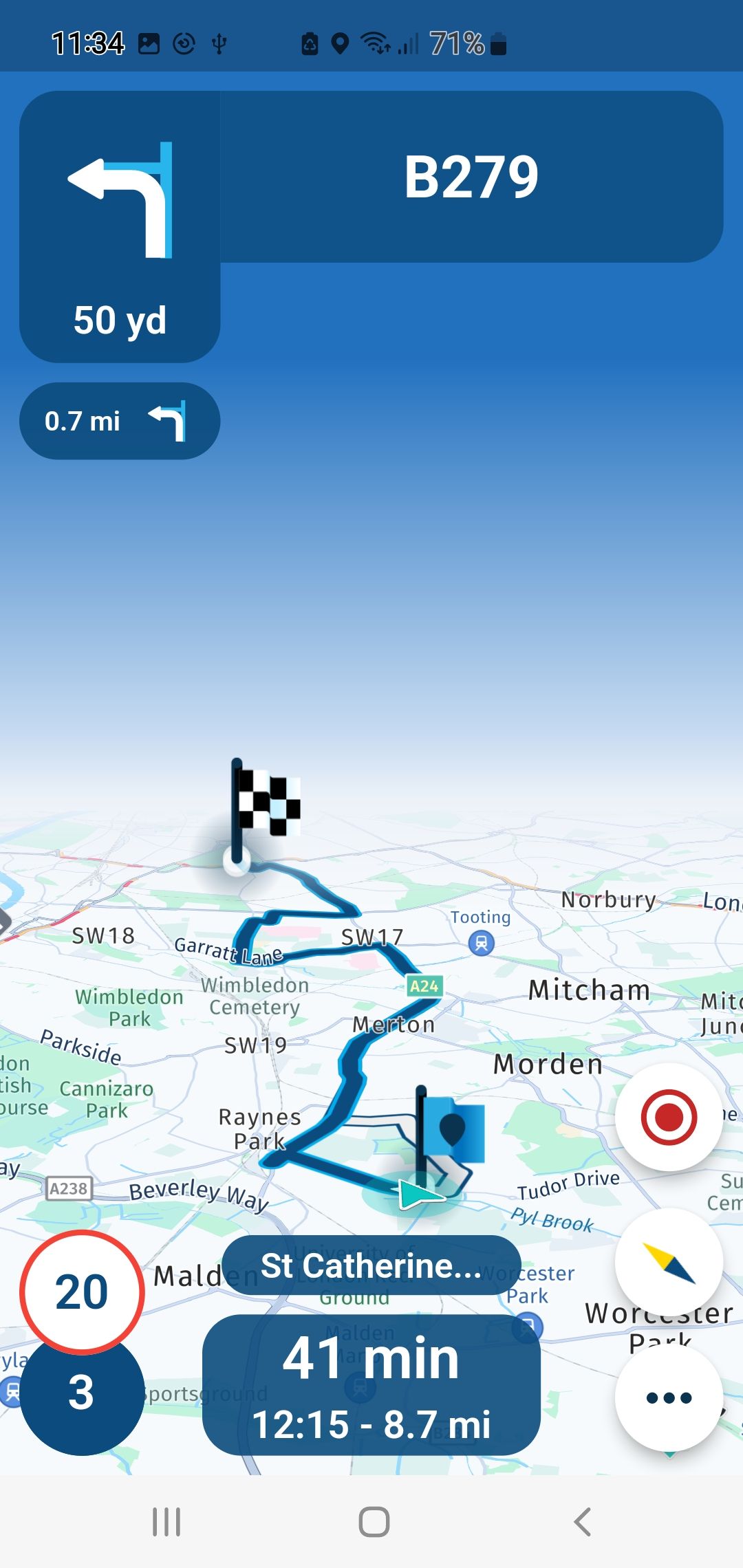
        No I started the Route-Track exactly on the Blue Flag as below.
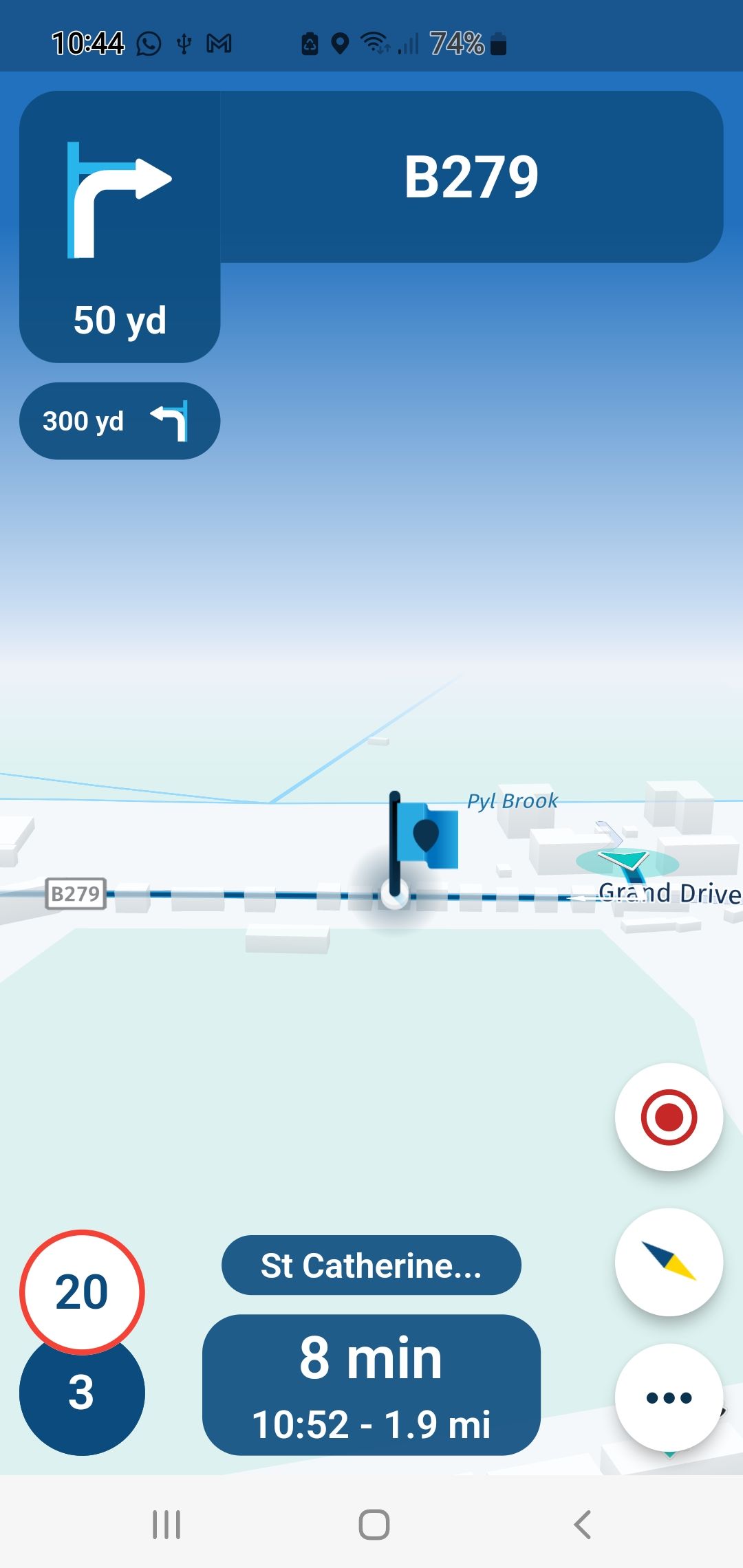
        Screenshot_20230219_104446.jpg

        The point I am making is that the blue line below is the Route automatically generated by the Route Planner, this has no resemblance to the actual Route-Track.
        I am asking if the Solid Blue automated Route can be hidden leaving only the Route-Track visible?
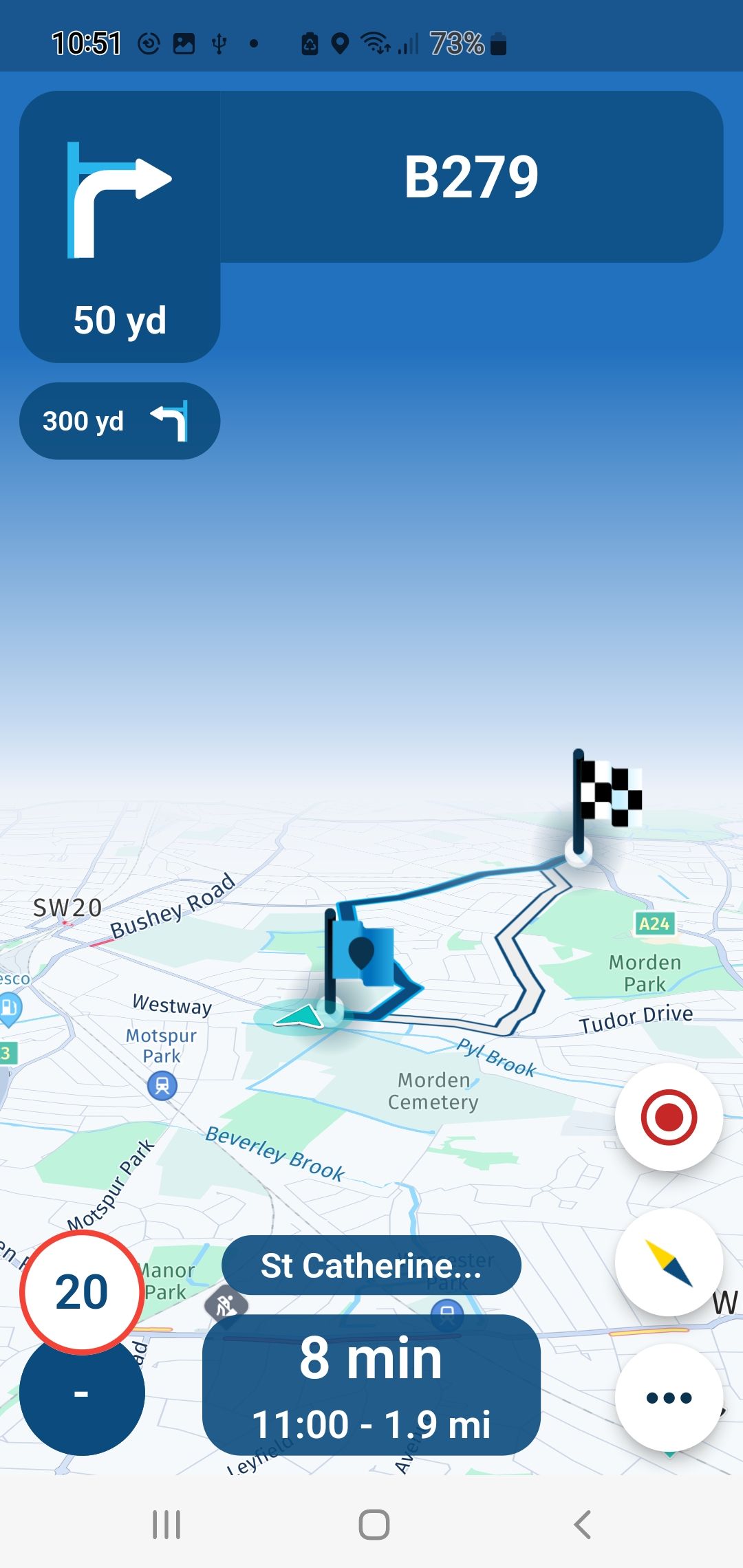
        Screenshot_20230219_105142.jpg

        You don鈥檛 stop riding when you get old, you get old when you stop riding.

        Corjan Meijerinkundefined 1 Reply Last reply
        0
        • Steve Lynchundefined Steve Lynch

          @Corjan-Meijerink
          Sorry for the first post I was eating waffles at that time. 馃槉
          No I started the Route-Track exactly on the Blue Flag as below.
          Screenshot_20230219_104446.jpg

          The point I am making is that the blue line below is the Route automatically generated by the Route Planner, this has no resemblance to the actual Route-Track.
          I am asking if the Solid Blue automated Route can be hidden leaving only the Route-Track visible?

          Screenshot_20230219_105142.jpg

          Corjan Meijerinkundefined Offline
          Corjan Meijerinkundefined Offline
          Corjan Meijerink
          Developer
          wrote on last edited by
          #4

          @Steve-Lynch Hahah, no worries. Hope you enjoyed the waffles 馃槂

          Now I understand you! Well to be fair, the blue line should overlap the white one. Unfortunately this did not happen which is a slightly annoying issue with track navigation (hence the question about where you started).

          Blue: current calculated route by HERE. Updated dynamically and matches the instructions.
          White: the original route as you wanted it calculated - won't change but can be hidden using the Navigation settings.

          So hiding the blue line won't be a good idea as it would confuse people a lot. The shown instructions will always match what the blue line is trying to do. If that is hidden, you won't understand it anymore.
          Probably if you try it again, or again, or.... the blue line will suddenly overlap the white one. Or if you try it with another route-track somewhere else 馃檪

          Regardless, this is an issue with track navigation which will be improved upon!

          1 Reply Last reply
          0
          • Corjan Meijerinkundefined Offline
            Corjan Meijerinkundefined Offline
            Corjan Meijerink
            Developer
            wrote on last edited by
            #5

            These posts are also interesting!

            https://forum.myrouteapp.com/topic/3296/my-first-track-navigation-ios

            https://forum.myrouteapp.com/topic/3312/second-drive-with-track-navigation-ios

            1 Reply Last reply
            0
            • Steve Lynchundefined Offline
              Steve Lynchundefined Offline
              Steve Lynch
              Valued contributor
              wrote on last edited by
              #6

              @Corjan-Meijerink

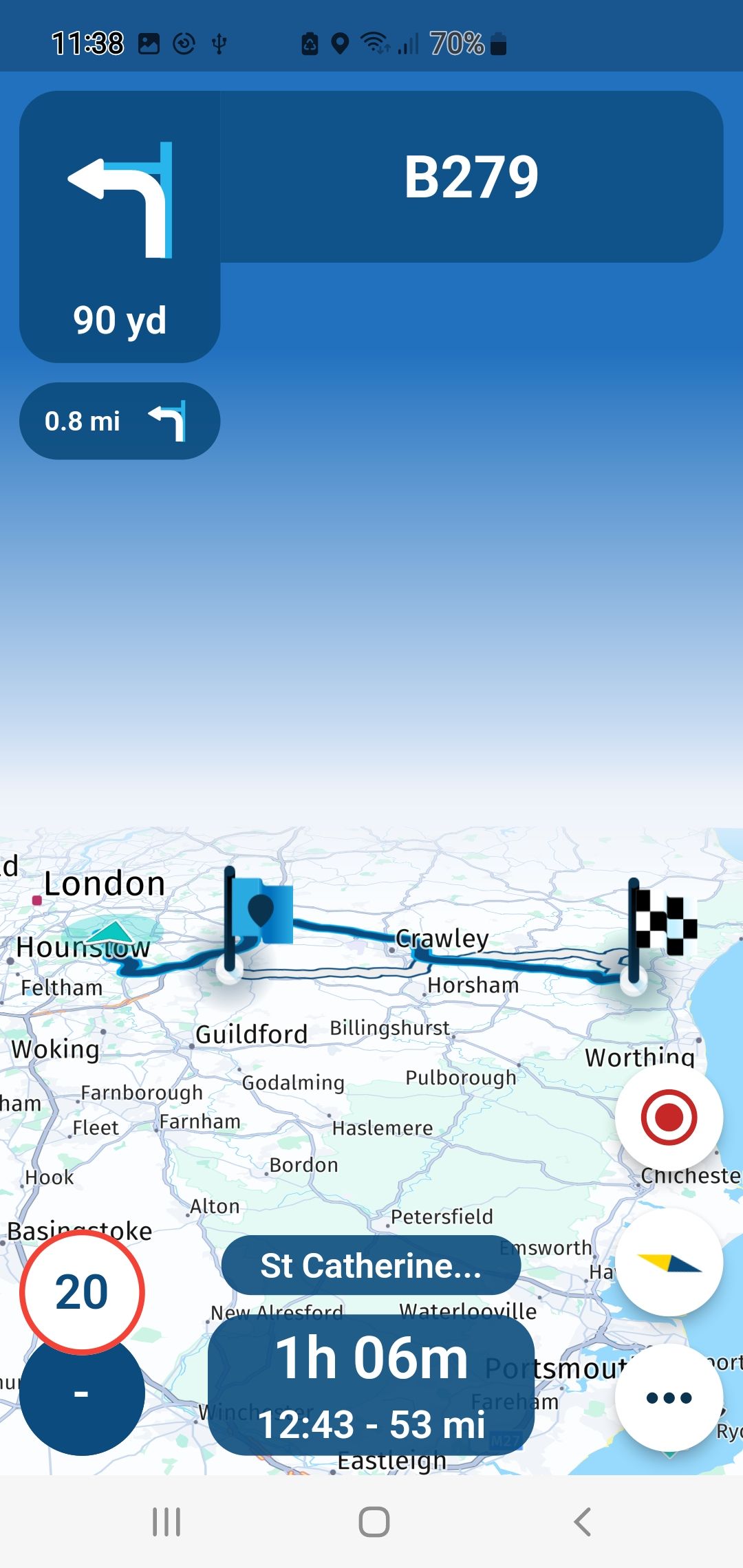
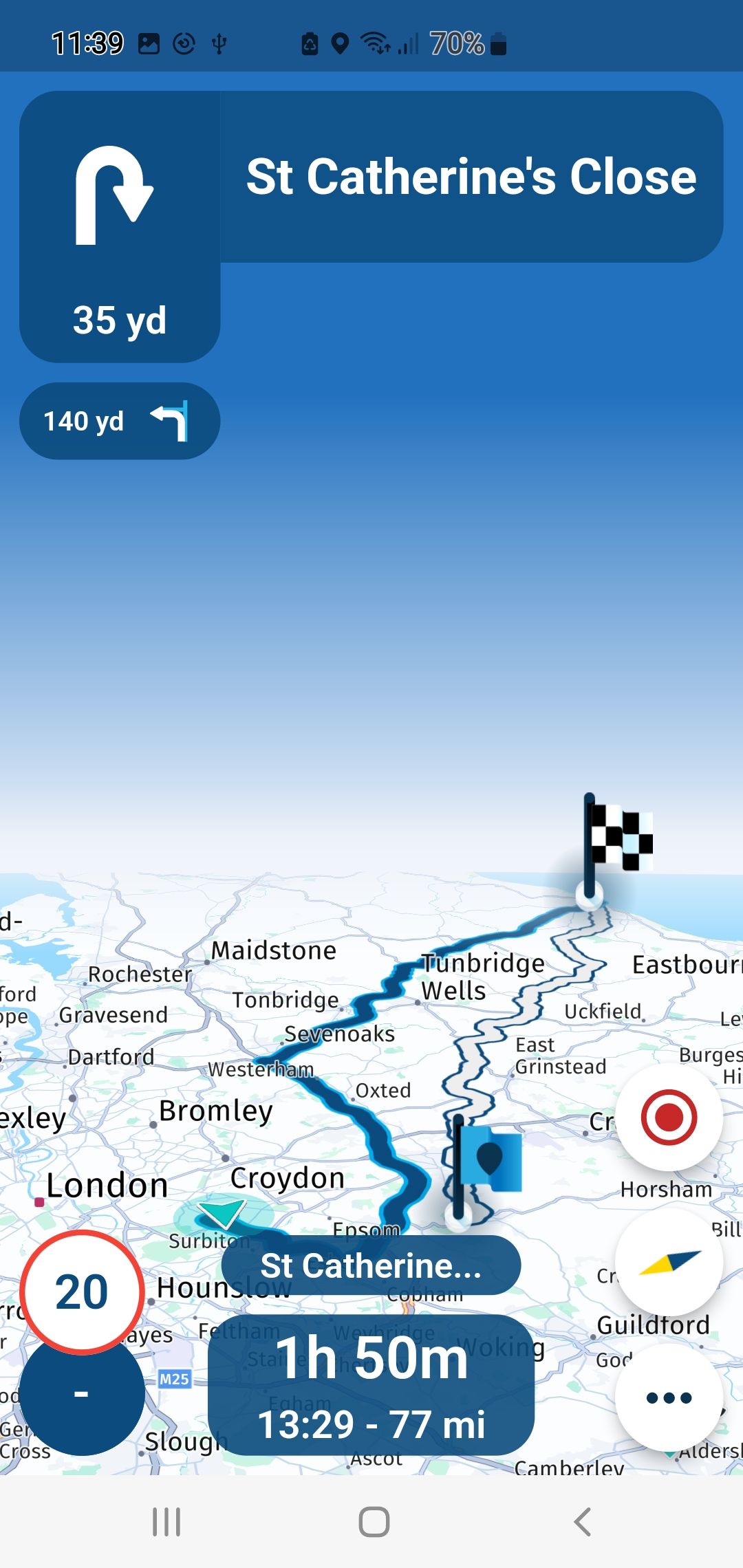
              Some more examples.

              Screenshot_20230219_113927.jpg Screenshot_20230219_113438.jpg Screenshot_20230219_113800.jpg

              You don鈥檛 stop riding when you get old, you get old when you stop riding.

              Steve Lynchundefined 1 Reply Last reply
              0
              • Steve Lynchundefined Steve Lynch

                @Corjan-Meijerink

                Some more examples.

                Screenshot_20230219_113927.jpg Screenshot_20230219_113438.jpg Screenshot_20230219_113800.jpg

                Steve Lynchundefined Offline
                Steve Lynchundefined Offline
                Steve Lynch
                Valued contributor
                wrote on last edited by
                #7

                @Corjan-Meijerink

                Looking again at my own video the the Route-Track does correct itself at the first left turn on the first roundabout.

                All good now.

                You don鈥檛 stop riding when you get old, you get old when you stop riding.

                Corjan Meijerinkundefined 1 Reply Last reply
                0
                • Steve Lynchundefined Steve Lynch

                  @Corjan-Meijerink

                  Looking again at my own video the the Route-Track does correct itself at the first left turn on the first roundabout.

                  All good now.

                  Corjan Meijerinkundefined Offline
                  Corjan Meijerinkundefined Offline
                  Corjan Meijerink
                  Developer
                  wrote on last edited by
                  #8

                  @Steve-Lynch Happy to hear that! Thanks for the other screenshots 馃檪
                  1 Reply Last reply
                  0

                  Hello! It looks like you're interested in this conversation, but you don't have an account yet.

                  Getting fed up of having to scroll through the same posts each visit? When you register for an account, you'll always come back to exactly where you were before, and choose to be notified of new replies (either via email, or push notification). You'll also be able to save bookmarks and upvote posts to show your appreciation to other community members.

                  With your input, this post could be even better 馃挆

                  Register Login
                  Reply
                  • Reply as topic
                  Log in to reply
                  • Oldest to Newest
                  • Newest to Oldest
                  • Most Votes


                  ACTIVE USERS
                  Corjan Meijerinkundefined
                  Corjan Meijerink
                  Steve Lynchundefined
                  Steve Lynch
                  POPULAR TOPICS
                  • Routepunt met adres invoegen
                    Travellexxieundefined
                    Travellexxie
                    0
                    9
                    181

                  • Navigation stopped working during Tour
                    Thomas Neumeyerundefined
                    Thomas Neumeyer
                    1
                    79
                    5.4k

                  • 'Toon route' optie eenvoudiger beschikbaar maken
                    Con Hennekensundefined
                    Con Hennekens
                    0
                    11
                    233

                  • Font for the distance to the next turn to smal
                    Daniel 7undefined
                    Daniel 7
                    1
                    14
                    403

                  • Ending a route
                    Eric Col贸n 3 0undefined
                    Eric Col贸n 3 0
                    0
                    5
                    72

                  • Compass is not working properly
                    Marinus van Deudekomundefined
                    Marinus van Deudekom
                    0
                    5
                    78

                  • Navigation instructions emphasized funny
                    pehaundefined
                    peha
                    1
                    5
                    133

                  • Tussenstop/routepunt toevoegen tijdens navigeren
                    Vosjeundefined
                    Vosje
                    0
                    18
                    402

                  MY GROUPS
                  • Login

                  • Login or register to search.
                  • First post
                    Last post
                  0
                  • Categories
                  • Recent
                  • Popular
                  • Support
                  • MyRoute-app