Keyboard shortcuts
-

Hi Corjan,
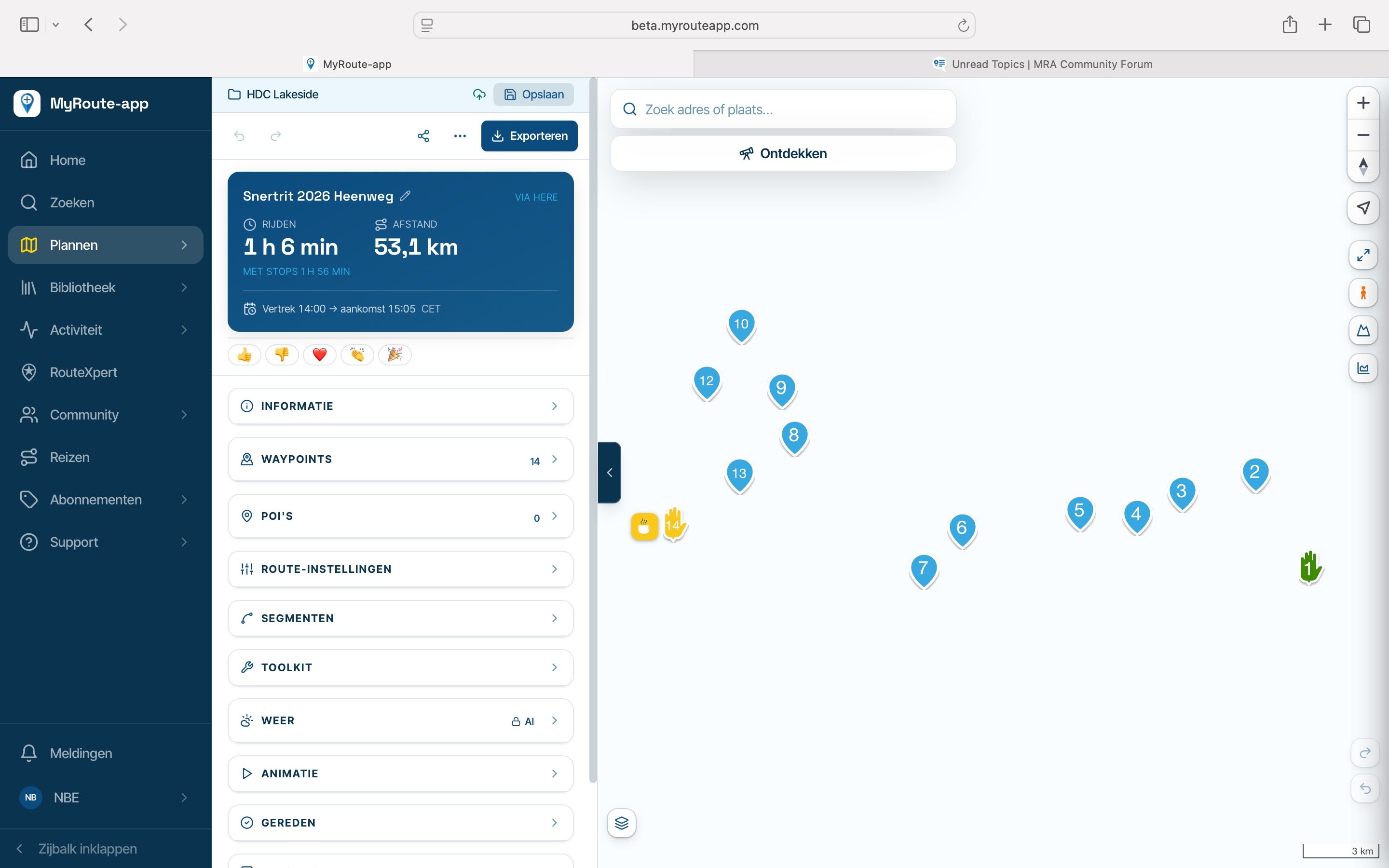
Would it be possible please to allow a keyboard shortcut on my MacBookPro for each of the headings in the panel on the left, for example Home
 H, Search S, Plan P and so on, much easier and quicker than a mouse. Being able to configure the keyboard shortcuts ourselves would be the cherry on the icing of the cake!. As far as I can tell within settings, this has not been created so far. If it has my apologies. Carl
-

I like the idea!
But honestly our users don't even use cmd+z to undo things in the planner.Personally I'd enjoy shortcuts as well so who knows

-
Thanks for considering it, one day perhaps, and many thanks for all the other updates that came out very recently
-
The update of today will include something fun

-
I like the idea!
But honestly our users don't even use cmd+z to undo things in the planner.Personally I'd enjoy shortcuts as well so who knows
But honestly our users don't even use cmd+z to undo things in the planner.
I use to do it

Hello! It looks like you're interested in this conversation, but you don't have an account yet.
Getting fed up of having to scroll through the same posts each visit? When you register for an account, you'll always come back to exactly where you were before, and choose to be notified of new replies (either via email, or push notification). You'll also be able to save bookmarks and upvote posts to show your appreciation to other community members.
With your input, this post could be even better 💗
Register Login-
035222
-
01033
-
01153
-
 11078
-
21159
-
 0720
-
0720
-
0627