Electric Car Travel Mode
-

I am having problems with this type of travel mode and it may be what I am doing, particularly as car and motorbike modes work fine.
I try and set the parameters for my vehicle but the support page does not give much information:
- Electric Car: If you drive an electric car, it's helpful that our program takes your fuel consumption into account. Enter your data here so it can be taken into account during navigation. In this mode, you won't see gas stations, but charging stations.
This is the details I have:
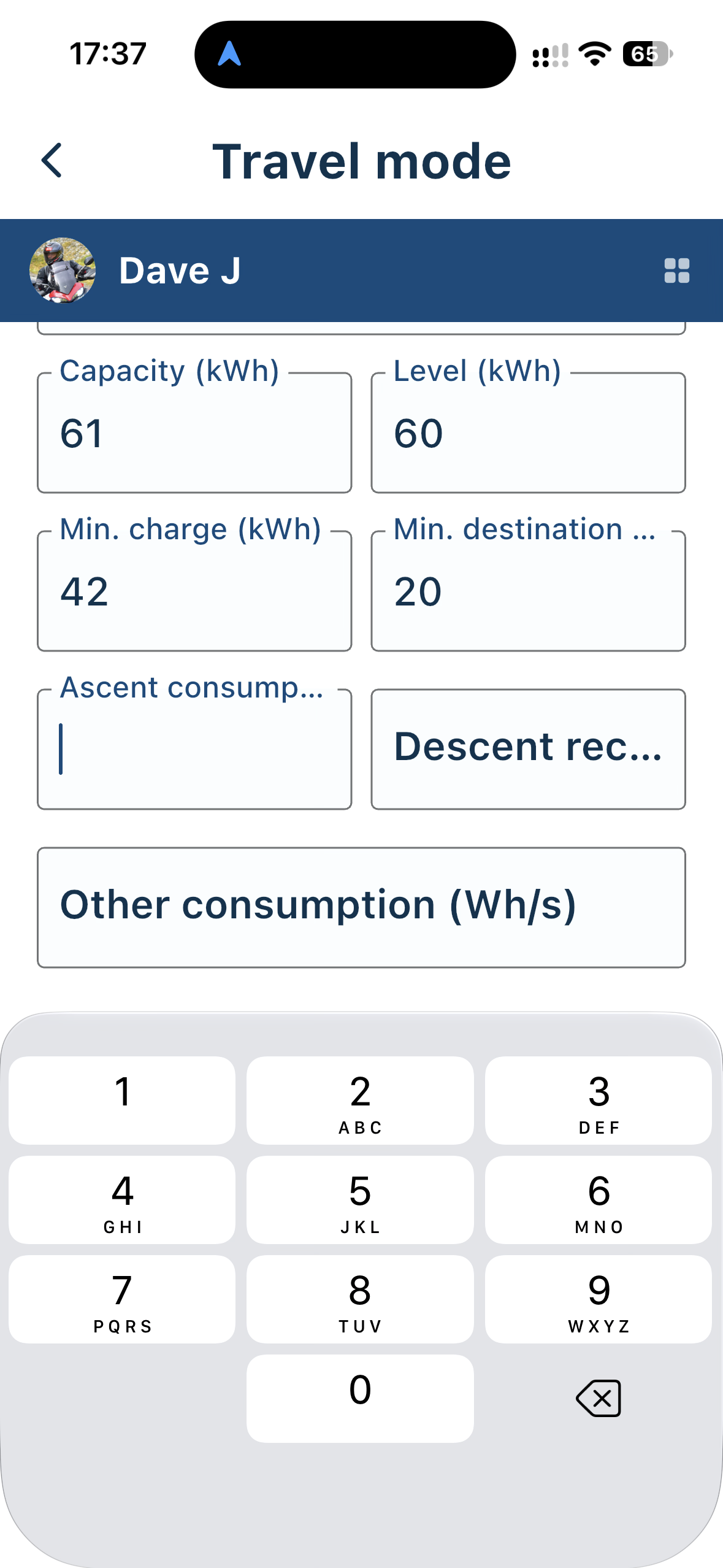
Help if it is me please and some more guidance if need be on what is required in these fields but when I use this mode for a simple A to B route i receive this:
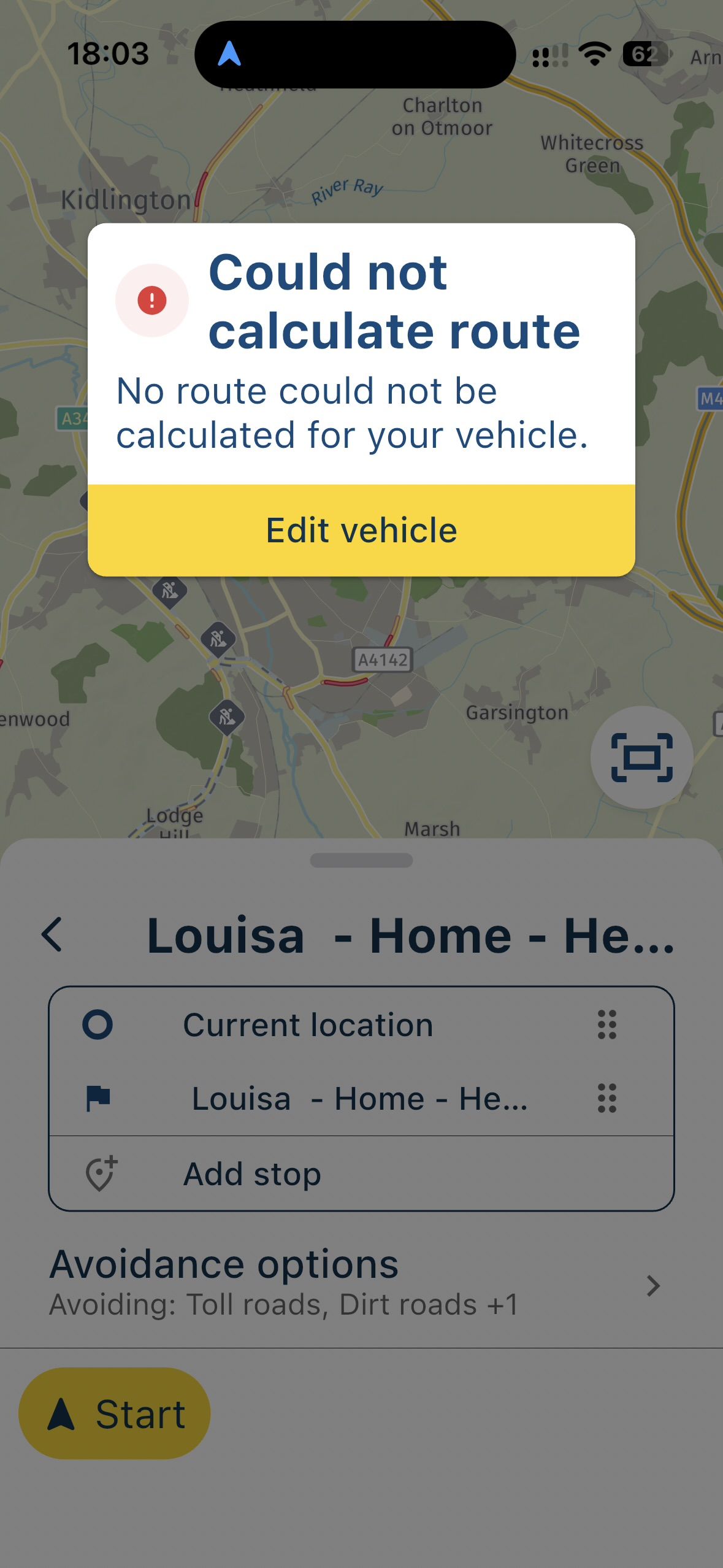
I am new to this EV world.
-
I am having problems with this type of travel mode and it may be what I am doing, particularly as car and motorbike modes work fine.
I try and set the parameters for my vehicle but the support page does not give much information:
- Electric Car: If you drive an electric car, it's helpful that our program takes your fuel consumption into account. Enter your data here so it can be taken into account during navigation. In this mode, you won't see gas stations, but charging stations.
This is the details I have:
Help if it is me please and some more guidance if need be on what is required in these fields but when I use this mode for a simple A to B route i receive this:
I am new to this EV world.

If you drive an electric car, it's helpful that our program takes your fuel consumption into account.
Fuel consumption for an electric car?

- Level is the current level of your battery
- Min. charge is the level at which you want to recharge I'd say about 10% of your total capacity for example)
- min. destination is the capacity you want to have at least when you reach your destination (so you are not left with only 10% if you need to go back)
- Ascent and decent speaks for itself I presume
- Other consumption could be for heating or cooling for example
I think your min-charge is way to high, and should be lower that min-destination. It has no meaning when you never want to go below 42, has it?
I am just an enthusiastic MRA user, and hope you will be one too!
Most motorcycle problems are caused by the nut that connects the handlebar to the saddle.
Check out RideSleepRepeat.eu, a biker community for sharing stays across Europe
-
If you drive an electric car, it's helpful that our program takes your fuel consumption into account.
Fuel consumption for an electric car?
- Level is the current level of your battery
- Min. charge is the level at which you want to recharge I'd say about 10% of your total capacity for example)
- min. destination is the capacity you want to have at least when you reach your destination (so you are not left with only 10% if you need to go back)
- Ascent and decent speaks for itself I presume
- Other consumption could be for heating or cooling for example
I think your min-charge is way to high, and should be lower that min-destination. It has no meaning when you never want to go below 42, has it?
@Con-Hennekens. Thank you for your reply but I still cannot get a route to be calculated. I do not have Ascent or Descent data though.
-
I am having problems with this type of travel mode and it may be what I am doing, particularly as car and motorbike modes work fine.
I try and set the parameters for my vehicle but the support page does not give much information:
- Electric Car: If you drive an electric car, it's helpful that our program takes your fuel consumption into account. Enter your data here so it can be taken into account during navigation. In this mode, you won't see gas stations, but charging stations.
This is the details I have:
Help if it is me please and some more guidance if need be on what is required in these fields but when I use this mode for a simple A to B route i receive this:
I am new to this EV world.

@Dave-J-0 Apparently, you need to configure some kind of charging station before you can navigate a route. At least, that is what I see when I select EV as the travel mode.
I don’t have an EV myself, so I also have no idea what realistic values would be for the available fields. However, ticking one of the charging station types allows me to calculate a route as an EV.
🏍️ BMW K1600GT-P (2013) | Nolan N100-5 with Sena 30K
📱 iOS on iPhone 13 & 16 (mounted on Quadlock or AliExpress extention on BMW-cradle)
🚙 Apple CarPlay in VW T-Roc
💻 Routelab on MacBook Air & iMac (Golden Gate & Ventura) -
@Dave-J-0 Apparently, you need to configure some kind of charging station before you can navigate a route. At least, that is what I see when I select EV as the travel mode.
I don’t have an EV myself, so I also have no idea what realistic values would be for the available fields. However, ticking one of the charging station types allows me to calculate a route as an EV.
@Rob-Verhoeff thank you. Yes. That now works but it would be useful if there were prompts to say that. Also the connection types are not easily recognisable from what most EV charging maps are using.
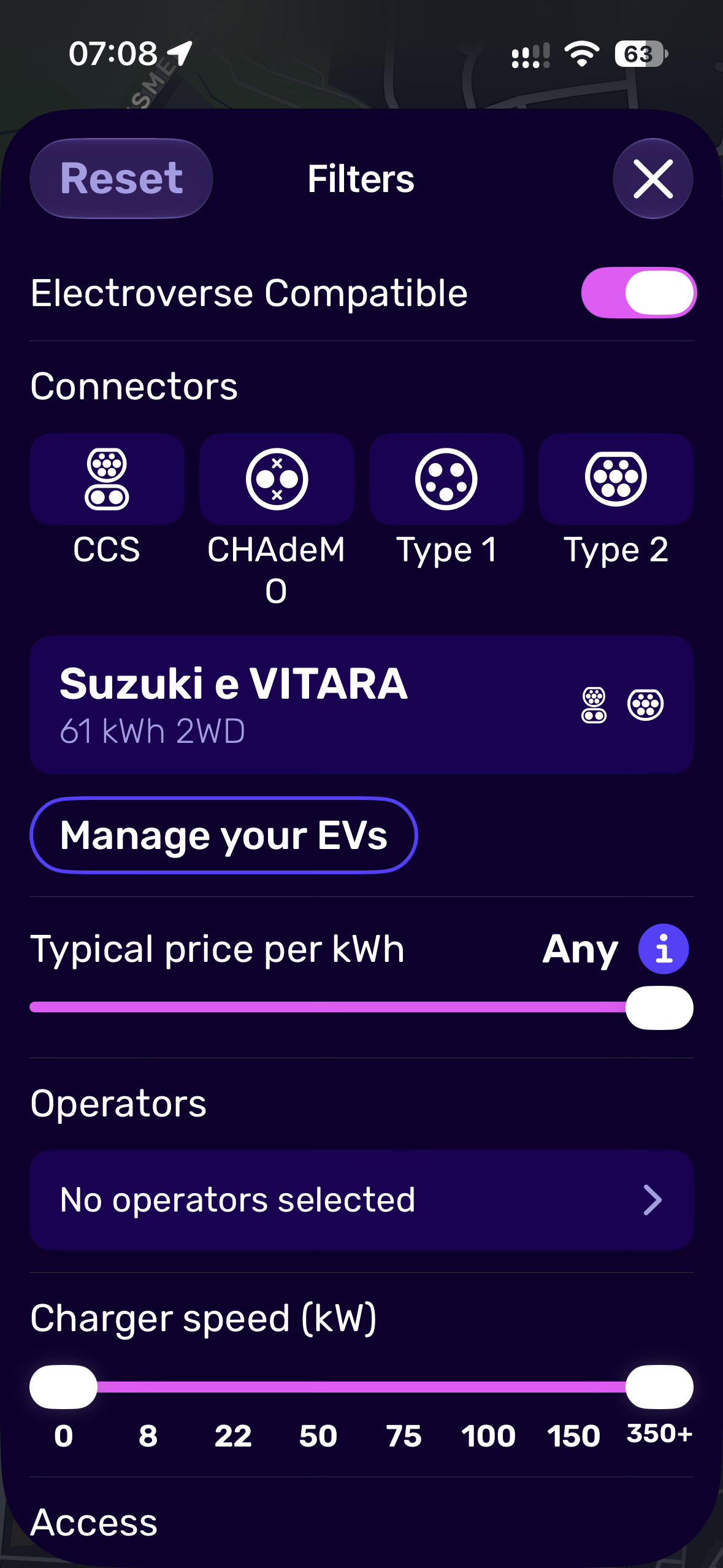
Great if the support information could provide more detail and the charger selection were using the correct terminology. This is what I looked up: https://proev.co.uk/electric-vehicle-guides/type-1-vs-type-2-charging-connectors/
Just bought an EV yesterday which is why I now have a very keen interest in this area.

Kind Regards. Help where I can.
Ducati Multistrada V4 Rally
iPhone 18 Pro
CHIGEE AIO-6 LTE
Google Pixel 6 Pro - mounted on SP Connect Plus
Ex Garmin XT2 and XT1 as well as Ex TomTom Rider User -
@Rob-Verhoeff thank you. Yes. That now works but it would be useful if there were prompts to say that. Also the connection types are not easily recognisable from what most EV charging maps are using.
Great if the support information could provide more detail and the charger selection were using the correct terminology. This is what I looked up: https://proev.co.uk/electric-vehicle-guides/type-1-vs-type-2-charging-connectors/
Just bought an EV yesterday which is why I now have a very keen interest in this area.
@Dave-J-0 I’m sure dev’s will read posts in time…
Hello! It looks like you're interested in this conversation, but you don't have an account yet.
Getting fed up of having to scroll through the same posts each visit? When you register for an account, you'll always come back to exactly where you were before, and choose to be notified of new replies (either via email, or push notification). You'll also be able to save bookmarks and upvote posts to show your appreciation to other community members.
With your input, this post could be even better 💗
Register Login-
 01848
01848
-
 07149
07149
-
 06158
06158
-
 01045
01045
-
 1327355
-
0512
-
0522
-
0519