
Detours are displayed differently in CarPlay
-

Hi, due to an traffic jam, the route had a detour, that was displayed different on CarPlay then on the display on the iPhone.
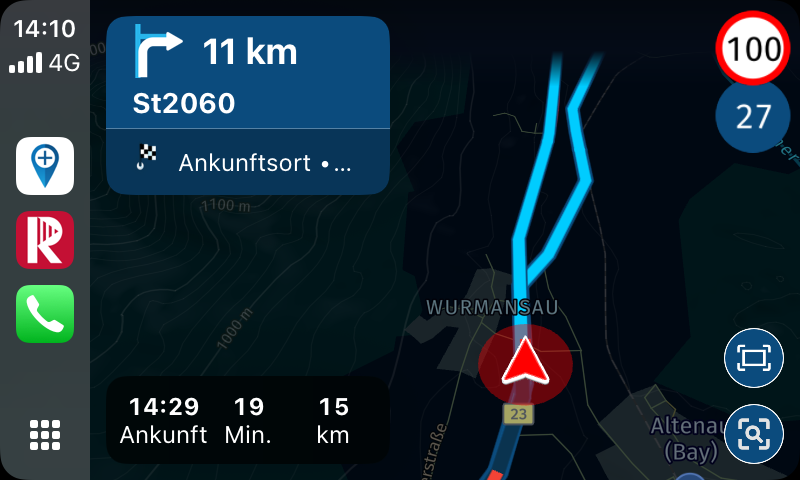
When I saw this on CarPlay, I was confused what route to take?
Then I switched on the iPhone and saw a different view.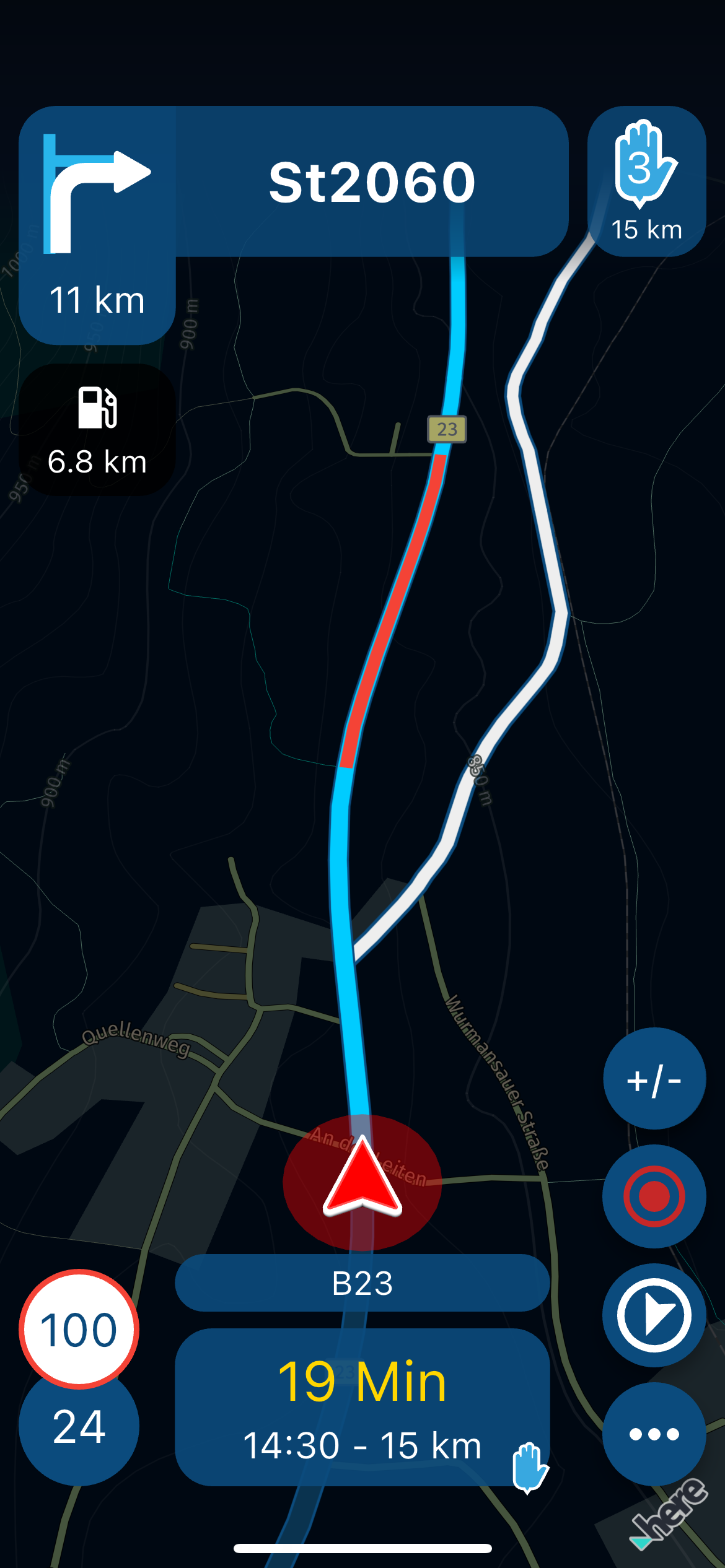
It shows the detour and the reason for the traffic jam.
So why is the detour white on iPhone and which route should I take on CarPlay?
-

@Jörgen
As far as I know, the view means:A: Mobile Phone
- White route is the originally calculated route from the planning (or the track route)
- Blue is the currently calculated route at the start of navigation, which you are then supposed to follow, depending of course on your basic navigation settings!
B: CarPlay Display It seems that the CarPlay display doesn't differentiate between these?
- The display actually tells you to continue driving and turn right in 11 km, which also corresponds to the view on the mobile phone, even though the phone at least shows increased traffic.
-
Any idea why the detour is displayed on CarPlay also in blue?
-
Hi Jürgen,
I'm afraid I can't help you any further here. Maybe try setting it up under CarPlay. Link Klick
@Corjan-Meijerink : It would be good to know what the cause might be and whether it can be fixed, as Jörgen described above.
VG Hubert
-
@Jörgen : Do you already have an answer to your problem?
-
Has this error been fixed ?
-
No!
It is probably difficult to reproduce. -
Hi,
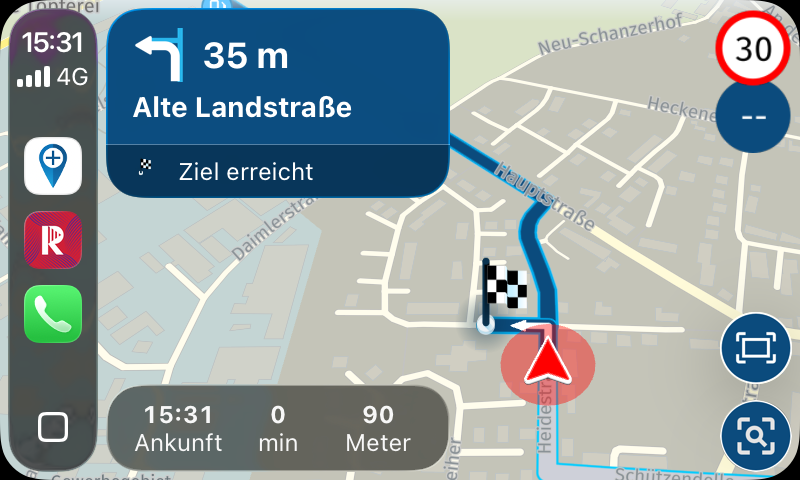
just for the books. This issue still exists. A little bug that still confuses me during use of CarPlay.
In CarPlay
On iPhone
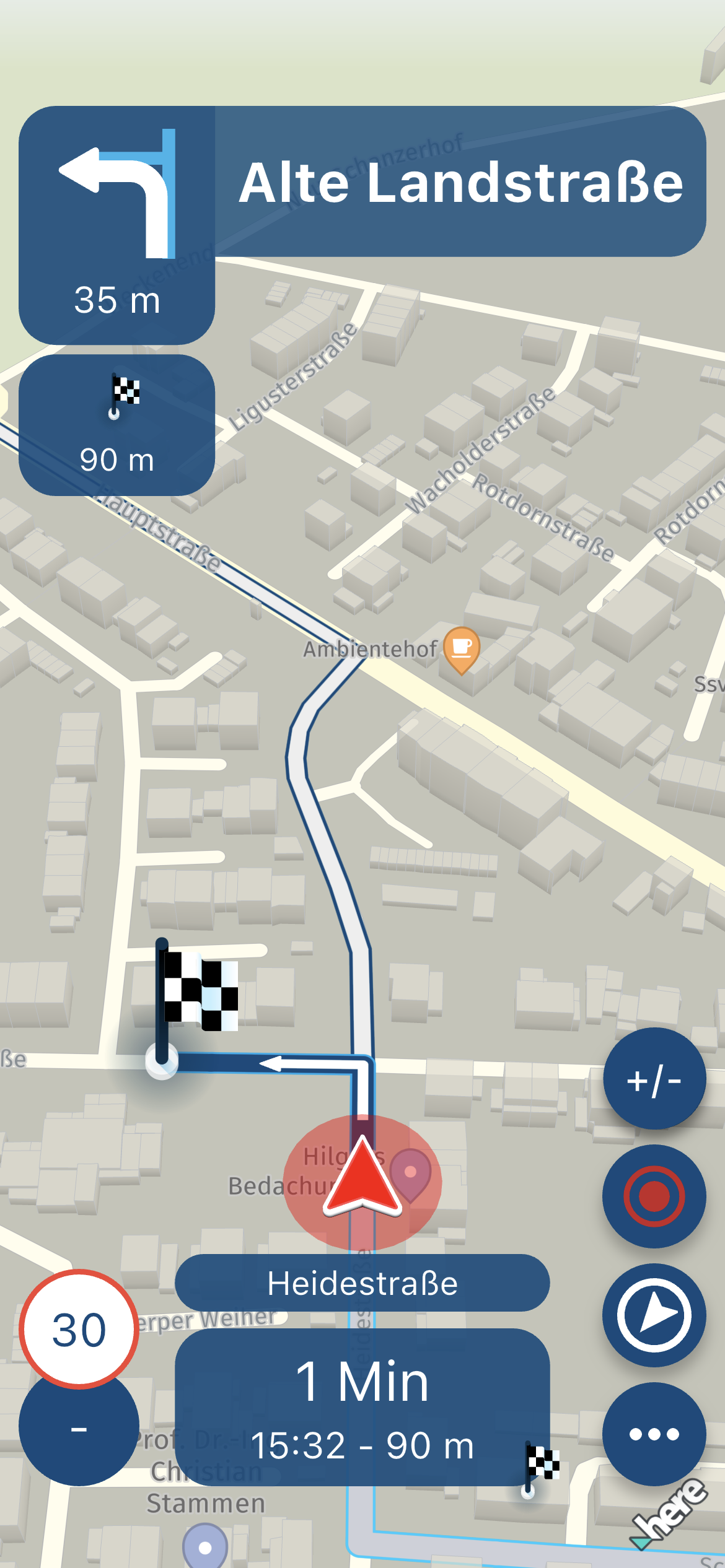
The unused white line route is displayed in CarPlay also in blue.
@Corjan-Meijerink is this noticed? Then I can stop nagging.

Hardware
iPhone 12 pro (iOS 26.2.1)
iPad (7.Gen.) 18.7.3
Oukitel RT3 Pro (Andr. 14)
Wireless CarPlay mit (Elebest C650)
Wired CarPlay (SEAT Arona - 2021)
MRA Workshops in Deutsch sind hier zu finden -
Hi,
just for the books. This issue still exists. A little bug that still confuses me during use of CarPlay.
In CarPlay
On iPhone
The unused white line route is displayed in CarPlay also in blue.
@Corjan-Meijerink is this noticed? Then I can stop nagging.

@Jörgen, Is that white line actually part of the route (start and finish at the same location)?
-
The white line is the original calculated route from A to B. During the detour (or in the last case), I drove a different route; the app made a new route (seen in blue).
The old one is then displayed in white on the phone.
Hello! It looks like you're interested in this conversation, but you don't have an account yet.
Getting fed up of having to scroll through the same posts each visit? When you register for an account, you'll always come back to exactly where you were before, and choose to be notified of new replies (either via email, or push notification). You'll also be able to save bookmarks and upvote posts to show your appreciation to other community members.
With your input, this post could be even better 💗
Register Login-
0816
-
0819
-
0722
-
 1516
1516
-
 0525
0525
-
 0471
0471
-
 0421
0421
-
 24116
24116




