Skip to content
  • Categories
  • Recent
  • Popular
  • Support
  • MyRoute-app
Collapse
Brand Logo

MRA Community Forum

  1. Home
  2. [Beta] The MyRoute-app
  3. [Beta] Problems, Bugs and other Issues
  4. 5.0.0 (420) on Android Tablet

5.0.0 (420) on Android Tablet

Scheduled Pinned Locked Moved [Beta] Problems, Bugs and other Issues
3 Posts 2 Posters 31 Views 2 Watching
  • Oldest to Newest
  • Newest to Oldest
  • Most Votes
Reply
  • Reply as topic
Log in to reply
This topic has been deleted. Only users with topic management privileges can see it.
  • Jörgen Offline
    Jörgen Offline
    Jörgen
    Valued contributor
    wrote on last edited by
    #1

    Hi, there are some problems I noticed with V 420 on my Oukitel Tablet. (I changed toRT3 Pro with Android 14)

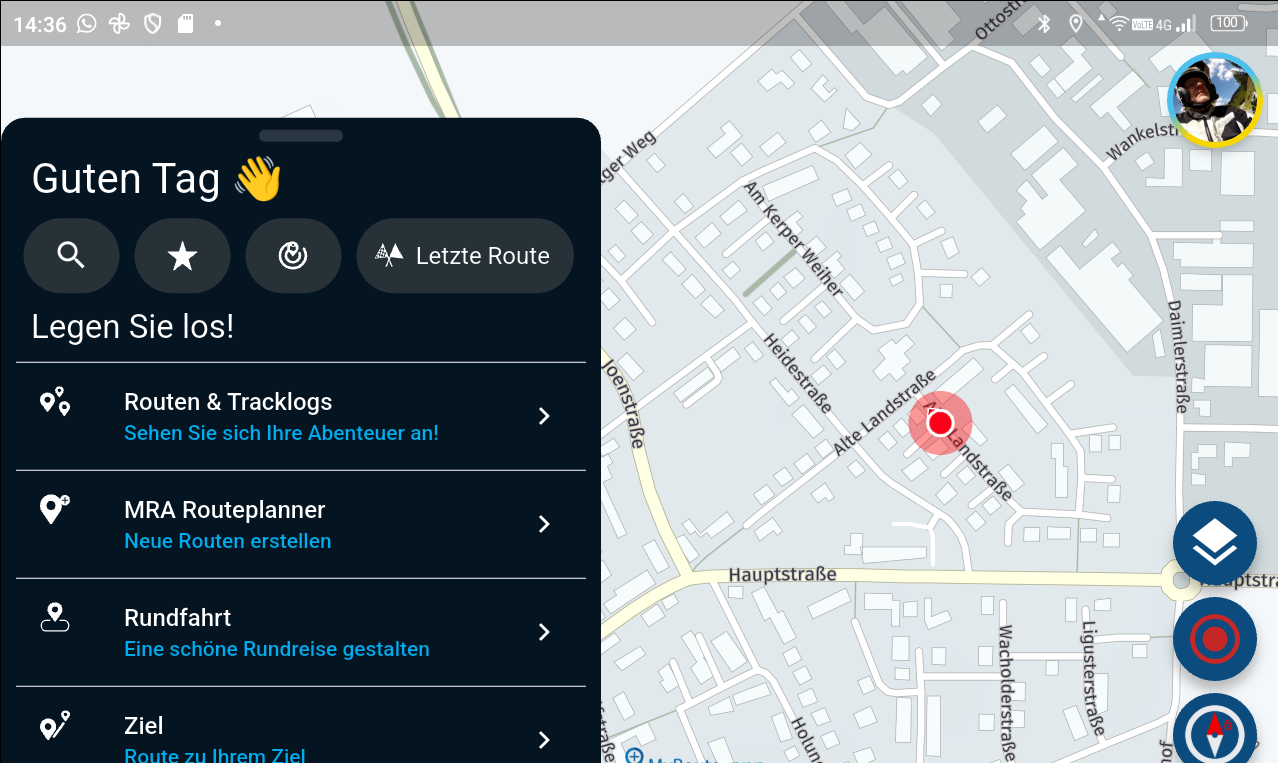
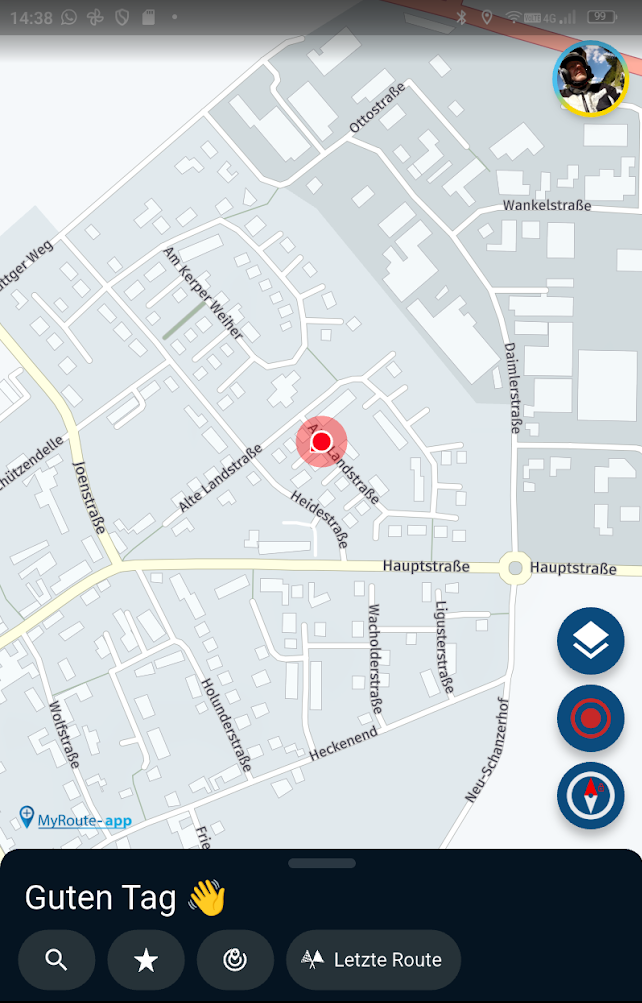
    1. I can not move the start menu down in landscape format. It moves min. 1 cm that's all. In portrait mode, it moves down completely.

    Normal view:
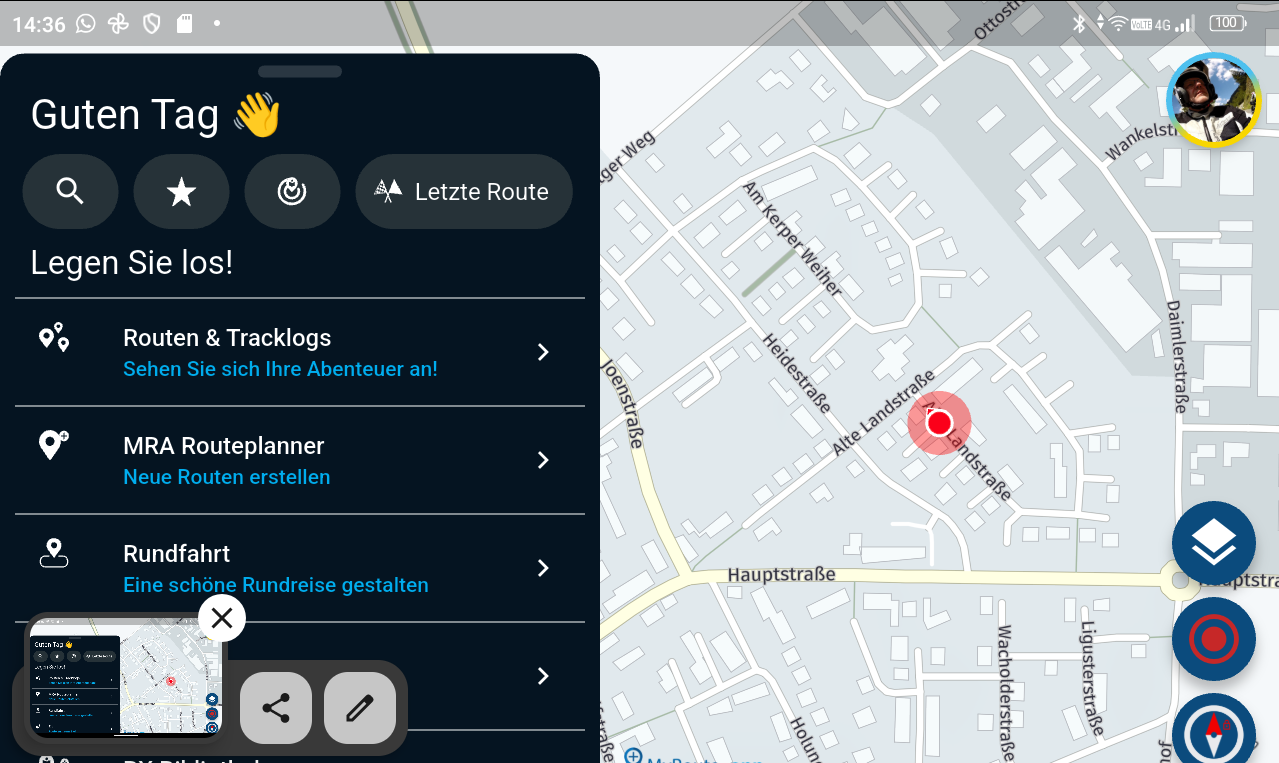
    63e04d73-e2b4-4917-8127-4fe456b6a784-image.png
    .

    Minimum move down:
    d8fd96eb-4e16-4cd6-8f96-88ce5aa5d83a-image.png
    .
    Portrait mode:
    e47e5092-cffe-450e-b6c3-7380ad5526b6-image.png
    .
    .
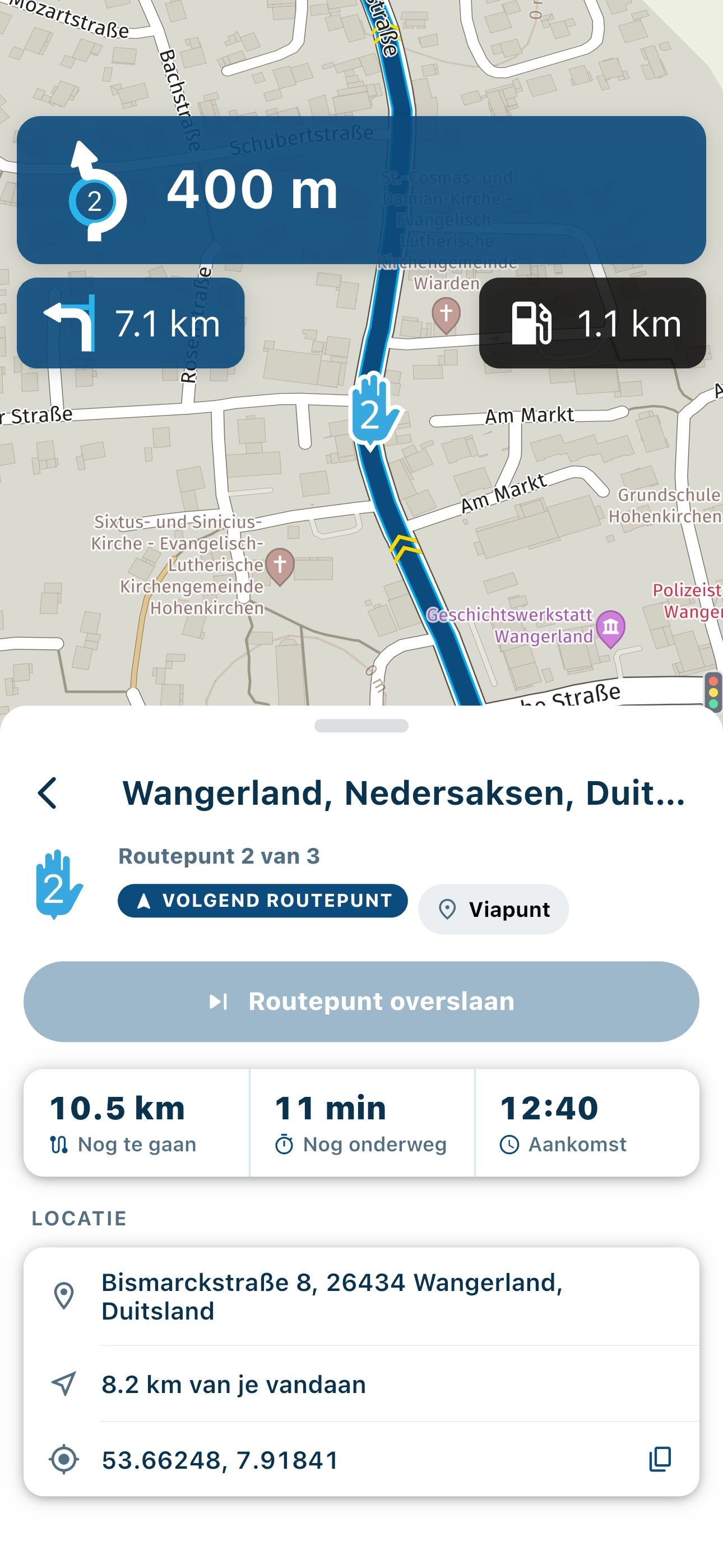
    2. WayPoint setting in InApp Routeplanner. In Landscape mode it is not possible to set the WP correct on the street. The WP is set by hand top not by hand bottom. In portrait, it is OK!
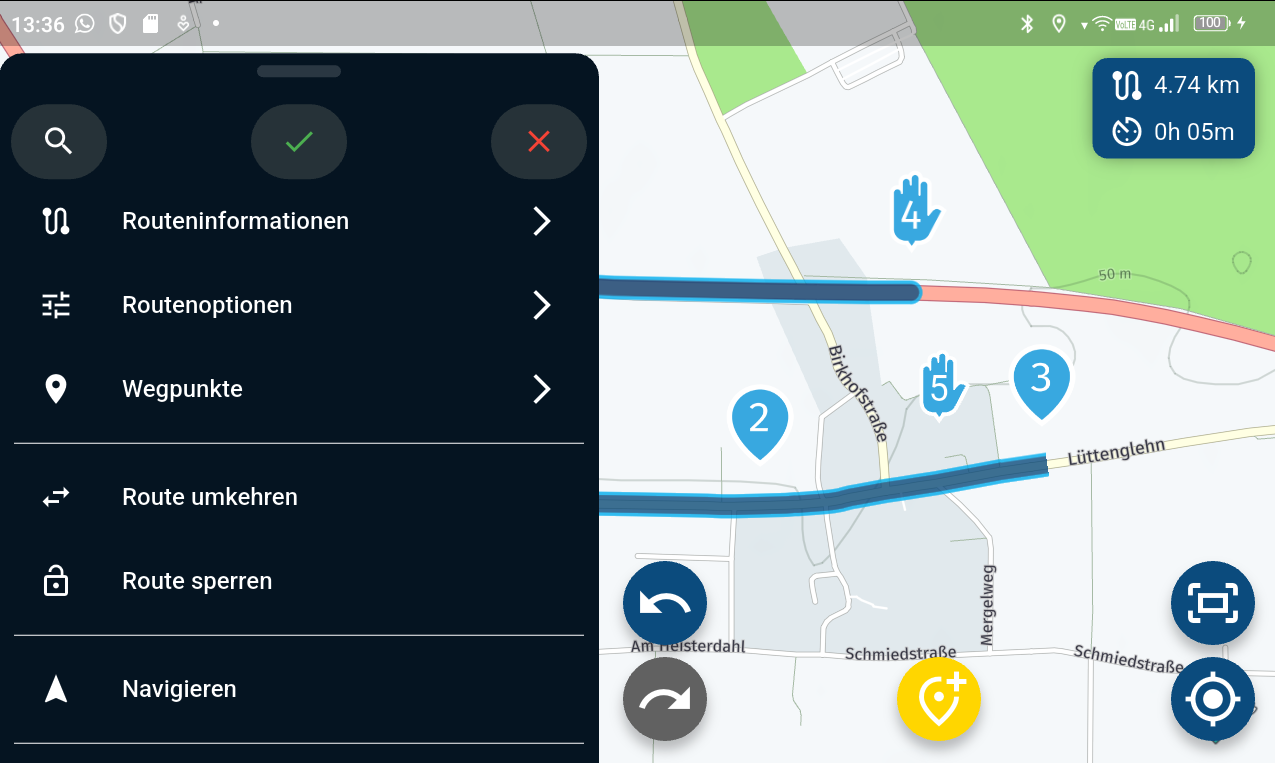
    573c0d62-7569-400b-9d69-e1e93dcda071-image.png
    .
    .

    1. Then there is something wrong with the positioning in landscape. Depending on what you are doing on the screen, the centre position (red arrow) jumps back and forth or does not use the centre.

    See video: https://youtu.be/UhGaWx5M0aY

    I start a track.
    The current position then jumps under the menu.
    I tap on Navigate and the current position is outside the screen.
    I tap on the three dots and the position is now correct.
    I stop navigation and start again.
    Now I tap on Navigate a little longer, everything still looks fine.
    Now I tap on the compass to change the view.
    The position jumps to the centre of the screen in all views.
    Normally, the position should be slightly to the right.
    When I tap on the menu, the position jumps to the centre right.

    Hardware
    iPhone 12 pro (iOS 26.2.1)
    iPad (7.Gen.) 18.7.3
    Oukitel RT3 Pro (Andr. 14)
    Wireless CarPlay mit (Elebest C650)
    Wired CarPlay (SEAT Arona - 2021)
    MRA Workshops in Deutsch sind hier zu finden

    1 Reply Last reply
    1
    • Corjan Meijerink Offline
      Corjan Meijerink Offline
      Corjan Meijerink
      Developer
      wrote on last edited by
      #2

      1: design choice - menu can't (and won't) be able to be moved down in landscape
      2: I'll investigate a bit more (possibly fixed in the upcoming update)
      3: Believe it's fixed for sure in the upcoming update

      Jörgen 1 Reply Last reply
      1
      • Corjan Meijerink Corjan Meijerink

        1: design choice - menu can't (and won't) be able to be moved down in landscape
        2: I'll investigate a bit more (possibly fixed in the upcoming update)
        3: Believe it's fixed for sure in the upcoming update

        Jörgen Offline
        Jörgen Offline
        Jörgen
        Valued contributor
        wrote on last edited by
        #3

        @Corjan-Meijerink said in 5.0.0 (420) on Android Tablet:

        1: design choice - menu can't (and won't) be able to be moved down in landscape 😢
        2: I'll investigate a bit more (possibly fixed in the upcoming update) 👍
        3: Believe it's fixed for sure in the upcoming update 👍

        Hardware
        iPhone 12 pro (iOS 26.2.1)
        iPad (7.Gen.) 18.7.3
        Oukitel RT3 Pro (Andr. 14)
        Wireless CarPlay mit (Elebest C650)
        Wired CarPlay (SEAT Arona - 2021)
        MRA Workshops in Deutsch sind hier zu finden

        1 Reply Last reply
        0

        Hello! It looks like you're interested in this conversation, but you don't have an account yet.

        Getting fed up of having to scroll through the same posts each visit? When you register for an account, you'll always come back to exactly where you were before, and choose to be notified of new replies (either via email, or push notification). You'll also be able to save bookmarks and upvote posts to show your appreciation to other community members.

        With your input, this post could be even better 💗

        Register Login
        Reply
        • Reply as topic
        Log in to reply
        • Oldest to Newest
        • Newest to Oldest
        • Most Votes


        ACTIVE USERS
        Jörgen
        Jörgen
        Corjan Meijerink
        Corjan Meijerink
        POPULAR TOPICS
        • transfer from phone to zoom xt
          Nick Carthew
          Nick Carthew
          0
          8
          220

        • Route Breakdown
          Marinus van Deudekom
          Marinus van Deudekom
          1
          3
          50

        • The slow death of Zumo...
          John S Parry
          John S Parry
          1
          5
          149

        • MRA Touring Romania Group
          0
          1
          40

        • I can't see Road Closures
          Lary
          Lary
          0
          8
          327

        • Feature Request: Map Contrast & Road Visibility in Navigation⁠
          Hubert Thoring
          Hubert Thoring
          4
          7
          408

        • Schermresoluties, beeldverhoudingen en schermgroottes
          M. Schrijver
          M. Schrijver
          0
          3
          129

        • Verkeers Informatie Garmin en GPX 1.2
          Carl Lee
          Carl Lee
          0
          15
          648

        MY GROUPS
        • Login

        • Login or register to search.
        • First post
          Last post
        0
        • Categories
        • Recent
        • Popular
        • Support
        • MyRoute-app