A11 Making the Algorithm More Visible – Overview and Planner File
-

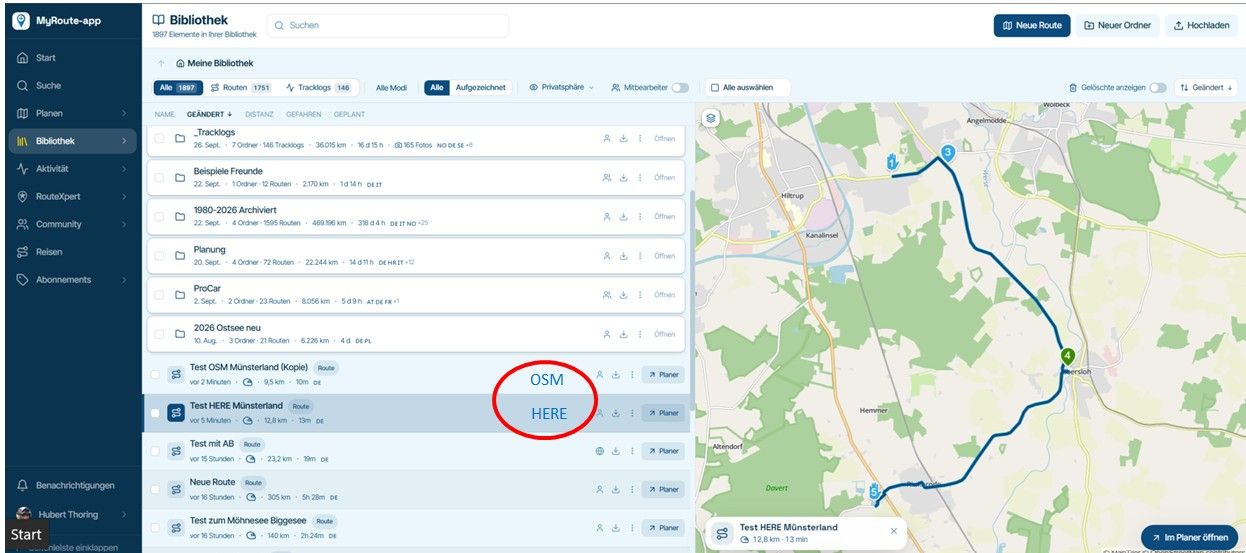
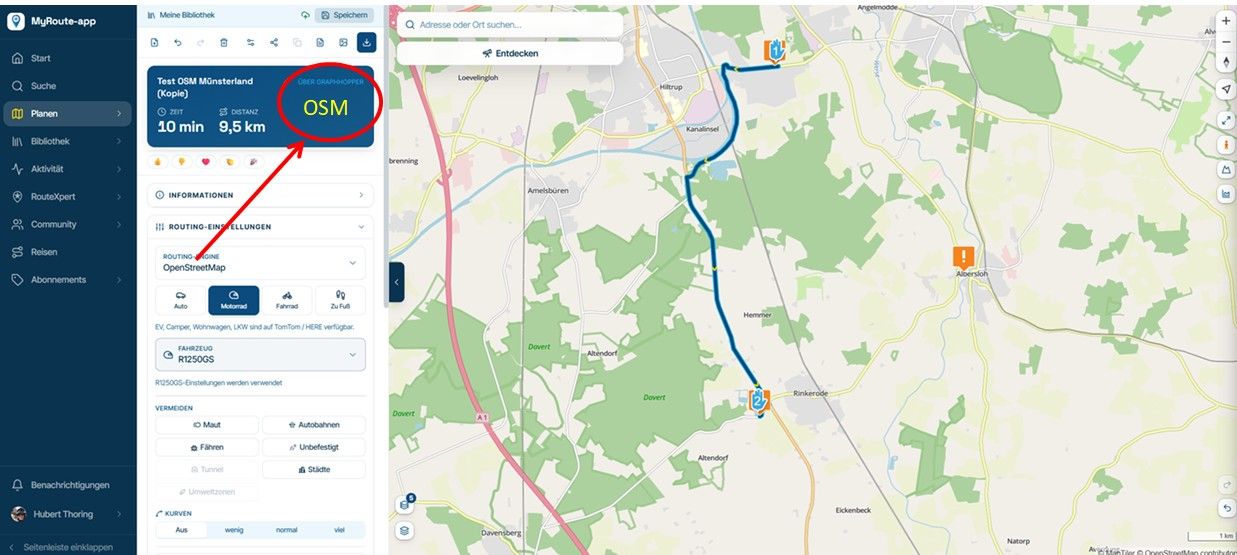
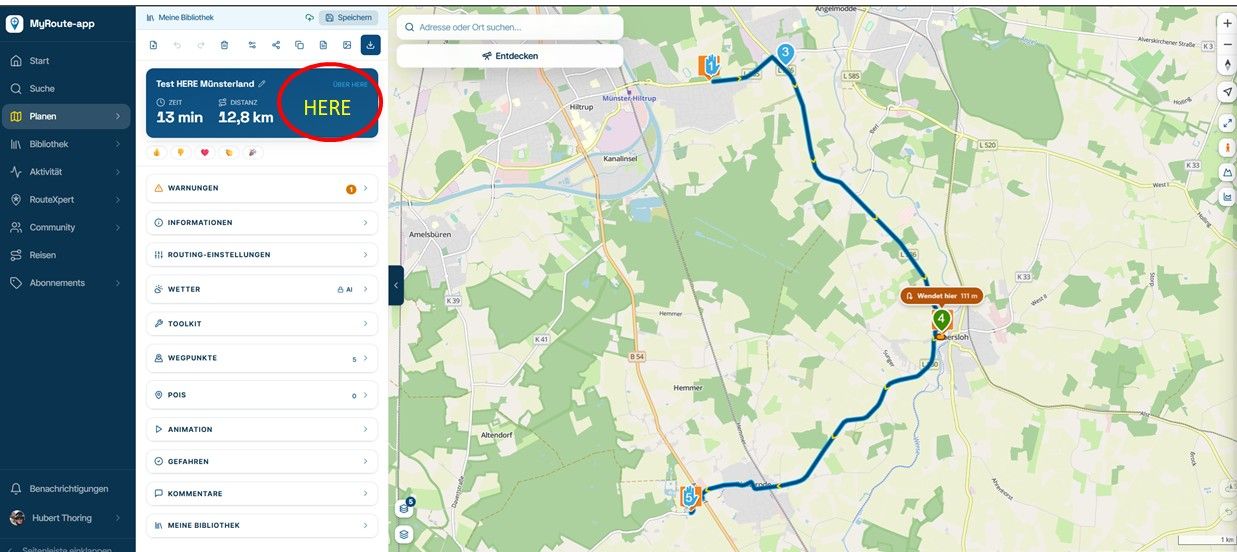
I hadn't noticed this until now; in my view, it is far too small. However, since it is important for all users, it should be clearly visible which algorithm the file is scheduled for..
-

Not going to do this.
In reality people use 1 map for everything.
Showing it all the time, only clutter.In beta people defaulted to graphhopper because subscriptions aren’t carried over. That will be changed before release

-
In my view—and this has been the case for a few years now—it is important to ensure the file is saved using the HERE setting at the end if you actually want to use MRA Navigation Next (HERE) to navigate the route.
- I use MRA Navigation Next (HERE).
- However, I always do my initial planning using the OSM map because it contains more information.
- I have the HERE algorithm calculate the route directly, as it needs to be compatible with MRA Navigation Next (HERE).
Occasionally, though, I switch to the OSM algorithm and save using OSM, or vice versa. Unfortunately, this isn't immediately obvious at a glance, so this information might well be helpful to others.
This is particularly relevant for those who plan using the OSM map and OSM algorithm—since that allows for a curvier route—but then forget to switch to the HERE algorithm at the end to ensure proper navigation in MRA Navigation Next (HERE).
Hello! It looks like you're interested in this conversation, but you don't have an account yet.
Getting fed up of having to scroll through the same posts each visit? When you register for an account, you'll always come back to exactly where you were before, and choose to be notified of new replies (either via email, or push notification). You'll also be able to save bookmarks and upvote posts to show your appreciation to other community members.
With your input, this post could be even better 💗
Register Login-
 023136
-
 118149
-
015115
-
01192
-
0934
-
3986
-
2883
-
-1872