Poor map detail
-

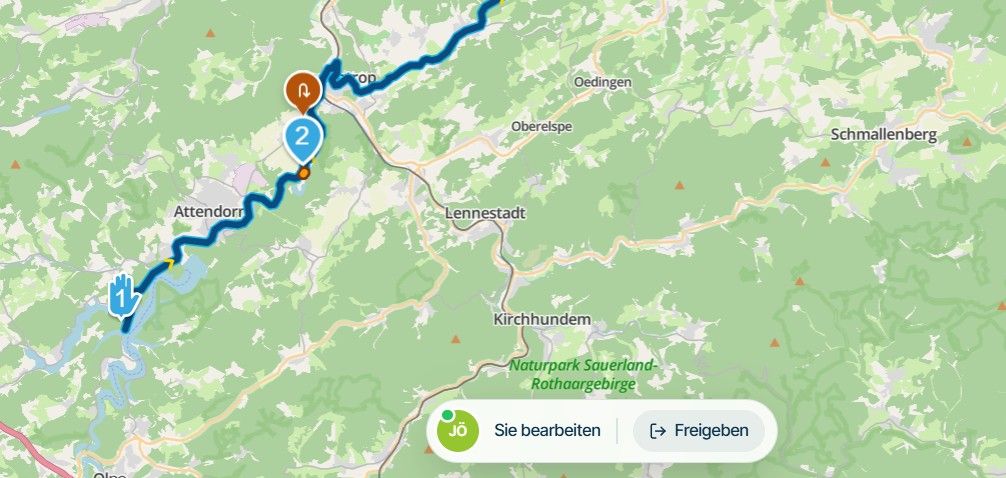
Trying to use the app in off line mode. When I load a saved route, there is very little map detail and when I zoom in , the map gets very blurry to the point where it is unreadable.
I have updated my maps.
It makes browsing the map virtually impossible. -
Here is a screen shot
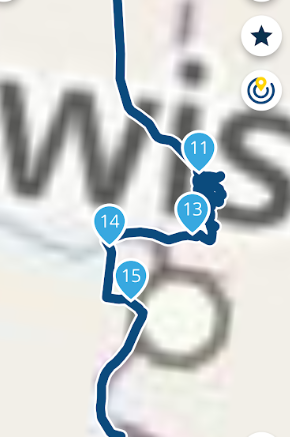
The only way to get clarity is to go back online. This is very hard on data usage.
I thought the object of having offline maps and saved routes was to be able to navigate totally offline utilizing routes that were created previously.
If I am doing something wrong, I would appreciate being steered in the right direction.
here is how I have the app configured when the maps are very blurry
- android phone
- uploaded the route
- downloaded and updated offline maps
- navigation is in "offline" mode
- phone is in "airplane" mode. ie. no data connection
Result is blurry maps - turn the "offline navigation" off - no change
- turn :airplane mode "off" and the map clears up.
-
Here is a screen shot
The only way to get clarity is to go back online. This is very hard on data usage.
I thought the object of having offline maps and saved routes was to be able to navigate totally offline utilizing routes that were created previously.
If I am doing something wrong, I would appreciate being steered in the right direction.
here is how I have the app configured when the maps are very blurry
- android phone
- uploaded the route
- downloaded and updated offline maps
- navigation is in "offline" mode
- phone is in "airplane" mode. ie. no data connection
Result is blurry maps - turn the "offline navigation" off - no change
- turn :airplane mode "off" and the map clears up.

@Rod-Sydenham, I think you may have corrupted map files. Does it come back after clearing data in Android App settings and re-downloading the maps? I have exactly the same map detail working online or offline...
I am just an enthusiastic MRA user, and hope you will be one too!
Most motorcycle problems are caused by the nut that connects the handlebar to the saddle.
Check out RideSleepRepeat.eu, a biker community for sharing stays across Europe
-
@Rod-Sydenham, I think you may have corrupted map files. Does it come back after clearing data in Android App settings and re-downloading the maps? I have exactly the same map detail working online or offline...
I will try the deletion and reloading maps.
Thanks -

This part of the app doesn’t use the offline maps! The offline maps are only used within the actual navigation

-
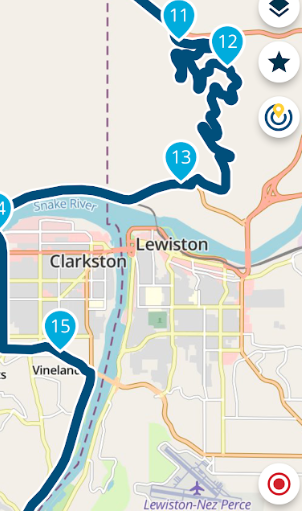
I cleared the cache on the phone, deleted the maps, reloaded the maps, opened an downloaded route, used airplane mode, offline navigation and the route/maps showed up clearly and with detail.
Thanks for the help
-
I cleared the cache on the phone, deleted the maps, reloaded the maps, opened an downloaded route, used airplane mode, offline navigation and the route/maps showed up clearly and with detail.
Thanks for the help
@Rod-Sydenham
example of how map cleared up when the above was done
Hello! It looks like you're interested in this conversation, but you don't have an account yet.
Getting fed up of having to scroll through the same posts each visit? When you register for an account, you'll always come back to exactly where you were before, and choose to be notified of new replies (either via email, or push notification). You'll also be able to save bookmarks and upvote posts to show your appreciation to other community members.
With your input, this post could be even better 💗
Register Login-
 01540
01540
-
0925
-
911310.6k
-
 0727
0727
-
0935
-
 0713
0713
-
 0726
0726
-
0617