Route point in navigation instructions
-

Last week I’ve been navigating trough Luxemburg and tested the navigation app of course. First of all a big compliment, it was really nice navigating with this piece of software.
But of course I have something that I would like to discuss here, perhaps I can’t find the setting, or maybe the setting doesn’t exist.
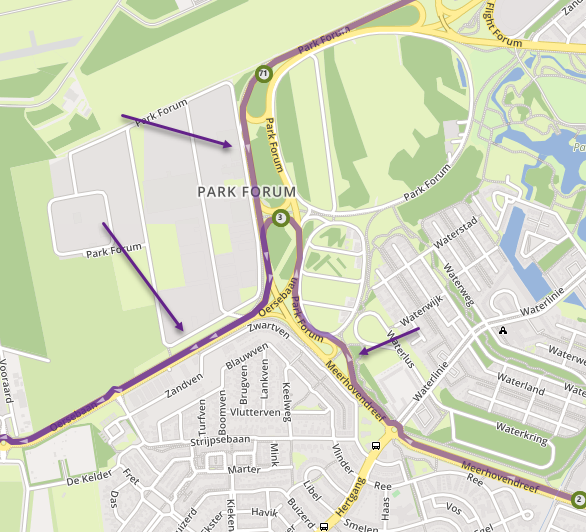
While driving back home I had in the navigation instruction on the left top side the distance to the first upcoming route point. When “collected” the route point which was on a highway, I was surprised with the fact that the next instruction was to leave the highway, so I was driving 120 km/h in busy traffic, and all of a sudden I had to cross 3 lanes to reach the exit, and that all within a couple of 100 meters.
Is there a possibility to “delete” the navigation instruction to the next route point (also because on the right top side I have displayed the skip button with the distance to the next route point). So it would be great if I can always see the “real” instructions on my screen.Hope to hear
-
Last week I’ve been navigating trough Luxemburg and tested the navigation app of course. First of all a big compliment, it was really nice navigating with this piece of software.
But of course I have something that I would like to discuss here, perhaps I can’t find the setting, or maybe the setting doesn’t exist.
While driving back home I had in the navigation instruction on the left top side the distance to the first upcoming route point. When “collected” the route point which was on a highway, I was surprised with the fact that the next instruction was to leave the highway, so I was driving 120 km/h in busy traffic, and all of a sudden I had to cross 3 lanes to reach the exit, and that all within a couple of 100 meters.
Is there a possibility to “delete” the navigation instruction to the next route point (also because on the right top side I have displayed the skip button with the distance to the next route point). So it would be great if I can always see the “real” instructions on my screen.Hope to hear

@Maikel-d thanks for the compliment!

The issue you describe is something we will fix very shortly! It had been described as annoying by many so it will be changed for sure! -
@Maikel-d thanks for the compliment!
The issue you describe is something we will fix very shortly! It had been described as annoying by many so it will be changed for sure!
@Corjan-Meijerink said in Route point in navigation instructions:
@Maikel-d thanks for the compliment!
The issue you describe is something we will fix very shortly! It had been described as annoying by many so it will be changed for sure!Great! In that case I will wait patiently for the upcoming updates.
-
Last week I’ve been navigating trough Luxemburg and tested the navigation app of course. First of all a big compliment, it was really nice navigating with this piece of software.
But of course I have something that I would like to discuss here, perhaps I can’t find the setting, or maybe the setting doesn’t exist.
While driving back home I had in the navigation instruction on the left top side the distance to the first upcoming route point. When “collected” the route point which was on a highway, I was surprised with the fact that the next instruction was to leave the highway, so I was driving 120 km/h in busy traffic, and all of a sudden I had to cross 3 lanes to reach the exit, and that all within a couple of 100 meters.
Is there a possibility to “delete” the navigation instruction to the next route point (also because on the right top side I have displayed the skip button with the distance to the next route point). So it would be great if I can always see the “real” instructions on my screen.Hope to hear

@Maikel-d, besides what Corjan says, it is a good habit to NOT place route-points close to exits, crossings, roundabouts and the like.
I am just an enthusiastic MRA user, and hope you will be one too!
Most motorcycle problems are caused by the nut that connects the handlebar to the saddle.
Check out RideSleepRepeat.eu, a biker community for sharing stays across Europe
-
@Maikel-d, besides what Corjan says, it is a good habit to NOT place route-points close to exits, crossings, roundabouts and the like.
@Con-Hennekens said in Route point in navigation instructions:
@Maikel-d, besides what Corjan says, it is a good habit to NOT place route-points close to exits, crossings, roundabouts and the like.
Completely true, but this route wasn’t made by me, and due to the flu just days before the trip I haven’t been able to check the route which I normally always do.
Hello! It looks like you're interested in this conversation, but you don't have an account yet.
Getting fed up of having to scroll through the same posts each visit? When you register for an account, you'll always come back to exactly where you were before, and choose to be notified of new replies (either via email, or push notification). You'll also be able to save bookmarks and upvote posts to show your appreciation to other community members.
With your input, this post could be even better 💗
Register Login-
 08201
08201
-
 0521
0521
-
 0746
0746
-
0310
-
0311
-
024
-
 4234.9k
-
 52115
52115