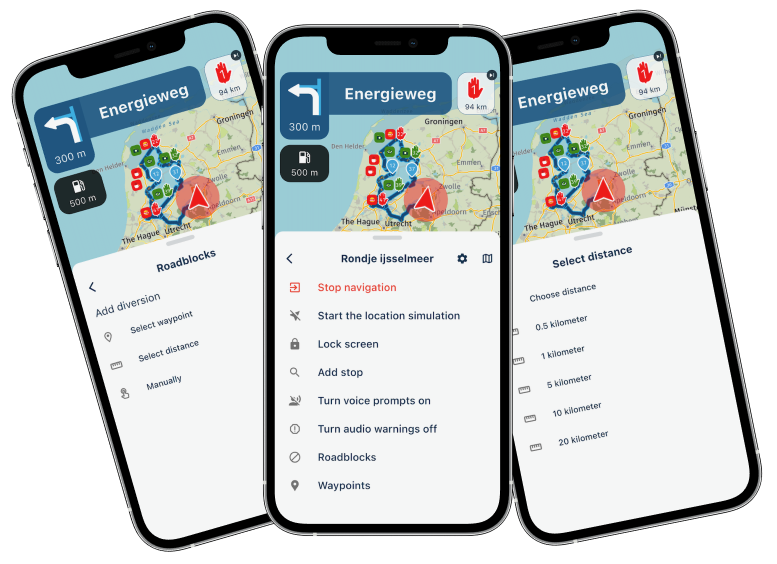
Offline navigation as of June, 2026 release 5.1
-
Hello, all!
Just to get it clear in my head (and mybe some others )
)
For properly navigating Offline - True or False? for questions 1 - 4, please.- All Maps of the Regions you plan to navigate offline need to be downloaded into the App
- In the settings Navigation - Functional the slider for Offline Navigation should be made Green (ON)
- The Route must be downloaded to the Downloads folder (designates the Route as available for offline Navigation)
- The Route must be opened for Offline Navigation from the Downloads folder in the App
Now, the "other" questions:
What happens if the Route was not downloaded to the Downloads folder and opened from the
Routes and Tracks library, BUT the offline navigation was turned ON?
Will the offline navigation work and be reliable?Three scenarios need explanation, please:
- If initially, when you started Navigating you did have Internet service
- If initially, when you started Navigating you did NOT have Internet service
- If initially, when you started Navigating you did have Internet service but lost it along the way
Another question - While Navigating, I have seen my screen show the message that Internet connection was lost along the Route and the App is switching to the Offline mode.
I do not remember if the Route I was Navigating was in the Downloads folder, but I definitely did not open it from the Downloads folder and I am pretty sure my Offline option was OFF at the time.
So, what is the policy with that?
When will that message pop-up and does the offline navigation really automatically kicks in, even if it was not selected in the Functional options?Any other considerations and "must do"s or procedures involved for successful offline navigation?
P.S. I did read other posts and did read the Support section. Still have questions, as you see...
Just want to consolidate the procedures into a concise and clear format here.
Thank you for your thoughts!Positive emotions are worth every penny ;)
-
Hello, all!
Just to get it clear in my head (and mybe some others )
For properly navigating Offline - True or False? for questions 1 - 4, please.- All Maps of the Regions you plan to navigate offline need to be downloaded into the App
- In the settings Navigation - Functional the slider for Offline Navigation should be made Green (ON)
- The Route must be downloaded to the Downloads folder (designates the Route as available for offline Navigation)
- The Route must be opened for Offline Navigation from the Downloads folder in the App
Now, the "other" questions:
What happens if the Route was not downloaded to the Downloads folder and opened from the
Routes and Tracks library, BUT the offline navigation was turned ON?
Will the offline navigation work and be reliable?Three scenarios need explanation, please:
- If initially, when you started Navigating you did have Internet service
- If initially, when you started Navigating you did NOT have Internet service
- If initially, when you started Navigating you did have Internet service but lost it along the way
Another question - While Navigating, I have seen my screen show the message that Internet connection was lost along the Route and the App is switching to the Offline mode.
I do not remember if the Route I was Navigating was in the Downloads folder, but I definitely did not open it from the Downloads folder and I am pretty sure my Offline option was OFF at the time.
So, what is the policy with that?
When will that message pop-up and does the offline navigation really automatically kicks in, even if it was not selected in the Functional options?Any other considerations and "must do"s or procedures involved for successful offline navigation?
P.S. I did read other posts and did read the Support section. Still have questions, as you see...
Just want to consolidate the procedures into a concise and clear format here.
Thank you for your thoughts!For properly navigating Offline - True or False? for questions 1 - 4, please.
- True
- True
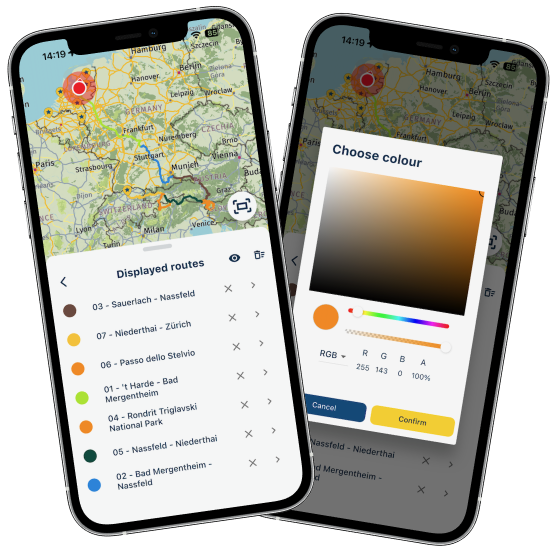
- False! Go to 'Routes & Tracklogs' > clik 3 dots > checkbox 'Sync all my routes' From then on all your routes are being synchronised when you've a data connection either bij provider or WiFi.
- False! Just go to 'Routes & Tracklogs' and you'll find all your earlier synchronised routes
Now, the "other" questions:
When synchronised all routes as described above and all maps are downloaded, you don't need to be worried.
Another question
When you lose internet, the app should switch offline for the time being.
🏍️ BMW K1600GT-P (2013) | Nolan N100-5 with Sena 30K
📱 iOS on iPhone 13 & 16 (mounted on Quadlock or AliExpress extention on BMW-cradle)
🚙 Apple CarPlay in VW T-Roc
💻 Routelab on MacBook Air & iMac (Tahoe & Ventura) -
For properly navigating Offline - True or False? for questions 1 - 4, please.
- True
- True
- False! Go to 'Routes & Tracklogs' > clik 3 dots > checkbox 'Sync all my routes' From then on all your routes are being synchronised when you've a data connection either bij provider or WiFi.
- False! Just go to 'Routes & Tracklogs' and you'll find all your earlier synchronised routes
Now, the "other" questions:
When synchronised all routes as described above and all maps are downloaded, you don't need to be worried.
Another question
When you lose internet, the app should switch offline for the time being.
When you lose internet, the app should switch offline for the time being.
Thanks, Rob!
On the quoted part - in order for that to happen, should the offline option be turned on OR the App will switch to offline regardless?Positive emotions are worth every penny ;)
-
When you lose internet, the app should switch offline for the time being.
Thanks, Rob!
On the quoted part - in order for that to happen, should the offline option be turned on OR the App will switch to offline regardless?@Lenny-O If you've downloaded all the maps for an area in the app, the app will also use those maps when you're navigating online. It's really a win-win situation because it also reduces your data usage.
To answer your last question: the app will automatically switch if the data connection is lost. You don't necessarily have to navigate in offline mode. Some people prefer to navigate offline from the start because their connection drops too often. Otherwise, the app keeps switching back and forth between online and offline mode, which can be quite annoying.
You can probably think of some areas where this happens. Mountainous regions (such as the Alps) and large, remote forests (such as the Black Forest) are typical examples where connectivity can be unreliable.
In the Netherlands, I always navigate online because mobile coverage is generally very good. It doesn't really matter to me anyway since I have an unlimited data plan.
🏍️ BMW K1600GT-P (2013) | Nolan N100-5 with Sena 30K
📱 iOS on iPhone 13 & 16 (mounted on Quadlock or AliExpress extention on BMW-cradle)
🚙 Apple CarPlay in VW T-Roc
💻 Routelab on MacBook Air & iMac (Tahoe & Ventura) -
@Lenny-O If you've downloaded all the maps for an area in the app, the app will also use those maps when you're navigating online. It's really a win-win situation because it also reduces your data usage.
To answer your last question: the app will automatically switch if the data connection is lost. You don't necessarily have to navigate in offline mode. Some people prefer to navigate offline from the start because their connection drops too often. Otherwise, the app keeps switching back and forth between online and offline mode, which can be quite annoying.
You can probably think of some areas where this happens. Mountainous regions (such as the Alps) and large, remote forests (such as the Black Forest) are typical examples where connectivity can be unreliable.
In the Netherlands, I always navigate online because mobile coverage is generally very good. It doesn't really matter to me anyway since I have an unlimited data plan.
@Rob-Verhoeff Thanks, Rob!
-
When you lose internet, the app should switch offline for the time being.
Thanks, Rob!
On the quoted part - in order for that to happen, should the offline option be turned on OR the App will switch to offline regardless?@Lenny-O I use an old phone that does not have a sim card for navigation. Routes Synced and maps downloaded when I have Wifi. Phone switched to "Offline" navigation. No issues at all though obviously I don't get live traffic data.



Hello! It looks like you're interested in this conversation, but you don't have an account yet.
Getting fed up of having to scroll through the same posts each visit? When you register for an account, you'll always come back to exactly where you were before, and choose to be notified of new replies (either via email, or push notification). You'll also be able to save bookmarks and upvote posts to show your appreciation to other community members.
With your input, this post could be even better 💗
Register Login-
020183
-
25231.1k
-
010157
-
1662
-
0851
-
011335
-
011231
-
0575